---
title: "Strongly typed entities"
slug: "strongly-typed-entities"
abstract: "What strongly typed entities are, what they inherit, and how you can use them."
---
# Strongly typed entities
Strongly typed entities are specialized objects in the SDK that extend the base `IEntity` interface and inherit from `ITypedEntity`. They provide direct access to properties and methods, simplifying the management of entity data. For instance, an `IAsset` entity gives access to properties like `FileName` and `Title` without the need for manual type casting.
You can use C# properties and methods to create similar entities. Because they are all `IEntity` objects, you can use them with the entities client, the querying client, and other clients.
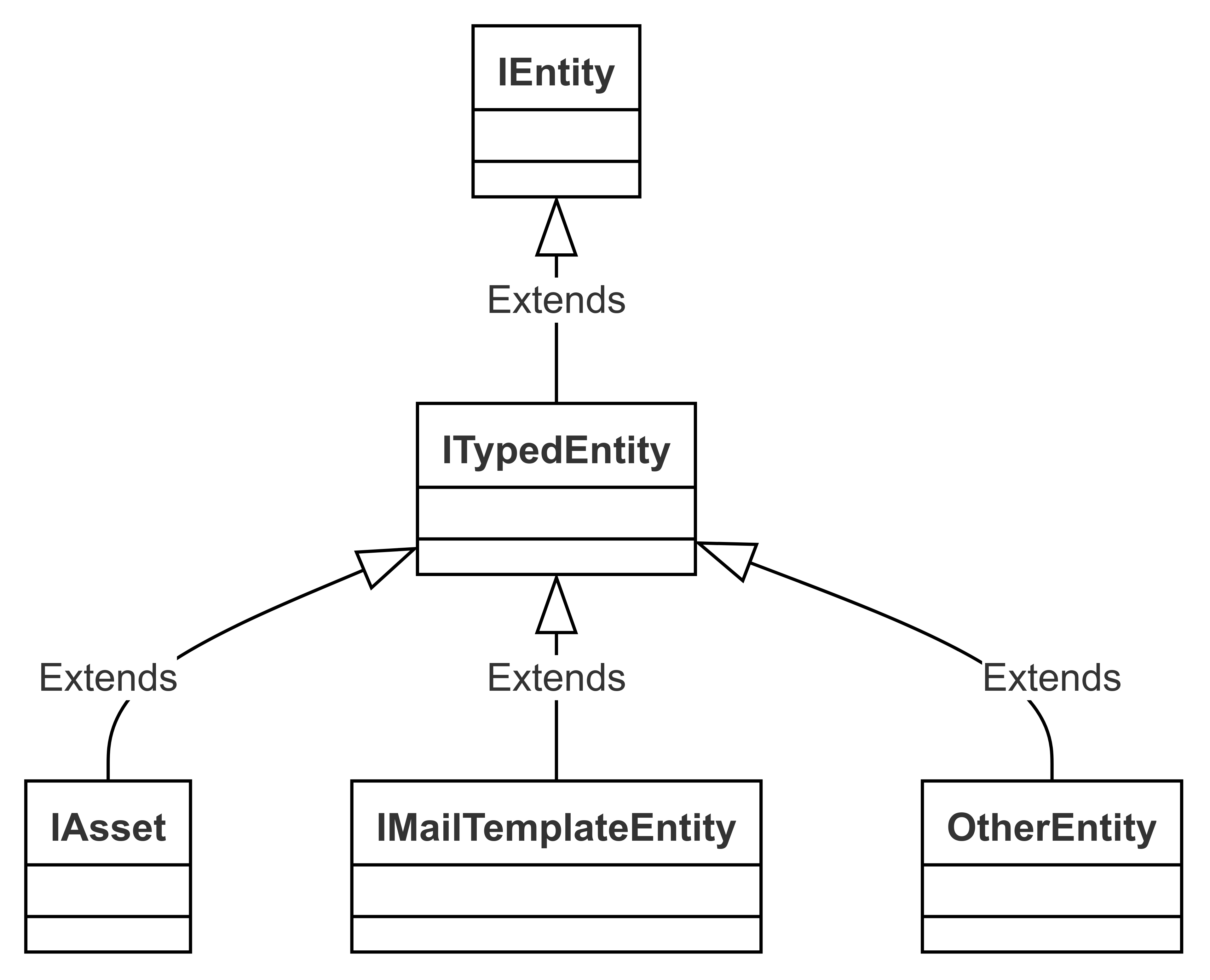
The SDK uses the following standard strongly typed entities:
| Strongly typed entity | Namespace | Properties | Methods |
| --- | --- | --- | --- |
| `IMailTemplateEntity` | `Stylelabs.M.Sdk.Contracts.Notifications` | | - Get and set the subject
- Get and set the body
- Get and set the description
- Get template variables
|
| `IAsset` | `Stylelabs.M.Sdk.Contracts.Content` | | - Get and set the description
- Get final life cycle status (returns *enum* value)
|
## Usage
Strongly typed entities expose some entity members as C# properties. For example, `IAsset` includes the following property:
```csharp
string FileName {get; set;}
```
The following statement is used to retrieve the value of `FileName`:
```csharp
return asset.GetPropertyValue ("FileName");
```
The following statement is used to update the value of `FileName`:
```csharp
asset.SetPropertyValue("FileName", value);
```
These are primarily shortcuts, and relations are managed in a similar manner. However, strongly typed entities sometimes provide additional functionality beyond simply accessing or modifying property and relation values.
To use a strongly typed entity, you first need to obtain an instance of that specific entity. In some cases, the entity will be returned directly from a client, like in the method `Task GetMailTemplateAsync(...)` from the notifications client. In other cases, you'll need to cast the entity manually.
Although the entities client returns all entities as `IEntity`, you can cast an entity to the correct type if you know its definition. If a strongly typed version exists, the entity factory automatically creates the appropriate instance.
For example, if you are sure that the entity with ID `1000` is an asset, you can use the following snippet to retrieve that entity:
```csharp
IAsset asset = await MClient.Entities.GetAsync(1000) as IAsset;
```
You can then retrieve the filename as follows:
```csharp
string filename = asset.FileName;
```
## Partial entities
Partial entities are entities that are not fully loaded. By default, the SDK only loads part of an entity: the default culture, all properties, and no relations. You can change this behavior, for example to load other parts of that entity, by passing load configurations.
If a property or relationship isn’t retrieved, the SDK will return `null` for properties that aren’t loaded, and an empty collection for relationships that aren’t loaded. If you try to set a property on an entity that hasn’t been loaded, the SDK will throw an exception. This applies to strongly typed entities as well.
For example, if an asset is loaded without its properties and you try to access the `FileName` like this:
```csharp
string filename = asset.FileName;
```
The result will be `null`, even if the filename exists on the server, because the `FileName` property wasn't loaded.
To avoid this, always ensure that you load entities with the members you need. Additionally, strongly typed entities support the `LoadTypedMembersAsync` method, which can load all members of the strongly typed interface as needed. However, this method is more resource-intensive and should be used with care.
> [!warning]
> Strongly typed assets only function correctly as long as their members match the parent entity. For instance, if you rename the `FileName` property in the `M.Asset` definition, the strongly typed approach will no longer work. However, you can still retrieve the value using the `IEntity` methods.