Attribution to widget type
The Attribution to widget type report is a detailed two-part report for a product. You can drill down to direct purchase revenues attributed to widgets by their type. You can compare contributions of each widget type towards overall direct purchase revenues over the selected time period.
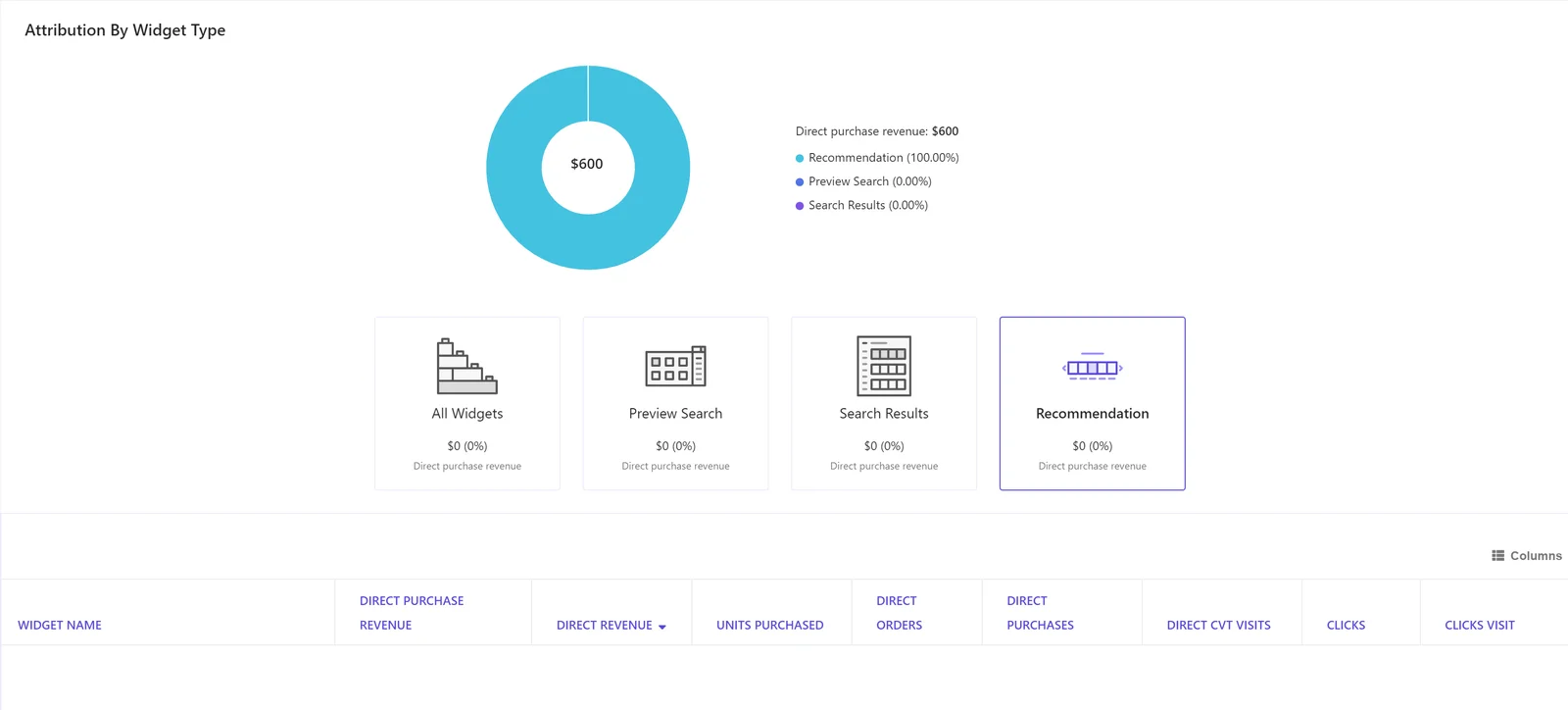
In addition to a pie chart for the KPI from the different widgets, this report also includes a paginated table, listing every widget and its metrics. You can configure and sort its columns.
To see the metrics and values by widget type, click the widget type tile.
To examine data points in charts and tables, hover your mouse over the point or element.
To export data, click  and then click Export Data.
Data filters
You can narrow down the data you see in reports using the filters at the top of the report dashboard or section. Changing these values regenerates the reports.
Use the following filters to generate data for this report:
Date range - includes Yesterday, Last 7 days, Last 14 days, Last 30 days, Last 90 days, and Customized range.
Devices - includes Desktop, Tablet, Mobile, and Bot.
App type - includes Web, Native, and Webview.
Country - includes a list of countries.
Visitor type - includes new and returning visitors.
Channel - includes different methods by which a visitor has accessed your website or mobile app.
Locale - includes a list of locales.
Depending on your domain setup, you might see some or all of these filters.
Metrics and KPI
In the reports, attributed metrics and KPIs represent records that reflect the type of visitor interaction to which they are attributed.
For example, a click-assisted metric records sessions or visits where the visitor purchased one or more products different from those that they clicked.
Visitor interaction types include:
- Direct - refers to a visitor clicking one or more products and purchasing one or more products that they clicked.
- Click-assisted - refers to a visitor purchasing one or more products different from those they clicked.
- View-assisted - refers to a visitor viewing one or more products.
- Unassisted - refers to a visitor not viewing and not clicking a product but converting.
The following describes the metrics and KPIs in this report:
Direct purchase revenue (DPR) - the total revenue from units purchased from sessions where a visitor clicked one or more products and purchased one or more products they clicked.
Direct revenue - the total revenue from sessions where a visitor clicked one or more products and purchased one or more products they clicked.
Units purchased - the number of units of products purchased.
Direct orders - the number of orders from sessions where a visitor clicked one or more products and purchased one or more products they clicked.
Direct purchase - the number of units purchased from sessions where a visitor clicked one or more products and purchased one or more products they clicked.
Converted Visits - the number of visits that ended in a conversion action.
Direct converted visits (CVT) - the number of visits that ended in a conversion action from sessions where a visitor clicked one or more products and purchased one or more products they clicked.
Clicks - the total number of clicks from visitor sessions or visits.
Click-assisted visits - the number of visits by visitors with at least one click on or within a Discover widget.