---
title: "Goals dashboard"
slug: "goals-dashboard"
abstract: "The Goals report in Sitecore Personalize lets you view the goal performance of an experiment or experience."
---
# Goals dashboard
The Goals report is available for triggered experiments and experiences to gauge an understanding of their performance. This report shows three preconfigured goals - conversions, average order value, and revenue - attributed to the variant and the control. It only includes sessions from successful experiments and experiences.
The report shows data for the past 7 days.
The data in the Goals report is refreshed every 24 hours. To download the report as a ZIP archive containing CSV files, click the **Download**  icon.
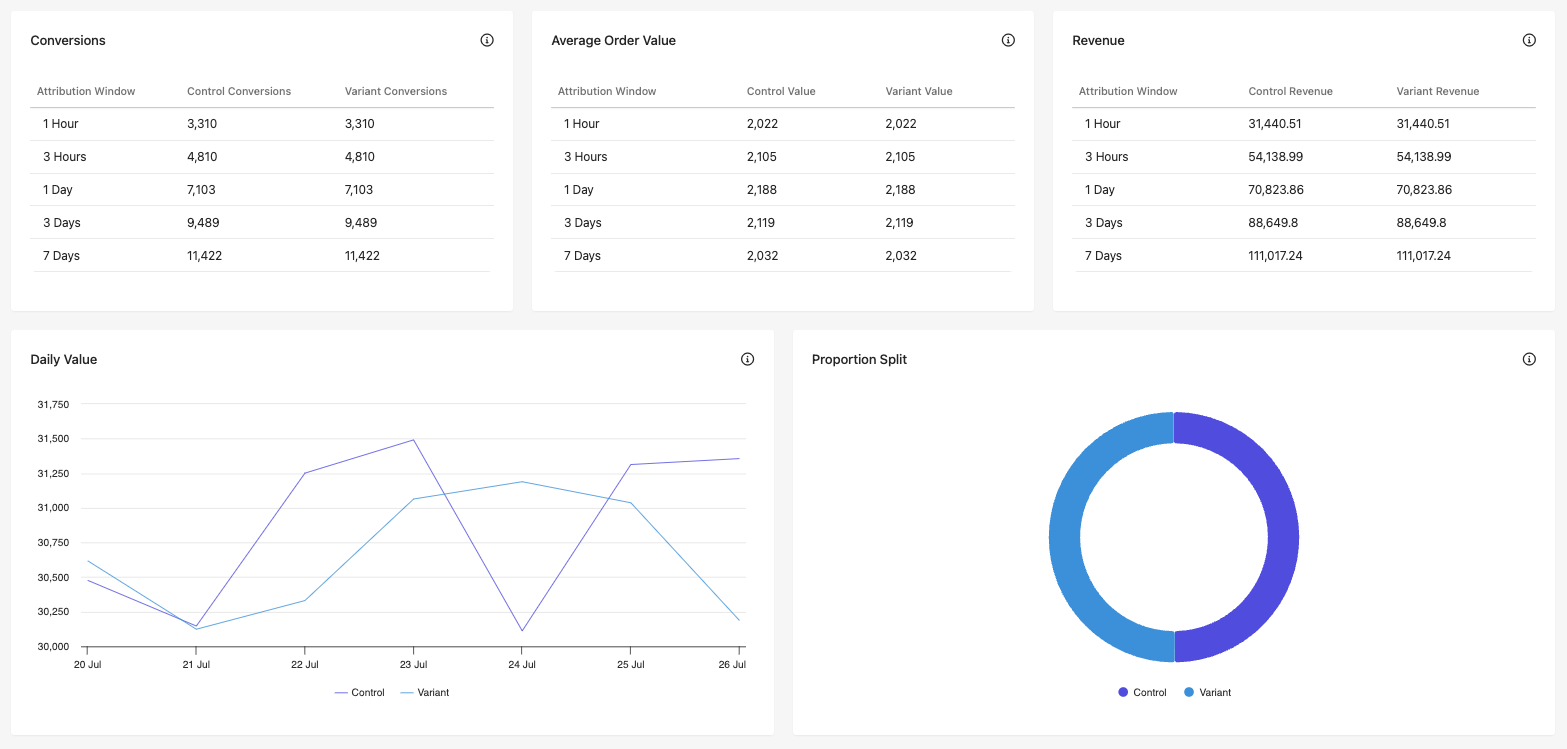
Metrics tables
These tables show performance data in five separate timeframes (attribution windows): 1 hour, 3 hours, 1 day, 3 days, and 7 days.
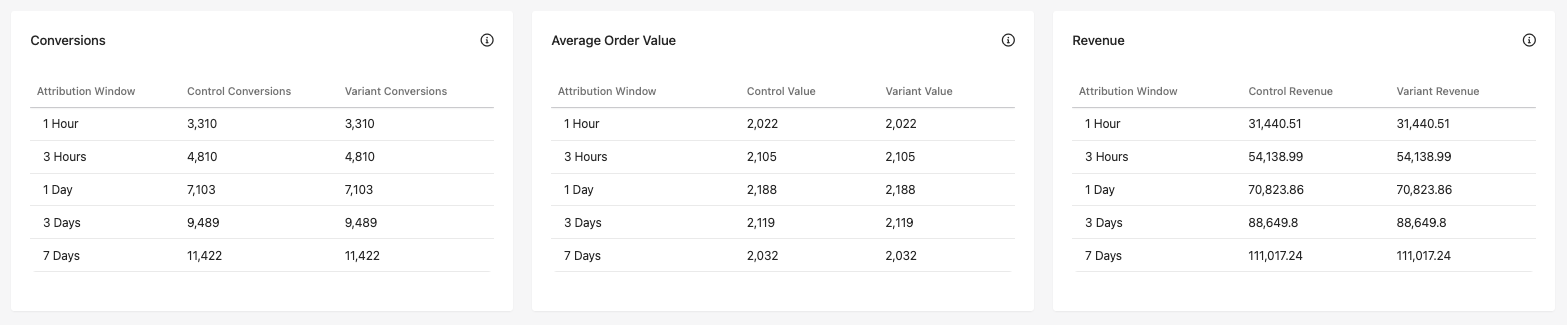
Analyze the table data in a way that suits your business processes. For example, a site visitor adds an item to their cart, enters their details during checkout, then abandons the session. This triggers the cart abandonment experiment or experience, with a link to purchase the abandoned items. If the customer clicks the link after 4 hours and makes a purchase during that session, the conversion, order value, and revenue for this purchase are attributed to the *1 day* window because the purchase was made after more than 3 hours and less than 24.
- **Conversions** - the total number of converted sessions for each attribution window for the experiment or experience. For example, if the experiment or experience involves a triggered email message sent after a cart abandonment event, the table shows the number of conversions that occurred within 1 hour of sending the email, 3 hours, and so on, for both the variant and the control.
- **Average Order Value** - the average value of orders within each attribution window for the experiment or experience. In a cart abandonment email experiment or experience scenario, the table shows the average value of orders that were completed within 1 hour of sending the email message, 3 hours, and so on, for the variant and the control.
- **Revenue** - the total revenue for each attribution window for the experiment or experience. In a cart abandonment email experiment or experience scenario, the table shows the revenue from orders that were completed within 1 hour of sending the email message, 3 hours, and so on, for the variant and the control.
Value graphs
This section shows the purchase values attributed to the variant and the control over the past 7 days.
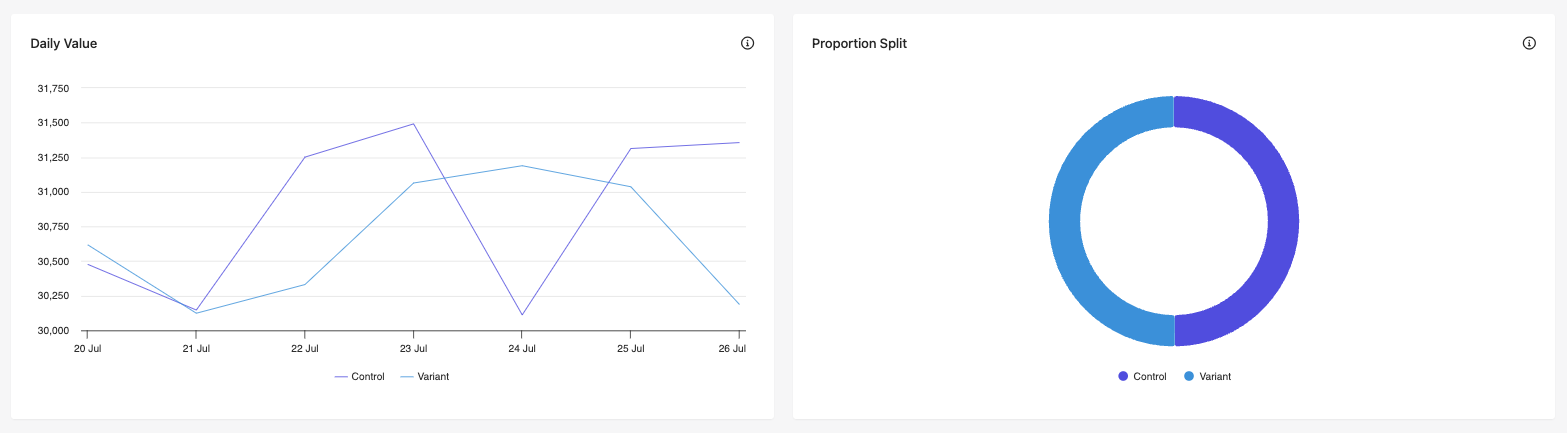
- **Daily Value** - this graph shows the daily value of purchases that are attributed to the variant and of the control. Hover your mouse over a data point to see its value.
- **Proportion Split** - this chart shows the distribution of value between the variant and the control for purchases attributed to this experiment or experience. Hover your mouse over a chart section to see its value.