---
title: "コレクションインデックス"
slug: "collectionindex"
abstract: "Search CollectionIndexプリミティブUIコンポーネントの解剖学、使用法、API参照を記述します。"
---
# コレクションインデックス

パッケージ内のプリミティブUIコンポーネントはヘッドレスSearch UI Components、Reactアプリケーションのヘッドレスウィジェットテンプレートを作成するためのビルディングブロックです。カスタムウィジェットの足場として使うことができます。

このトピックでは、CollectionIndexプリミティブ成分のAPI参照と変種について説明します。

## コンポーネントの使用

この節では、CollectionIndexプリミティブ成分の利用について説明します。

### 静的 { .notintoc }

Reactアプリケーションで以下のコードブロックを貼り付け、プリミティブを必要に応じて修正します。

![Screenshot of a static ListItem primitive component.](https://doc.sitecore.com/api/markdown-image/search/ja/developers/search-js-sdk-for-react/images/collection-index-untyled.png)

() => (
 <List>
 <ListItem id="1">Item 1</ListItem>
 <ListItem id="2">Item 2</ListItem>
 <ListItem id="3">Item 3</ListItem>
 <ListItem id="4">Item 4</ListItem>
 </List>
)

### ダイナミック { .notintoc }

Reactアプリケーションで以下のコードブロックを貼り付け、プリミティブを必要に応じて修正します。
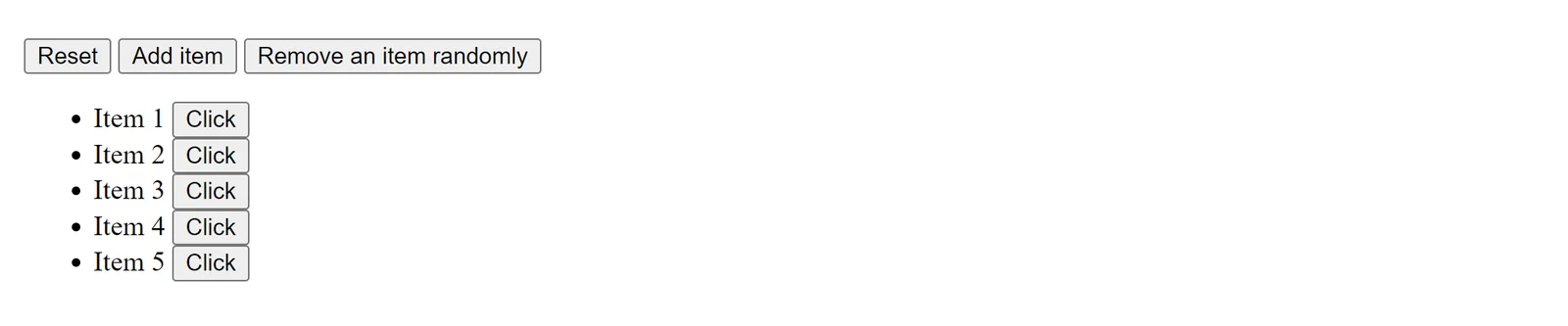
![Screenshot of a dynamic ListItem primitive component.](https://doc.sitecore.com/api/markdown-image/search/ja/developers/search-js-sdk-for-react/images/collection-index-untyled-dynamic.png)

({ onClick }) => {
 const list, setList = React.useState(dynamicList);
 const removedIndex, setIndex = React.useState(-1);
 return (
 <>
 <button
 onClick={() => {
 setList(dynamicList);
 }}
 >
 Reset
 </button>{' '}
 <button
 onClick={() => {
 setList(...list, ++i);
 }}
 >
 Add item
 </button>{' '}
 <button
 onClick={() => {
 // remove an item from the list randomly
 const randomIndex = Math.floor(Math.random() \* list.length);
 setIndex(randomIndex);
 setList(list.filter((\_, i) => i !== randomIndex));
 }}
 >
 Remove an item randomly
 </button>{' '}
 {removedIndex !== -1 ? \`Removed index ${removedIndex}\` : ''}
 <List>
 {list.map((item) => (
 <ListItem key={item} id={item} onClick={onClick}>
 Item {item}
 </ListItem>
 ))}
 </List>
 </>
 );
}