---
title: "Using Device Detection"
slug: "using-device-detection"
abstract: "Personalize visitor experience for different devices."
---
# Using Device Detection
The Sitecore Device Detection Service has functionality that is particularly good for personalizing user experience. For example, if you are a web developer creating responsive sites, or a marketer interested in campaigns that can personalize visitor experience for different devices. The following sections are examples of what can you do with Sitecore Device Detection.
Use different page layouts for different devices
Sitecore ensures that [setting up a device layout](https://doc.sitecore.com/xp/en/developers/100/sitecore-experience-manager/set-up-a-device-layout.html "Set up a device layout") is very customizable. You can use more than 500 device parameters to identify devices that visit your site and adapt the page layout accordingly. To simplify the way you use these parameters the Sitecore Experience Platform has, by default, 12 of the most commonly used rules, plus one generic rule for easy access to any of the parameters. See the list of [rules and parameters for Device Detection](https://doc.sitecore.com/xp/en/developers/100/sitecore-experience-manager/rules-and-parameters-for-device-detection.html "Rules and parameters for Device Detection").
Personalize site content for visitors with different devices
You can use device rules to set up personalization on site pages. For example you could have a campaign that only targets iPhone users, or another that is more suited for a tablet browsing experience.
Fine tune goals and page events
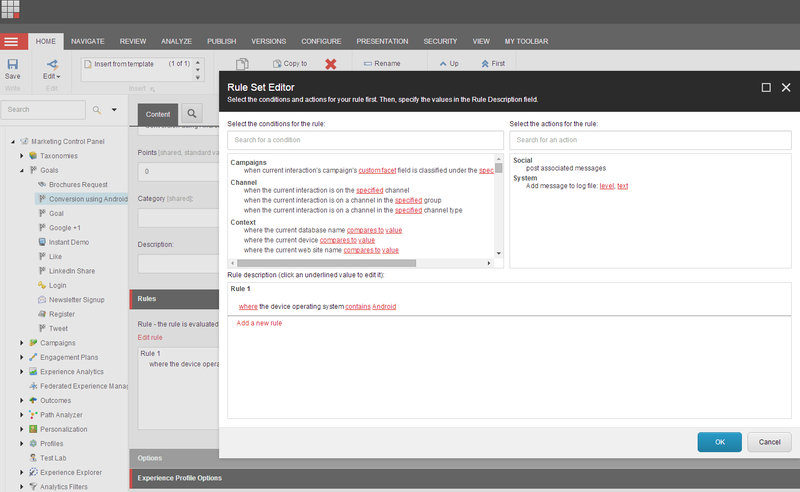
You can trigger goals or page events if a visitor uses a certain device when browsing your website pages. For example, you can trigger a specific goal when a visitor visits the site using any Android device. To define a goal or a page event, you just apply the same device rules that you use to define a page layout or create personalization.
Use device rules to create more complex predefined conditions
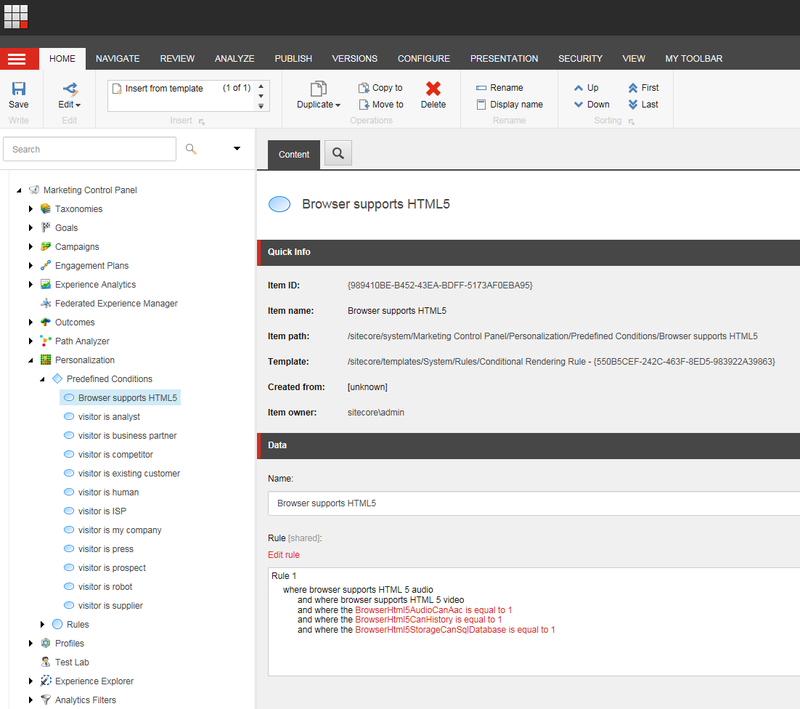
If you frequently need to use the same complex rule on your site, you can create a predefined condition to simplify usage. For example, in the **Marketing control panel**, you can go to **Personalization**, **Predefined conditions** and set up your own minimal requirements for HTML 5 support in the device browser. After setting up a condition you can use it as a single rule "where predefined condition is true" without needing to remember all of the components.
See device reports and traffic generated in Experience Analytics
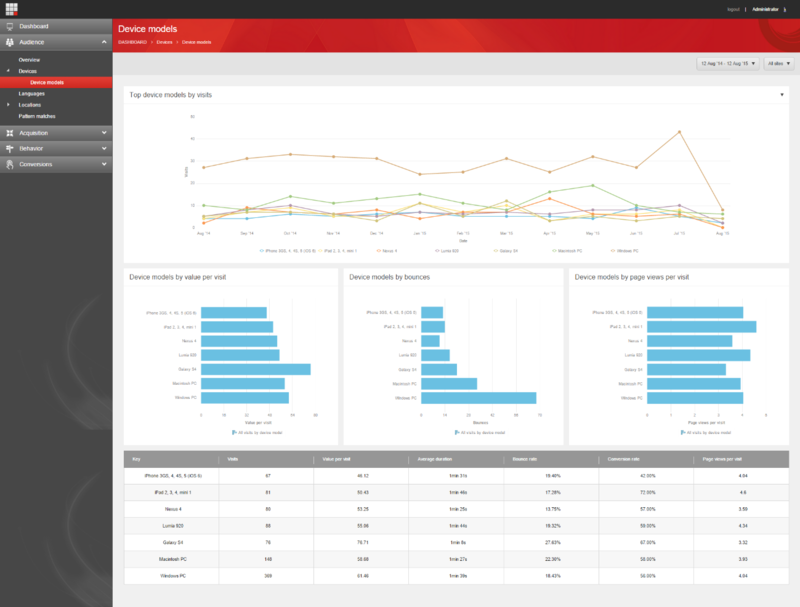
With the Experience Analytics tool you can see device reports and evaluate the traffic generated from different devices. Moreover you can see which device users generate more value for your business.
Extend the list of rules available in the Rule Set Editor to match your marketing and site development needs
If you frequently use one or several of the device parameters that are not present in the default set of rules, it makes sense to add a new custom rule to the list. You can extend the list of rules available in the rule set editor by [creating custom rules for Sitecore Device detection](https://doc.sitecore.com/xp/en/developers/100/sitecore-experience-manager/create-custom-rules-for-sitecore-device-detection.html "Create custom rules for Sitecore Device Detection").
Use Sitecore Device Detection API to program your custom code
If the default functionality is not enough for you, we are happy to offer access to the Device Detection API. With this API you can extend the Sitecore Experience Platform with your own custom solutions whether it is a sophisticated page layout or an advanced report.