---
title: "Analytics and reporting"
slug: "analytics-and-reporting"
abstract: "Overview of the Sitecore Experience Platform analytics and reporting applications."
---
# Analytics and reporting
Experience Platform (XP) provides several analytics and reporting applications through the Sitecore Launchpad on the Content Management role. The applications help identify patterns and trends in the [data collected](https://doc.sitecore.com/xp/en/developers/104/platform-administration-and-architecture/collecting-experience-data.html "Collecting experience data") across channels such as websites, mobile, email, and commerce:
- Experience Analytics provides insights on web traffic and engagement value.
- Experience Profile monitors the behavior of individual contacts that have interacted with your brand.
Experience Analytics
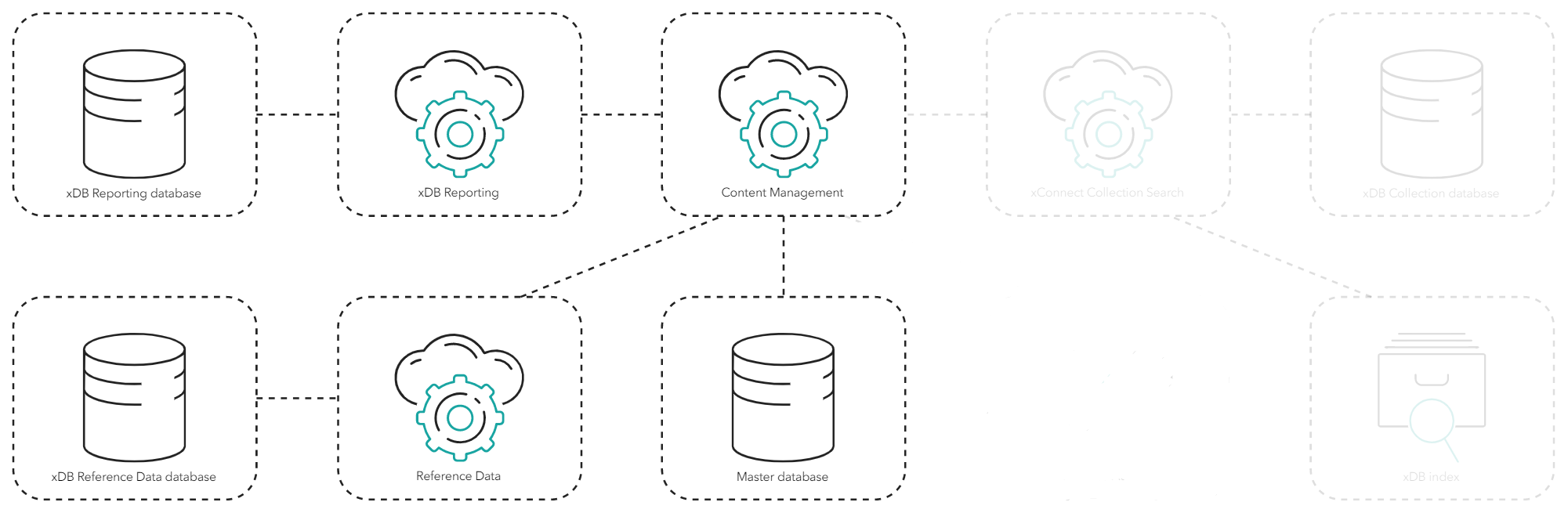
All the analytics and report applications read [aggregated analytics data](https://doc.sitecore.com/xp/en/developers/104/platform-administration-and-architecture/processing-and-aggregation.html "Processing and aggregation") from the xDB Reporting database. Experience Analytics also adds labels and related metadata from the Reference Data service and the Master database to the data.
Experience Profile
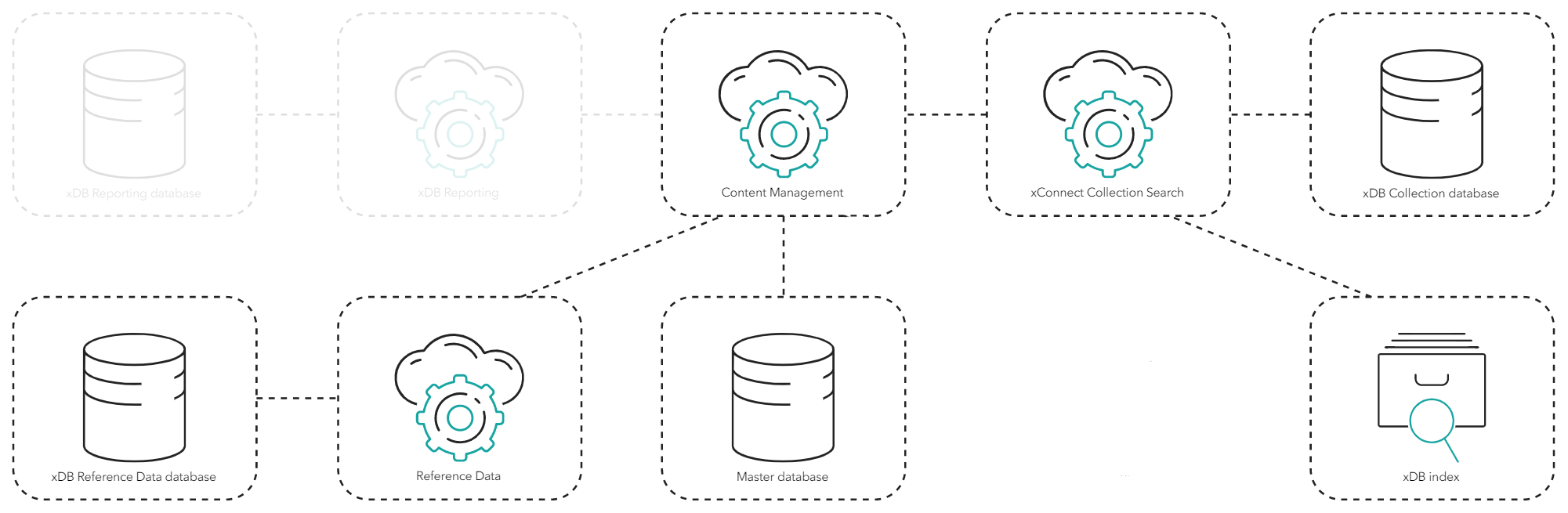
Experience Profile lets you find and monitor individual contacts that have interacted with your brand. xConnect Collection Search uses the xDB index to find and retrieve contacts and interactions including any required facets from the xDB Collection database. The results are also enriched with data from the Reference Data database and the Master database.
Path Analyzer
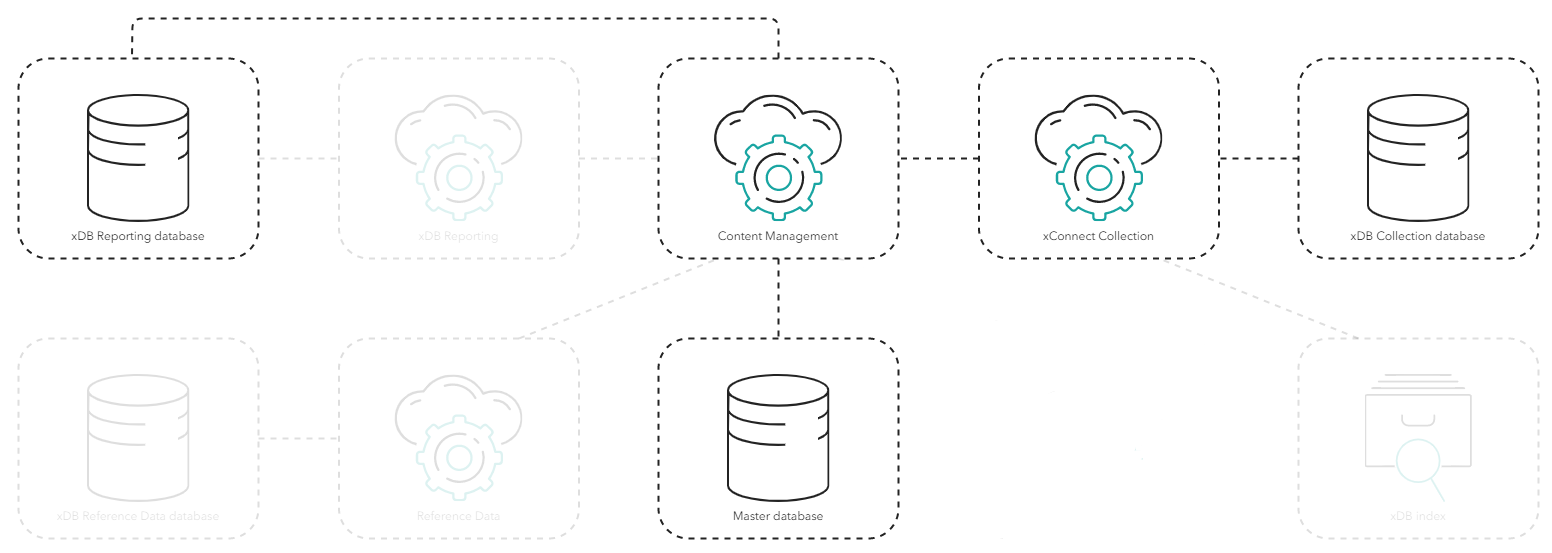
Path Analyzer lets you to create a map showing the sequential paths that contacts take when they navigate through your website, interact with campaigns, and trigger goals and outcomes. Path Analyzer gets contact information matching the path's contact ID from the xDB Collection role, the item information in the nodes from the Master database, and data for the user interface from the xDB Reporting database.
Privacy and security
Refer to the [Architecture and Roles](https://doc.sitecore.com/xp/en/developers/104/platform-administration-and-architecture/architecture-overview.html "Architecture overview") documentation for privacy and security considerations for each role on the processing and aggregation data flow.