---
title: "Indexing and segmentation"
slug: "indexing-and-segmentation"
abstract: "Overview of how Sitecore contacts and interactions are indexed and queried."
---
# Indexing and segmentation
Experience Database (xDB) continuously indexes contacts and interactions when they are created or updated. This makes them searchable in Sitecore Experience Platform (XP) applications, such as Experience Profile and List Manager.
Indexing contacts and interactions
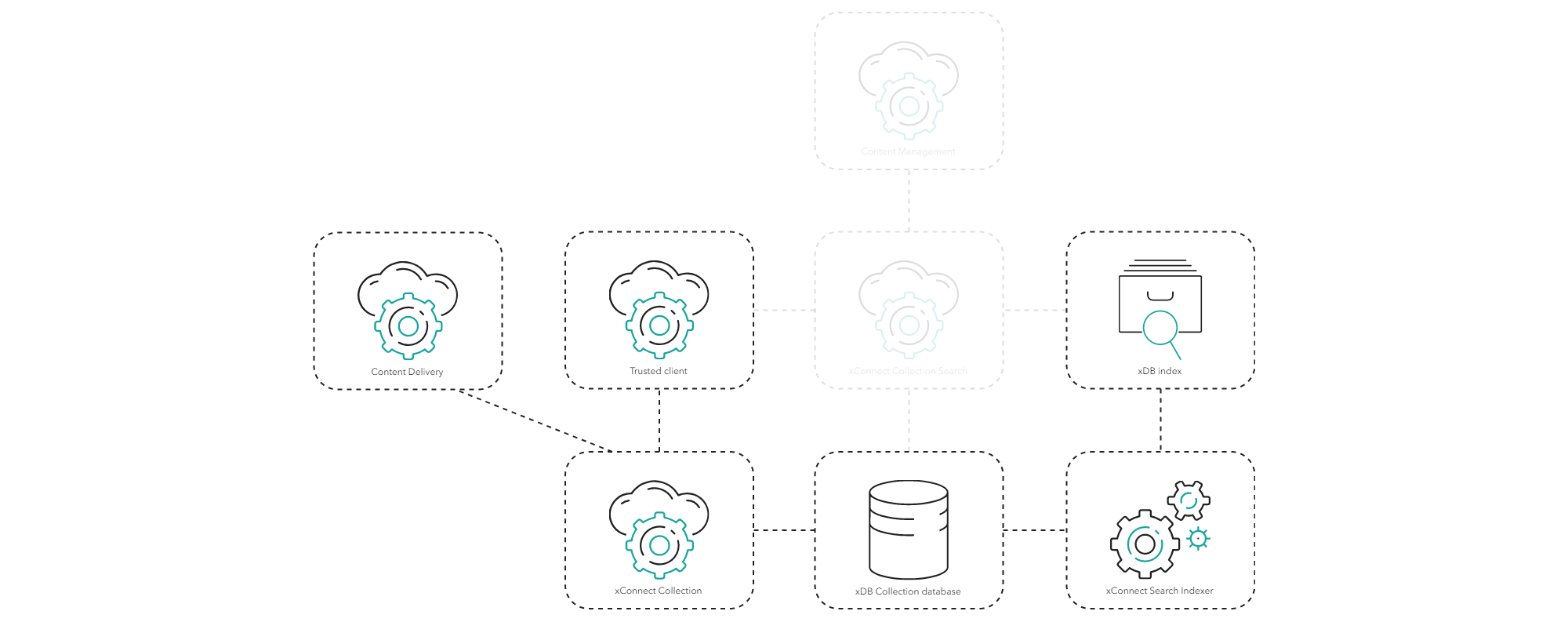
Contacts and interactions are stored in the xDB Collection database when a trusted client (such as WebTracker on the Content Delivery (CD) role) submits them to the xConnect Collection role.
The arrival of new contacts and interactions triggers xConnect Search Indexer to process the data, including the default facets and any custom facets, and update the xDB index. You can control this process by decorating facets or individual facet properties with the following attributes:
- The *Do not index* attribute ensures that xConnect Indexer does not index or store the data.
- The *PII Sensitive* attribute controls personally identifiable information. When you enable this attribute, xConnect Indexer does not index the data, and it does not become searchable. It also ensures other privacy compliance and data subject rights, such as the right to be forgotten.
> [!note]
> The [indexing of personal data is disabled by default and must be explicitly enabled](https://doc.sitecore.com/xp/en/developers/104/sitecore-experience-platform/enable-indexing-of-pii-sensitive-data-in-the-xdb-index.html).
xConnect Search Indexer cannot be scaled horizontally. Instead, you must scale the server vertically with more or better CPU cores and more memory to cope with an increasing number of incoming contacts and interactions. Alternatively, you can scale the xDB index horizontally to handle more storage operations.
Querying contacts and interactions
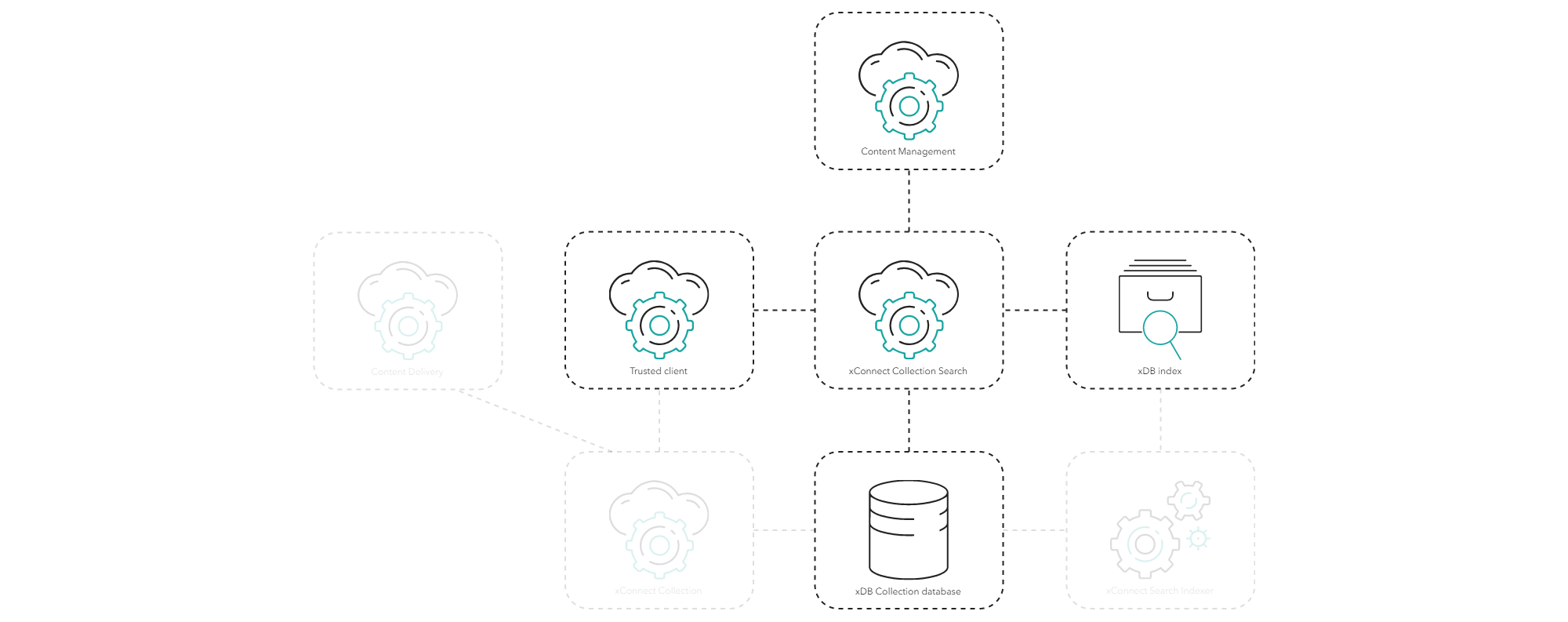
You access XP applications such as Marketing Automation, Email Marketing, and List Manager through the Content Management (CM) role. These applications are considered trusted clients and they query the xConnect Collection Search role for contacts and interactions. Other trusted clients can also retrieve lists of contacts or interactions this way.
The xConnect Collection Search role queries the xDB index and retrieves the IDs of the contacts or interactions. The IDs are used to retrieve the contacts or interactions from the xDB Collection database, which are returned to the calling client.
You can scale the xConnect Collection Search role horizontally to improve performance, for example, in the Marketing Automation or Email Marketing processes.
Privacy and security
Refer to the [Architecture and roles](https://doc.sitecore.com/xp/en/developers/104/platform-administration-and-architecture/architecture-and-roles.html "Architecture and roles") documentation for privacy and security considerations for each role on the processing and aggregation data flow.