---
title: "CMP items in the Content Editor"
slug: "cmp-items-in-the-content-editor"
abstract: "Learn more about CMP content items, configuration items, and templates."
---
# CMP items in the Content Editor
The Sitecore Content Marketing Platform (CMP) connector writes Sitecore Content Hub items into Sitecore and stores them in the Master database in a default folder named *CMP*.
The CMP content items
The parent item that contains the preconfigured item buckets is located in */sitecore/content/CMP*. Every bucket keeps items linked to a content type in Sitecore Content Hub. For example, buckets for Blogs and Tweets:
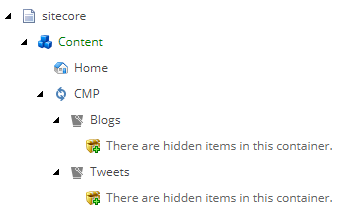
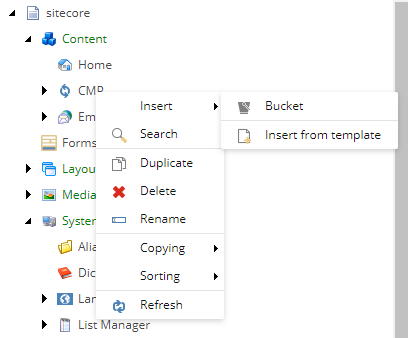
To create a new bucket, navigate to */sitecore/templates/Branches/CMP*, right-click **Buckets**, click **Insert**, and click **Bucket**.
The CMP configuration items
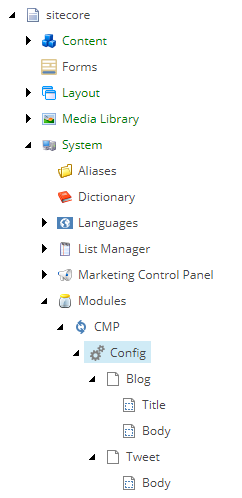
The configuration items that contain all necessary connection strings and mapping details are located in */sitecore/system/Modules/CMP/Config*.
The CMP templates
To make the CMP configuration easier, branch templates are available in */sitecore/templates/Branches/CMP*:
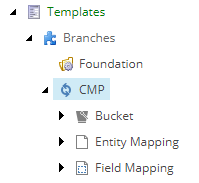
The branch templates let you create item buckets and entity mappings.
You can find the CMP templates in the */sitecore/templates/CMP* node, which contains the following:
- *Config root* - for the config item.
- *Entity Mapping* - to be able to sync entities of a given content type, you must have an Entity Mapping item.
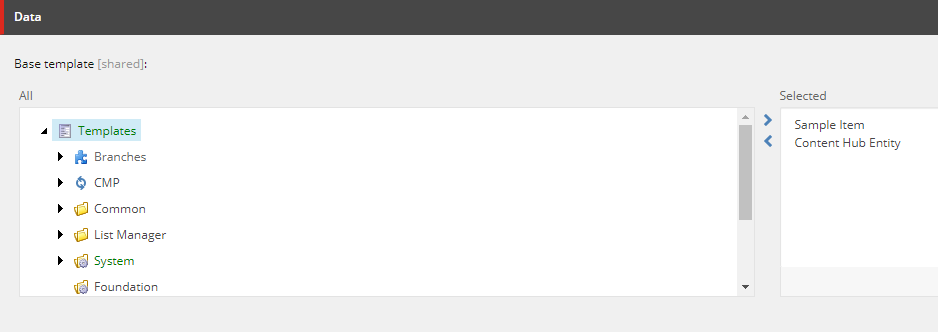
- *Content Hub Entity* - each content item template created for the connector, must inherit from this template. It mixes in the `EntityIdentifier` field and in this way the connector can match entities to Sitecore items.
- *Mapping Templates* folder.
The `Mapping Templates` folder contains the following:
- *Field Mapping* - contains the name of the field in the entity and the name of the field in Sitecore item.
- *Relation Field Mapping* - contains the name of the entity relation, the name of the field in the entity, and the name of the field in the Sitecore item. All the fields are from the base templates.
- *Tag Field Mapping* – contains the name of the entity relation and the name of the field in the entity. These fields are from the base templates. The mapping also contains options to enable or disable non-leaf entity node storage, the store tag name option, and the name of the custom taxonomy provider.
- *Related Entity Mapping* – contains the name of the entity relation and the name of the field in the Sitecore item. Both fields are from the base templates.
- *Base Templates* folder.
The **Base Templates** folder contains the following:
- *CMP Field Name Settings* – a base template containing the name of the field in the entity.
- *CMP Relation Settings* – a base template containing the name of the entity relation.
- *Sitecore Field Name Settings* – a base template containing the name of the field in the Sitecore item.
You can also create your own templates to create items from entities. The only requirement is that the templates inherit from the *Content Hub Entity* template: