---
title: "Testing EXM performance in emulation mode"
slug: "testing-exm-performance-in-emulation-mode"
abstract: "Test campaign throughput by emulating a message transfer agent either for a single message or for the server-level dispatch."
---
# Testing EXM performance in emulation mode
EXM enables you to test campaign throughput by emulating a message transfer agent (MTA). MTA emulation lets you mimic the round-trip time required to send an email from the Sitecore CMS to the MTA.
Emulation can be configured in two modes:
- Emulation for a single message
- Emulation for the server-level dispatch
Emulation for a single message
In the Content Editor, you can select this mode for a specific message on the **Content** tab, in the **Options** section.
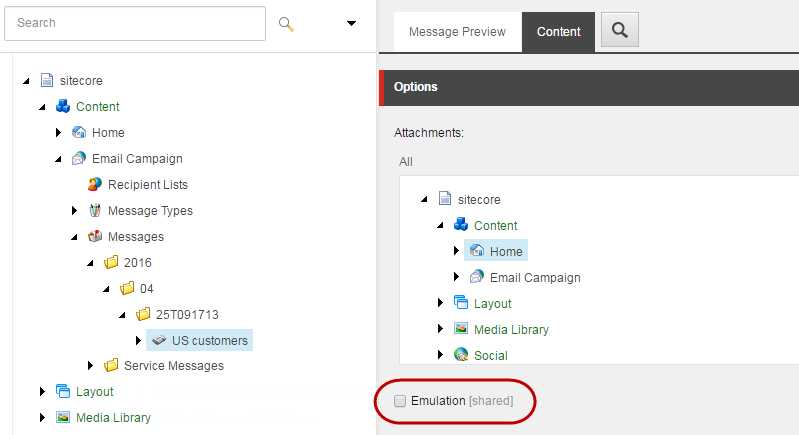
You can also select the emulation mode for a single message using the **Delivery Options** dialog in the EXM user interface:
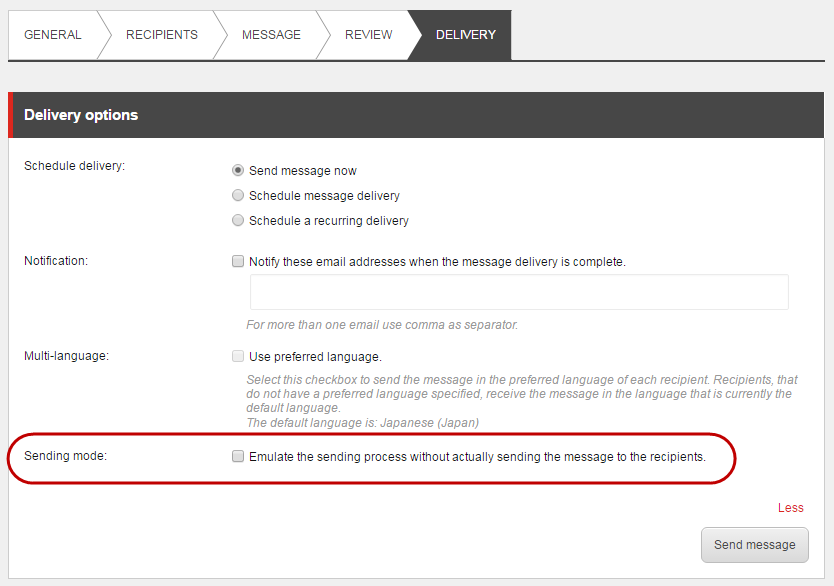
> [!note]
> The emulation sending mode does not move the message to the Sent state – the message status changes back to Drafts after the process has completed.
>
> The emulation sending mode is not available for message variants when you run an A/B test.
Emulation for the server-level dispatch
You can configure emulation for the server-level dispatch mode with the MtaEmulation.Active setting in the `Sitecore.EmailExperience.ContentManagement.config` file.