---
title: "The default channel ID of new email campaign items"
slug: "the-default-channel-id-of-new-email-campaign-items"
abstract: "EXM adds a channel ID to each new campaign item, which allows to track the campaign when users click links in emails."
---
# The default channel ID of new email campaign items
When you send an email campaign, the Email Experience Manager creates a new email campaign item and adds a channel ID to the campaign item.
By default, the channel is Email Marketing. You can change the default channel ID in the `CampaignClassification.Channel` setting in the `Sitecore.EmailExperience.Core.config` file.
```xml
```
For the value of this setting, use the item ID of the channel item that you want to use as the default.
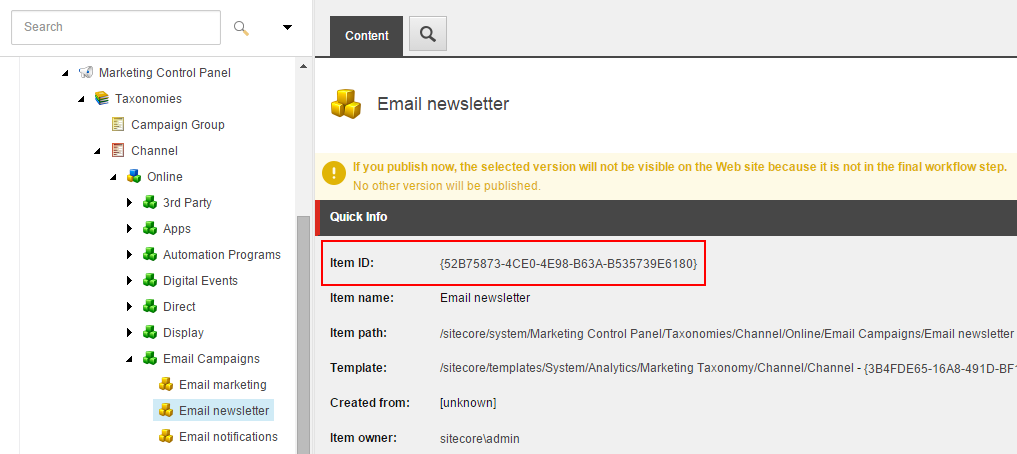
When a recipient clicks a link in an email, Sitecore uses the channel ID in the campaign item to track the campaign.
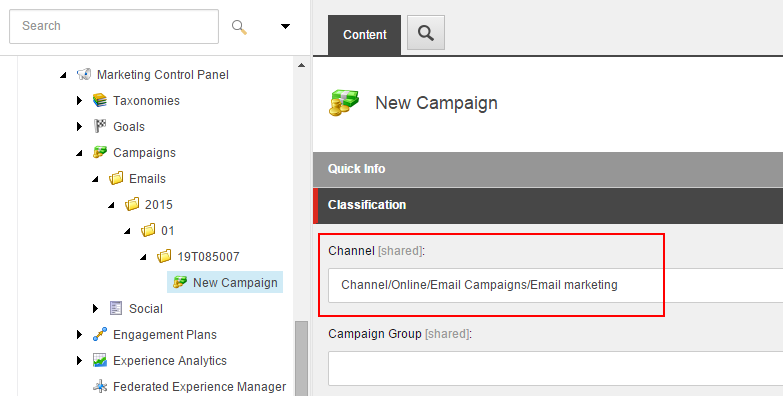
You can read the channel ID in a campaign item using the Sitecore Taxonomy API:
```
IDefinitionManager campaignDefinitionManager = ServiceLocator.ServiceProvider.GetService>();
var campaignActivity = campaignDefinitionManager.Get(campaignId, CultureInfo.InvariantCulture);
var channelId = campaignActivity.ChannelUri.TaxonId;
```