---
title: "The base themes"
slug: "the-base-themes"
abstract: "Learn more about SXA's prototype themes that determine the site layout."
---
# The base themes
Base themes are prototype themes that predetermine the layout of a website. You can have several base themes to support different design philosophies or specific functionality.
Base themes contain scripts and styles that deliver more complicated functionalities. For example, shared functionalities such as the Bing/Google maps connector, Core Libraries (jquery, lo-dash), and scripts that influence the editing experience (sticky notes, editing themes, drag and drop, and partial designs highlighting).
The base themes are saved in the Media Library: */sitecore/Media Library/Base Themes*.
Analytics
The Analytics base theme adds analytic scripts for your site (Google analytics). It is dependent on [XA.js](https://doc.sitecore.com/xp/en/developers/sxa/104/sitecore-experience-accelerator/the-base-themes.html#UUID-c780da7c-8ab4-2df9-74ab-948dd32688df_N1558513605695 "XA API") (XA API theme).
It includes the following scripts:
| Script | Description |
| --- | --- |
| trackinginit.js | Adds a tracking method to SXA's `XAContext` variable. After calling this function on document ready, an event will initialize tracking of video components. |
| tracking.js | Adds Google Analytics scripts. After calling this function on document ready, it will store the methods and setups for these scripts to run. |
| trackingmovie.js | Adds the `Tracking.Movies` method to SXA's `XAContext` variable. Stores the method for mejs and YouTube player analytics. |
| trackingmoviesplayer.js | Describes the method of the video player. Used in `trackmoviesmejsplayer.js`. |
| trackingmoviesplayermanager.js | Extends SXA's `XAContext` variable with the `Tracking.Movies.PlayerManager` script and stores methods for the video player. |
| trackingmoviesyoutubeplayer.js | Extends SXA's `XAContext` variable with the `Tracking.Movies.YouTubePlayer` script. Stores list of YouTube player methods. |
| trackingmoviesyoutubeplayerhandlers.js | Extends SXA's `XAContext` variable with `Tracking.Movies.YouTubePlayer.Handlers`. Stores YouTube player handlers. |
Bing Maps JS Connector
Add the Bing Maps JS Connector theme if you use Bing maps. It is dependent on the `[XA.js](the-base-themes.html#UUID-c780da7c-8ab4-2df9-74ab-948dd32688df_N1558513605695 "XA API")` (XA API theme).
It includes the following script:
- `bing-maps-connector.js` - injects functionality for Bing maps.
Google Maps JS Connector
Add the Google Maps JS Connector theme if you use Google maps. It is dependent on the `[XA.js](the-base-themes.html#UUID-c780da7c-8ab4-2df9-74ab-948dd32688df_N1558513605695 "XA API")` (XA API theme).
It includes the following script:
- `google-maps-connector.js` - injects functionality for Google maps.
Grid
The Grid theme is used during content editing. It lets you show components that are hidden by the grid and includes the following script:
- `gridhiddencomponents.js` – show or hide components that are hidden by the grid.
The Grid theme includes the following style:
- `gridhiddencompontents.css`
JSON
The JSON theme is used when a current device selects JSON. It adds markup and styles to highlight JSON and it includes the following script:
- `jsonhighlighter.js` - formatting and syntax highlighting to make JSON more readable.
The JSON theme includes the following styles:
- `prism.css` – styles for highlighting JSON
- `Json.css` – sets default styles for JSON page
Main theme
The Main theme contains scripts and styles that are part of the platform (except for the rendering scripts). The Main theme has a dependency on the Core libraries theme, so if you are inheriting from it, you must also inherit from Core libraries first. It is dependent on the `[XA.js](the-base-themes.html#UUID-c780da7c-8ab4-2df9-74ab-948dd32688df_N1558513605695 "XA API")` (XA API theme)
The Main theme includes the following scripts:
| Script | Description |
| --- | --- |
| observer.js | Calls the `XA.init` method on Chrome reset. |
| partial-design-highlight.js | Highlights the partial design when you hover over different designs from the drop-down menu in edit mode. |
The Main theme includes the following styles:
| Style | Description |
| --- | --- |
| core.css | Grid specific fixes. |
| file-type-icon.css | Styles for extension icons. |
| grayscale-mode.css | Styles for Gray Scale mode. |
| reset.css | Reset default browser styles. |
Maps
You must use the Maps theme if you use the Maps.Dependent script in the `[XA.js](the-base-themes.html#UUID-c780da7c-8ab4-2df9-74ab-948dd32688df_N1558513605695 "XA API")` (XA API theme).
The Maps theme includes the following style:
- `component-location-service.js` – location service for the map component.
Meta partial design
The Meta partial design theme stores scripts and styles for meta partial designs.
It includes the following scripts:
- `beautify-html.js` – calls the beautifier method for html.
- `meta-partial-design.js` – selects all components in the meta partial design view and calls the beautify method.
It includes the following styles:
- `meta-styles.css` - styles for the meta partial design page.
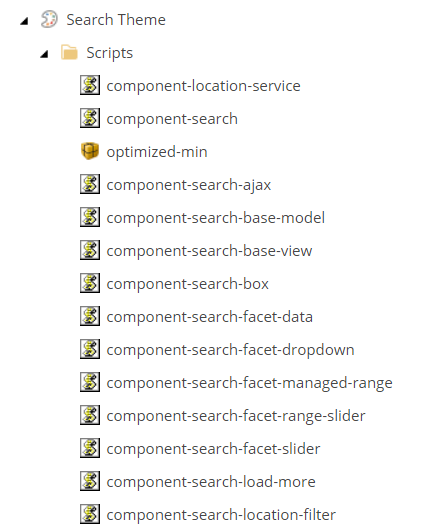
Search theme
The Search theme contains js logic for each separate search component.
Sticky notes
The Sticky notes theme provides the possibility to add sticky notes in Edit mode.
It includes the following script:
- `stickynotes.js` - js logic for sticky node functionality
It includes the following styles:
- `stickynotes.css` - styles for sticky nodes functionality
Variants
The Variants theme provides the possibility to change rendering variants for components in Edit mode.
It includes the following script:
- `variantswitcher.js` - provides functionality for changing rendering variants in the Experience Editor.
XA API
The XA API theme registers components.
It includes the following script:
- `xa.js` - injects special SXA objects that include the method for working with components and additional helpers.
Core libraries
The Core libraries theme includes the third-party libraries used in projects such as jquery, jquery UI, lo-dash, mediaelement, modernizr, and so on.
The Core libraries theme includes the following scripts:
| Script | Description |
| --- | --- |
| Ie-origin-fix.js | Adds a fix for IE to have location.origin. |
| xaquery.js | Initializes jQuery and jQuery UI and puts them into `window.$xa`. |
| moment.js | The momentjs.com library to work with date/time functionality. |
| lo-dash | Adds the lo-dash library. |
| modernizr.js | Adds the modernizr library. |
| galleria-157.js | Adds the galleria library. |
| fullcalendar.js | Adds the full calendar library. |
| gcal.js | Adds the Google calendar. |
| jqueryuitouch-punchmin.js | Adds touch events for jQuery UI. |
| hammer.js | Adds the hammerjs library. |
| backbone-min.js | Used in search components and the maps component. |
| typeahead.js | Used in search components. |
| jquerymCustomScrollbar.js | Adds a custom scrollbar for the SXA toolbox. |
| flash-polyfill.js | Adds polyfill for the flash component. |
| mediaelement-and-player.js | Adds a library for the video component. |
| facebook.js | Adds a connector for Facebook video. |
| soundcloud.js | Adds a connector for SoundCloud. |
| twitch.js | Adds a connector for Twitch. |
| vimeo.js | Adds a connector for Vimeo. |
The Core libraries theme includes the following styles:
| Style | Description |
| --- | --- |
| mediaelementplayer.css | Media element styles. |
| mediaelementplayer-legacy.css | Legacy styles for the media element. |
| font-awesomemin.css | Styles for the font-awesome library. |
| mejs-controls.css | Styles for the mejs control elements. |
| fullcalendar.css | Styles for the calendar component. |
| querymCustomScrollbar.css | Styles for the custom scrollbar (SXA toolbox). |
| jquery-ui.css | Styles for the jquery UI components. |
Editing theme
The Editing theme adds logic that is used to edit components in the Experience Editor.
The Editing theme includes the following scripts:
| Script | Description |
| --- | --- |
| xamover.js | Drag and drop helpers. Provides methods that help to work with placeholders. |
| initializer.js | Initializes xamover functionality. |
| draganddrop.js | SXA drag and drop functionality, |
| gridlines.js | Visualization of grid columns. |
| toolbox.js | SXA toolbox logic. |
| treeview.js | Extends Sitecore.Treeview with a method that returns data context. |
| popupsGecko toolbox.js | Extends scBrowser for Gecko. |
The Editing theme contains the following styles:
| Style | Description |
| --- | --- |
| edit-here-hint.css | Fixes behavior for the edit-here-hint element. |
| sx82fonts.css | Exports open Sans fonts from Google. |
| toolbox.css | Styles for the SXA toolbox. |
| xamover.css | Styles for drag and drop functionality. |
| partialdesignhighlight.css | Highlight partial design placeholders. |
Editing Components
The Editing Components base theme stores logic for components that have special behavior in editing mode.
The Editing Components theme includes the following scripts:
| Script | Description |
| --- | --- |
| component-accordion-edit.js | Logic for the accordion component in editing mode. |
| component-tabs-edit.js | Logic for the tabs component in editing mode. |
| component-galleria-edit.js | Logic for the galleria component in editing mode. |
| component-overlay-edit.js | Logic for the overlay component in editing mode. |
| component-carousel-edit.js | Logic for the carousel component in editing mode. |
| component-flip-edit.js | Logic for the flip component in editing mode. |
| component-snippet-edit.js | Logic for the snippet component in editing mode. |
Resolve conflicts
The Resolve conflicts theme resolves conflicts when you open the Experience Editor within the Content Editor window.
The Resolve conflicts theme includes the following script:
- `Resolveconflicts.js` - resolves conflict between `JQuery` and `prototype.js`.
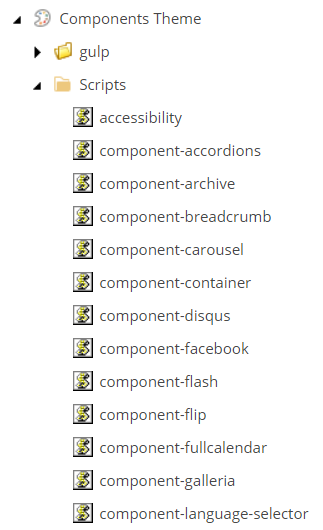
Components theme
The Components theme stores the js logic for all SXA components: