---
title: "Recommendations: Working with themes"
slug: "recommendations--working-with-themes"
abstract: "Organize classes and assets for your themes."
---
# Recommendations: Working with themes
This topic describes the following best practices for extending your themes.
Do not modify platform themes
Make a copy, modify your copy, and then inherit from the copied theme instead of from the original one. This practice is merely a reinforcement of the following practices:
- Never put any custom items in SXA controlled branches of the tree.
- Do not modify the OOBT SXA items.
If you do not follow this recommendation while [extending SXA](https://doc.sitecore.com/xp/en/developers/sxa/105/sitecore-experience-accelerator/extending-sxa.html "Extending SXA"), you risk getting your changes overwritten the next time you upgrade SXA.
Assign custom styles to renderings
If you [create a custom style for a rendering](https://doc.sitecore.com/xp/en/developers/sxa/105/sitecore-experience-accelerator/add-a-style-for-a-rendering.html "Add a style for a rendering"), make sure you assign it to the correct renderings.
For example, if you provide a style that is specific to your Promo rendering but you do not want other renderings to use that style, you can achieve this by listing renderings that the style applies to in the style item, in the **Allowed Renderings** field. If you do not assign the style to any rendering, it is available for every rendering.
Clean up your styles folder
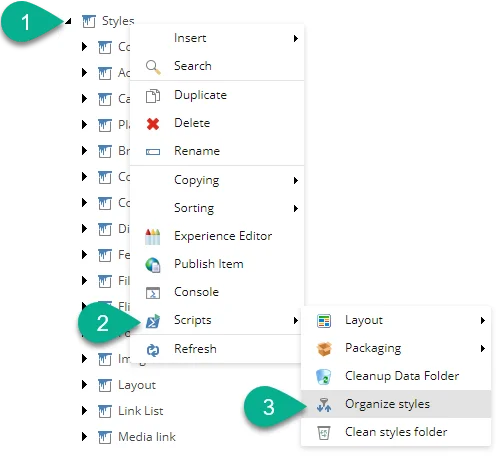
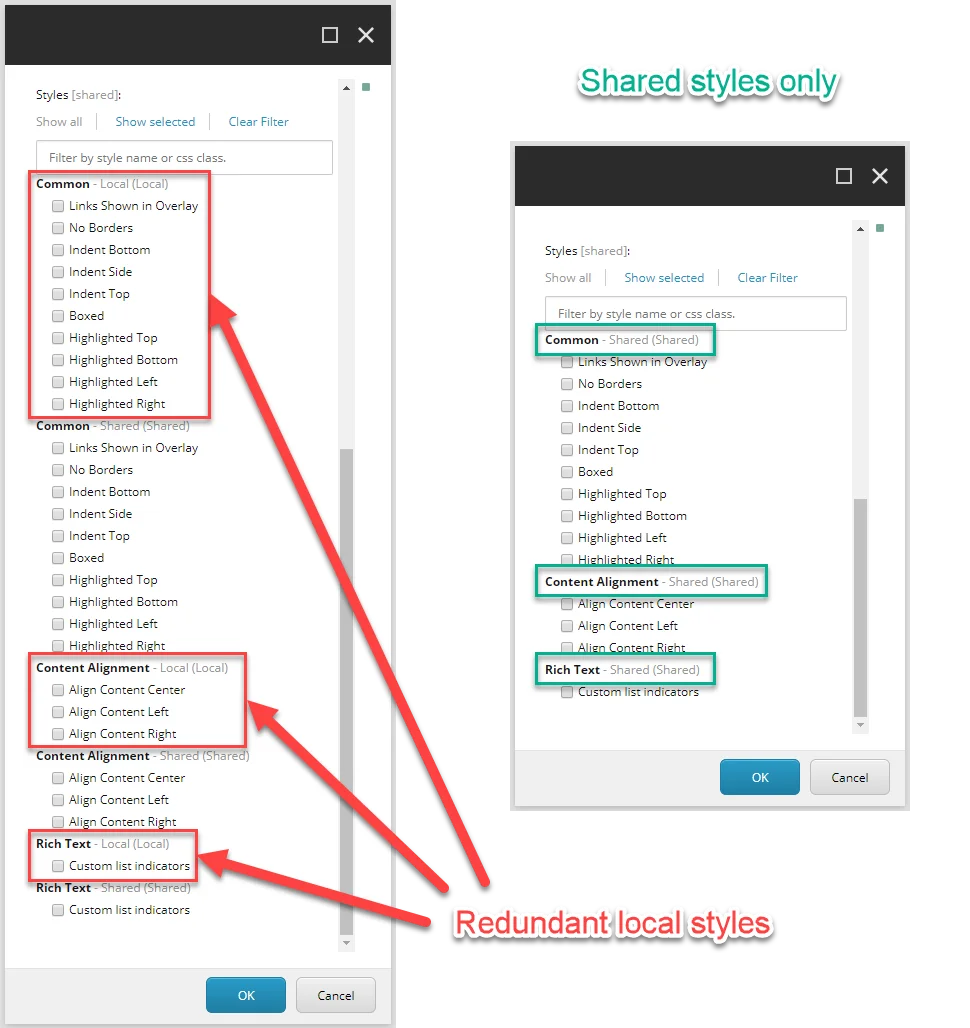
Remove unused styles from the styles folder. It can be frustrating for a editor of your site to apply a style only to find out that it made no change to the style of their rendering. SXA includes a number of PowerShell [scripts](https://doc.sitecore.com/xp/en/developers/sxa/105/sitecore-experience-accelerator/the-sxa-script-library.html "The SXA script library") to automate the most common tasks. Right-click the *Styles* item, and then click **Scripts** to find a clean-up script.
Organize custom style items in subfolders
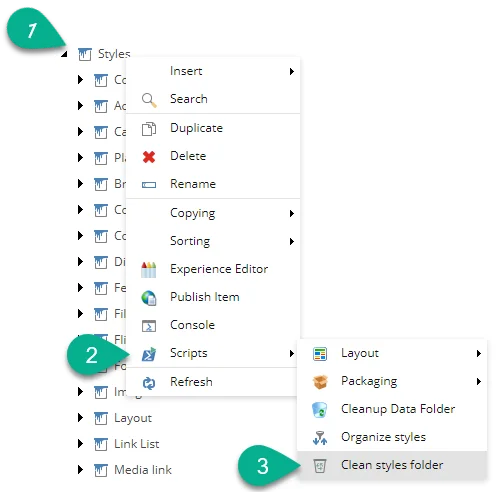
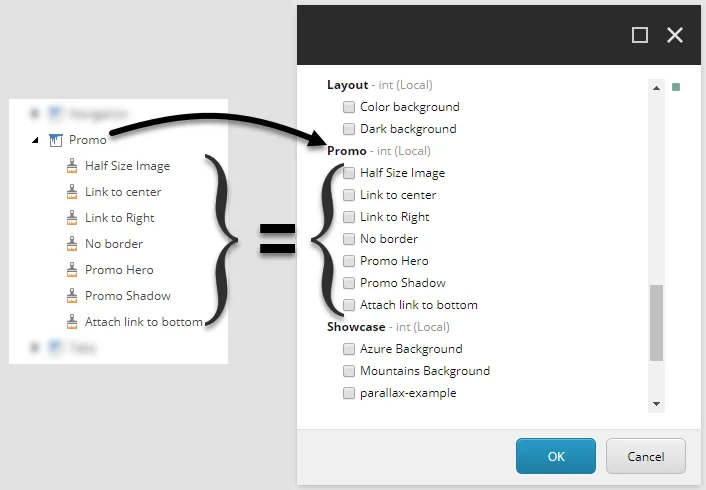
As you deliver the site branding and theme, you can expect your site styles list to grow rapidly. Consider organizing the styles into subfolders to avoid overwhelming your editors with a long list of uncategorized styles.
SXA includes a number of PowerShell [scripts](https://doc.sitecore.com/xp/en/developers/sxa/105/sitecore-experience-accelerator/the-sxa-script-library.html "The SXA script library") to automate the most common tasks. Right-click the *Styles* item, and then click **Scripts** to find the **Organize styles** script.