---
title: "Add and select a custom link provider"
slug: "add-and-select-a-custom-link-provider"
abstract: "How to add and select different providers for different sites."
---
# Add and select a custom link provider
With SXA, you can select a different link provider for different sites. This can be useful when you have multiple sites that all have different link requirements. For example, if you want the language in the URL on multilingual sites and not on a single language site. To work with a custom link provider, you can add providers to the **linkManager config** section.
To add and select a link provider:
1. Create a new patch file. Make sure to add your own node to the providers node under the linkManager node and add the code for your custom provider. For example:
```xml
```
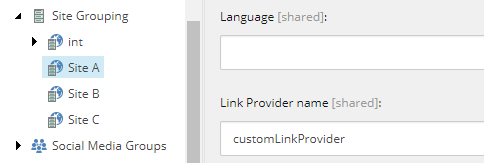
2. In the Content Editor, navigate to *sitecore/content///settings/Site Grouping/* and in the **Basic** section, in the **Link Provider name** field, enter the name of your custom provider.