---
title: "Recommendations: Example SXA project workflow"
slug: "recommendations--example-sxa-project-workflow"
abstract: "How to run an SXA project effectively."
---
# Recommendations: Example SXA project workflow
SXA is a flexible tool and there are several different ways to run an SXA project workflow. All workflows have their own benefits and greatly depend on the skill set of the team. The following infographic describes a workflow for SXA projects that we have found to be successful and efficient for an implementation at a full-service agency:
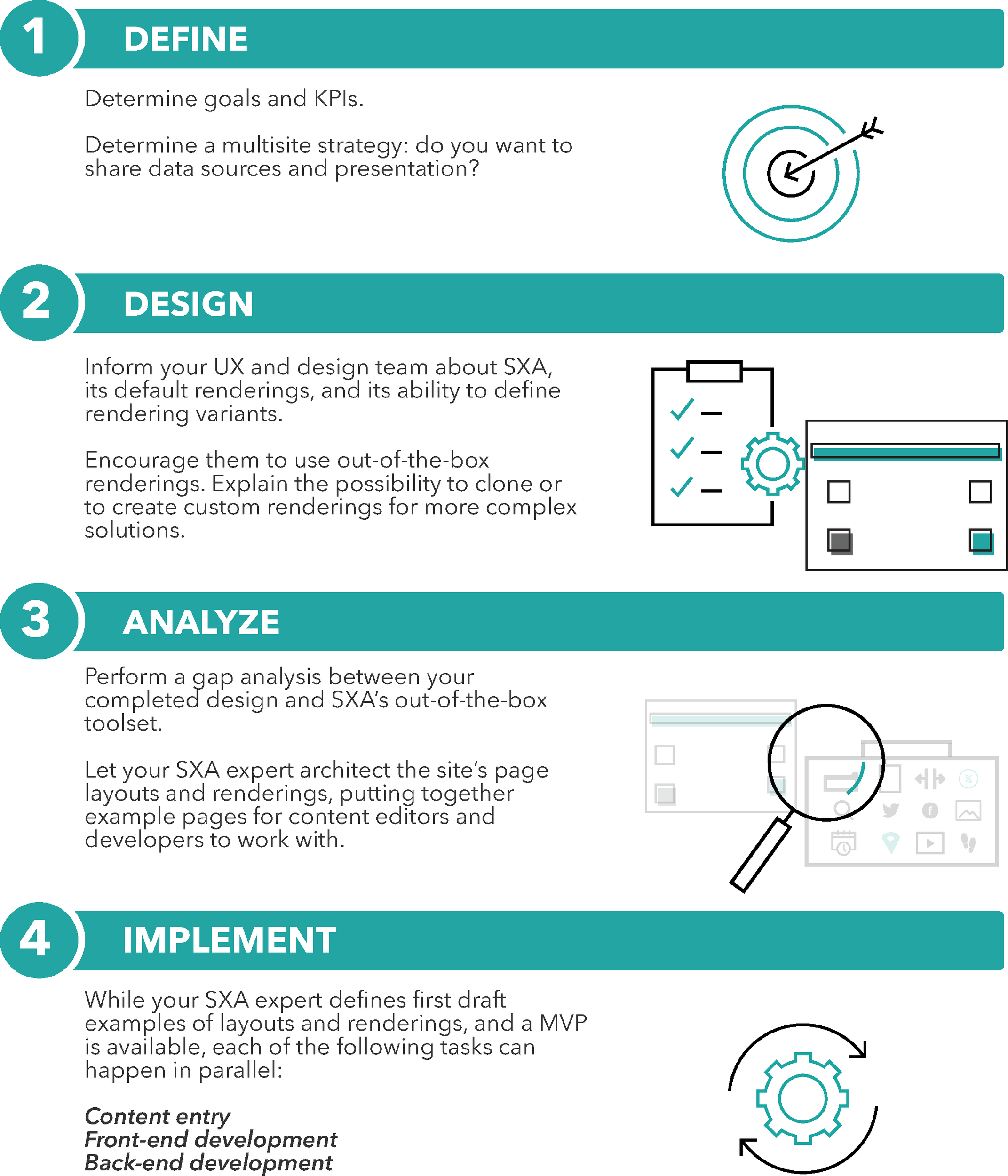
Define
Start every SXA project by determining how you are going to use SXA:
- Define the goal of the website(s).
- Define the KPIs to measure success.
Think about the content and styling of your site(s):
- Is there a need to share content and presentation? Consider using Shared site as the exclusive style container in a tenant. It is good practice to have a [shared site](https://doc.sitecore.com/xp/en/users/sxa/93/sitecore-experience-accelerator/en/share-data-sources-and-presentation-using-the-multisite-feature.html) within every tenant. Read the recommendations on sharing content [here](https://doc.sitecore.com/xp/en/developers/sxa/93/sitecore-experience-accelerator/recommendations--sharing-content.html "Recommendations: Sharing content").
- Do you want a [multilingual implementation](https://doc.sitecore.com/xp/en/developers/sxa/93/sitecore-experience-accelerator/add-a-language-version-to-an-sxa-site.html "Add a language version to an SXA site")?
Design
Inform your UX and design team about SXA, its default renderings, and its ability to define rendering variants at the beginning of the design process. Encourage them to use out-of-the-box components. It is important to understand the functionality and aim of each component. Explain the possibility to [clone components](https://doc.sitecore.com/xp/en/developers/sxa/93/sitecore-experience-accelerator/copy-and-customize-a-rendering.html "Copy and customize a rendering") and to [create custom components](https://doc.sitecore.com/xp/en/developers/sxa/93/sitecore-experience-accelerator/walkthrough--building-a-simple-rendering.html "Walkthrough: Building a simple rendering") for more complex solutions. Use the [flowchart](https://doc.sitecore.com/xp/en/developers/sxa/93/sitecore-experience-accelerator/flowchart-to-determine-whether-to-create-a-custom-rendering.html "Flowchart to determine whether to create a custom rendering") to help decide whether you need to create a custom component.
Analyze
Perform a gap analysis between your completed design and SXA’s out-of-the-box toolset. Map the designs with [OOTB components](https://doc.sitecore.com/xp/en/users/sxa/93/sitecore-experience-accelerator/en/the-toolbox.html) to see which components can be used and which ones require [custom development](https://doc.sitecore.com/xp/en/developers/sxa/93/sitecore-experience-accelerator/walkthrough--building-a-simple-rendering.html "Walkthrough: Building a simple rendering").
Let your SXA expert architect the site’s page layouts and components, putting together example pages for content editors and developers to work with.
Implement
After your SXA expert defines first-draft examples of layouts and renderings, and a MVP is available, each of the following tasks can happen in parallel:
- **Content entry**: ideally, start [entering content](https://doc.sitecore.com/xp/en/users/sxa/93/sitecore-experience-accelerator/en/adding-and-changing-content.html) when one page design has been implemented.
- **Front-end development**: work on [static exports of the HTML, CSS, and JavaScript](https://doc.sitecore.com/xp/en/developers/sxa/93/sitecore-experience-accelerator/import-and-export-a-web-design-with-creative-exchange.html "Import and export a web design with Creative Exchange") for the completed layouts and renderings or work on your [source repository controlled CSS and JS files and sync directly with the SXA solution](https://doc.sitecore.com/xp/en/developers/sxa/93/sitecore-experience-accelerator/modify-your-site-design-with-creative-exchange-live.html "Modify your site design with Creative Exchange Live").
- **Back-end development**: work on [custom renderings](https://doc.sitecore.com/xp/en/developers/sxa/93/sitecore-experience-accelerator/walkthrough--building-a-simple-rendering.html "Walkthrough: Building a simple rendering") and other back-end features such as API integrations, custom form save actions, and so on.
- **Ongoing**: discussion between your SXA expert and your other team members to refine each rendering and meet goals.