---
title: "Delete variants of a component"
slug: "delete-variants-of-a-component"
abstract: "Delete individual variants or all variants from the Test the Component dialog box."
---
# Delete variants of a component
You can delete variants of a component either individually or all at once.
> [!note]
> We recommend that you do not remove variants of a component on a page while the page is in an active test. To end an active test and use the original experience, [cancel the test from the Test Result dialog box](https://doc.sitecore.com/xp/en/users/100/sitecore-experience-platform/cancel-active-tests.html "Cancel active tests").
Delete one variant of a component
To delete one variant of a component:
- In the **Test the Component** dialog box, on the section header for the variant, click **Actions**, and then click **Delete**.

Delete all variants except the original
To delete all variants except the original:
- At the bottom of the **Test the Component** dialog box, click **Remove All and Close**.
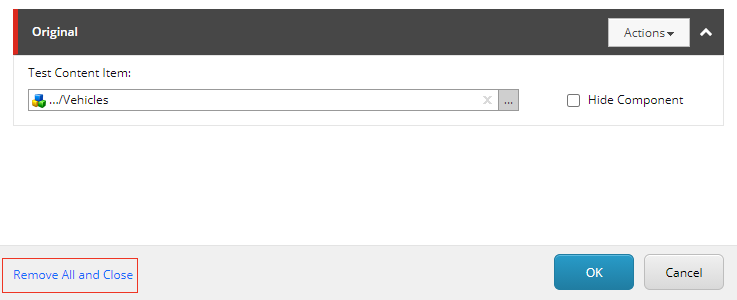
The variants are removed and the **Test the Component** dialog box closes. The original component remains.