---
title: "Create an outcome group and an outcome"
slug: "create-an-outcome-group-and-an-outcome"
abstract: "Organize your contacts with custom outcome groups and outcomes."
---
# Create an outcome group and an outcome
[Outcomes](https://doc.sitecore.com/xp/en/users/101/sitecore-experience-platform/outcomes.html "Outcomes") describe a visitor's journey from the initial contact to becoming a customer. Through a contact's path to becoming a customer, you can track the events they have triggered and the goals that they have converted on their journey. This provides you with an insight into how contacts interact with your website. You can also assign financial value to outcomes, which allows you to quantify the financial value of a contact for your organization.
This topic describes how to:
- [Create an outcome group](https://doc.sitecore.com/xp/en/users/101/sitecore-experience-platform/create-an-outcome-group-and-an-outcome.html#UUID-d3b6b0b2-aa0e-c383-6965-95d128d6d7ab_section-idm43104081470446 "Create an outcome group")
- [Create an outcome](https://doc.sitecore.com/xp/en/users/101/sitecore-experience-platform/create-an-outcome-group-and-an-outcome.html#UUID-d3b6b0b2-aa0e-c383-6965-95d128d6d7ab_section-idm43104091298840 "Create an outcome")
Once you have created an outcome definition an administrator needs to register the outcome using the API.
Create an outcome group
To create a new outcome:
1. In the **Marketing Control Panel**, in the content tree, under Taxonomies, click Outcome group.
2. On the **Home** tab, in the **Insert** group, click **Outcome Group**.
3. Enter the name of the new outcome group in the dialog box and click **OK**.
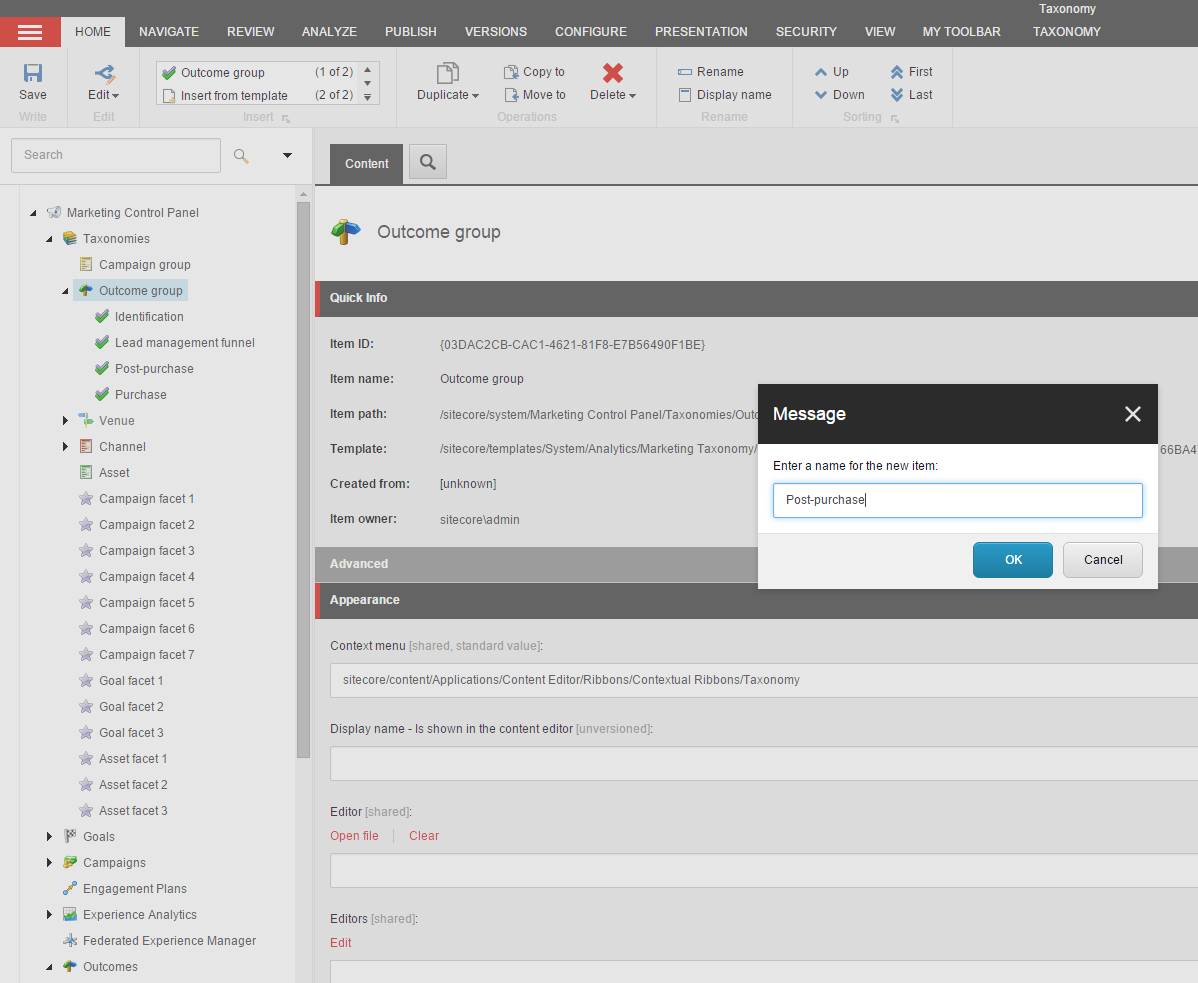
4. On the **Taxonomy** tab, click **Save**, then **Deploy**. On the **Publish** tab, in the **Publish** group, click **Publish** to perform a site publish.
Create an outcome
To create a new outcome:
1. In the **Marketing Control Panel**, in the content tree, click *Outcomes*.
2. On the **Home** tab, in the **Insert** group, click **Outcome Definition**.
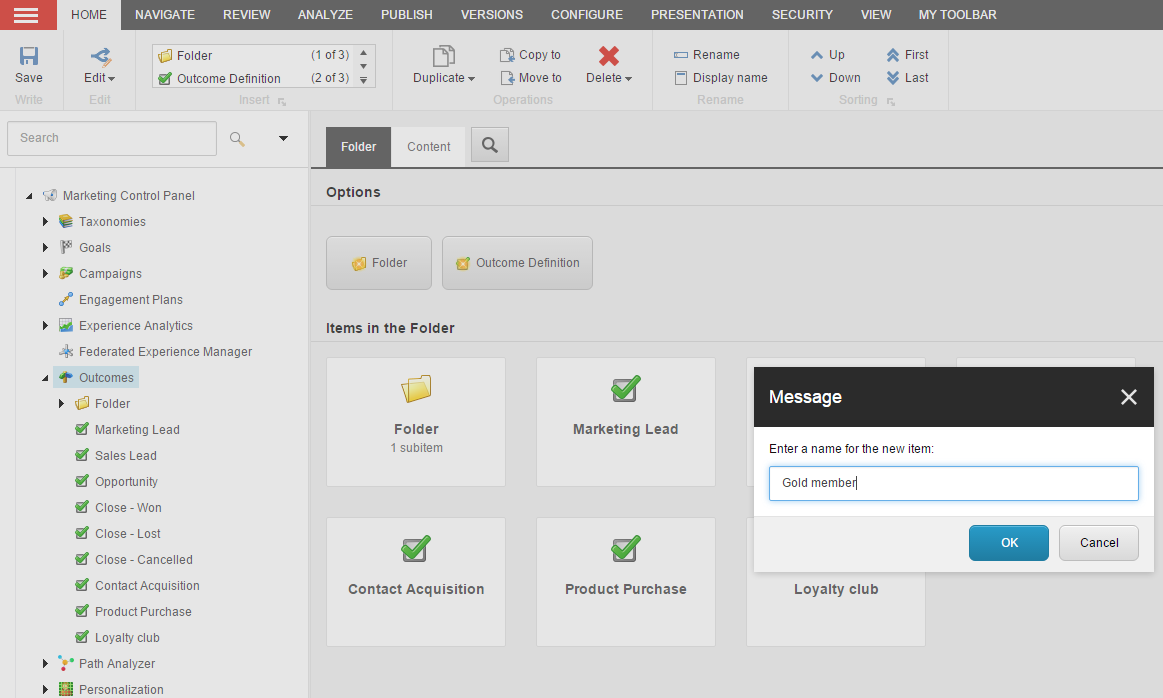
3. Enter the name of the new outcome and click **OK**.
4. On the **Home** tab, in the **Write** group, click **Save**. On the **Publish** tab, in the **Publish** group, click **Publish** to perform a site publish.
> [!note]
> To assign financial value to an outcome, on the outcome item, on the Content tab, in the Data section, select Monetary Value Applicable.