---
title: "Create and deploy a goal"
slug: "create-and-deploy-a-goal"
abstract: "Goals are activities that contacts can perform on your website. You create goals in the Marketing Control Panel."
---
# Create and deploy a goal
Goals are activities that contacts can perform on your website. You can associate goals with campaign activities and events and then use them to track how contacts engage with your website.
When you create a goal, it is subject to a workflow. A goal must be in the final workflow state to be deployed and published to your website. You must deploy the new goal before it becomes available in the Marketing Control Panel and you can associate it with a content item or a campaign.
To create a goal:
1. In **Marketing Control Panel**, in the content tree, click Goals.
2. On the **Home** tab, in the **Insert** group, click Goal to create a new goal.
3. In the dialog box that appears, enter a name for the goal.
On the **Content** tab, you can enter more detailed information about the goal, such as engagement value points or a description.
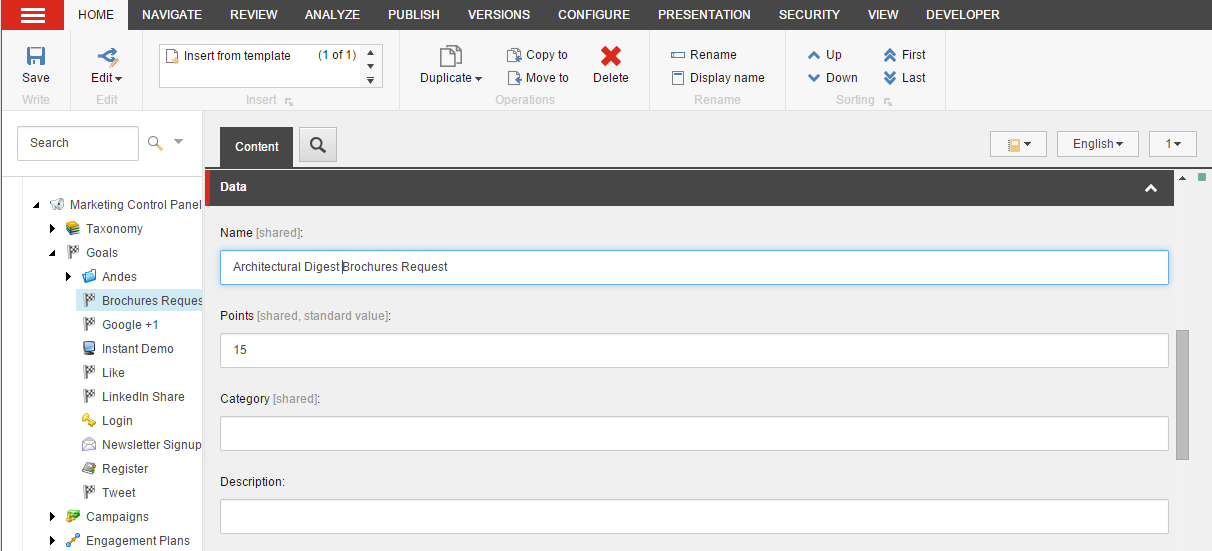
| Field | Value |
| --- | --- |
| Name | Enter the name of your goal |
| Points | Enter the number of [engagement value points](https://doc.sitecore.com/xp/en/users/101/sitecore-experience-platform/engagement-value-points.html) that you want to assign to a contact when they achieve this goal. |
| Description | Enter a clear description of the goal. |
| Image | Select an image that will be displayed in the Experience Profile when the goal has been triggered. |
| IsLiveEvent | Select this checkbox to ensure that the goal is submitted to the Marketing Automation Engine as soon as it is triggered, rather than at the end of the session. |
| IsSystem | Select this checkbox if the page event describes a system event.
For administrators and advanced users only. |
| Category | Assign the goal to a category. |
| IsAuthorFeedback | Select this checkbox if the page events associated with this goal are of interest to content authors. |
| IsFailure | Select this checkbox to define the event as a failure.
For administrators and advanced users only. |
| IsGoal | Select this checkbox to ensure that the goal appears in the **Content Editor, Goals** dialog. You can then associate the goal with a content item. |
| Show in Xfile as Latest Event | Select this checkbox to ensure the goal shows on the list of latest events on the Experience Profile, |
| Show in Events | Select this checkbox to ensure the goal shows on the list of events on the Experience Profile, |
| Rule | Select the rule that should be evaluated when the page event associated with this goal is triggered. |
In the Classification section, you can associate taxonomies with the goal.
4. Click **Save**.
5. To deploy the goal, on the **Review** tab, in the **Workflow** group, click Deploy.
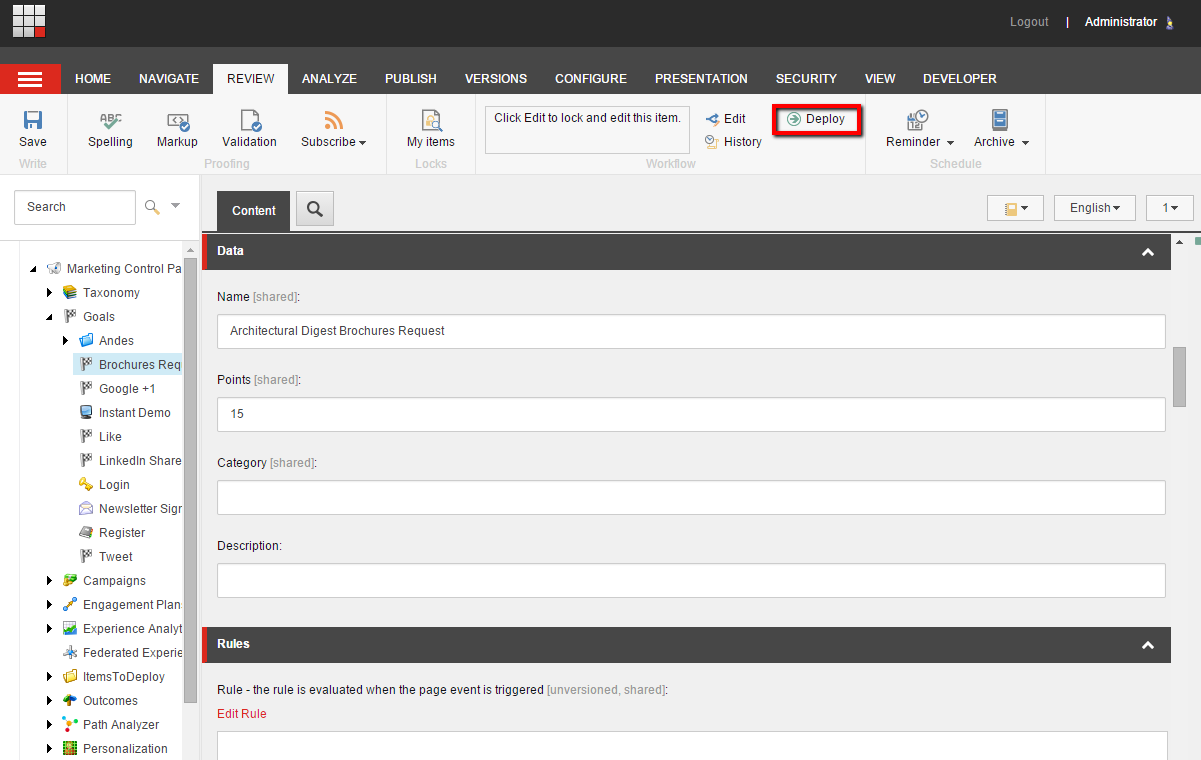
Now you can associate the goal with content items and campaigns.
6. To publish the goal, on the **Publish** tab, in the **Publish** group, click Publish.