---
title: "Associate a campaign with an item"
slug: "associate-a-campaign-with-an-item"
abstract: "You can associate a campaign with various items, such as landing pages or registration forms."
---
# Associate a campaign with an item
You can associate a campaign with various items, such as landing pages or registration forms. By implementing personalization rules, you can customize the items that a viewer sees on your website. You can measure the amount of traffic generated on campaign items and use Sitecore Experience Analytics to evaluate the campaign's effectiveness.
You can associate a campaign with an item in the Experience Editor and in the Content Editor.
This topic describes how to:
- [Associate a campaign with an item](https://doc.sitecore.com/xp/en/users/91/sitecore-experience-platform/associate-a-campaign-with-an-item.html#UUID-3963c02a-ed9c-4913-1e9c-bd685201fceb_section-idm45492049278432 "Associate a campaign with an item")
- [Associate a campaign event with multiple items](https://doc.sitecore.com/xp/en/users/91/sitecore-experience-platform/associate-a-campaign-with-an-item.html#UUID-3963c02a-ed9c-4913-1e9c-bd685201fceb_N1542897423452 "Associate a campaign event with multiple items")
Associate a campaign with an item
To associate a campaign with an item:
1. Navigate to the item you want to associate with the campaign.
- In the **Experience Editor**, navigate to the page that contains the item that you want to associate a campaign with.
- In the **Content Editor**, expand the content tree and navigate to the content item that you want to associate a campaign with.
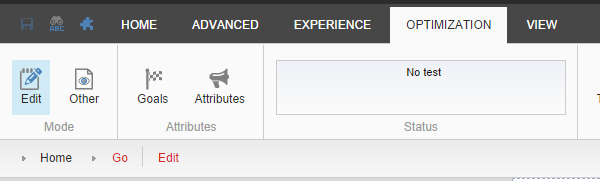
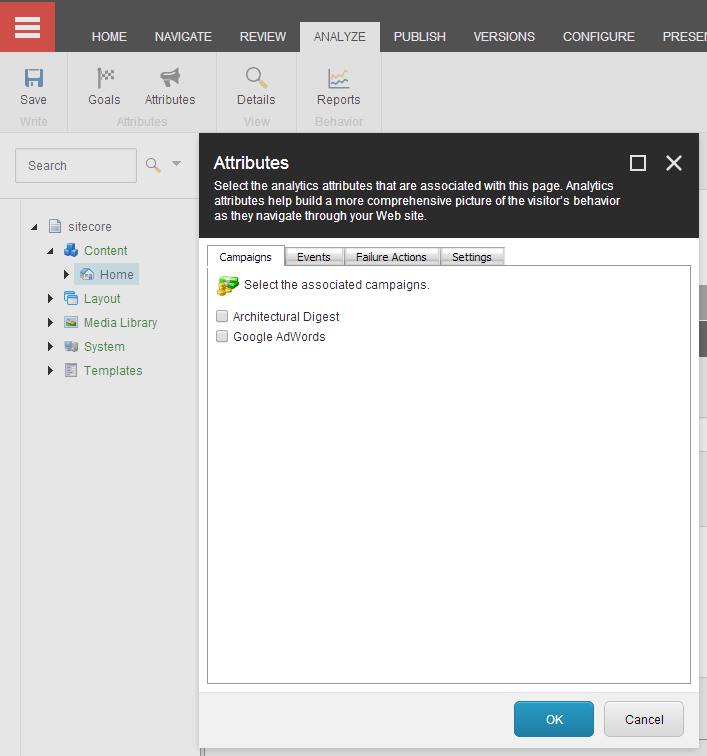
2. In the **Attributes** group, click **Attributes**.
- In the **Experience Editor**, the **Attributes** group is found on the **Optimization** tab.
- In the **Content Editor**, the Attributes group is located on the **Analyze** tab.
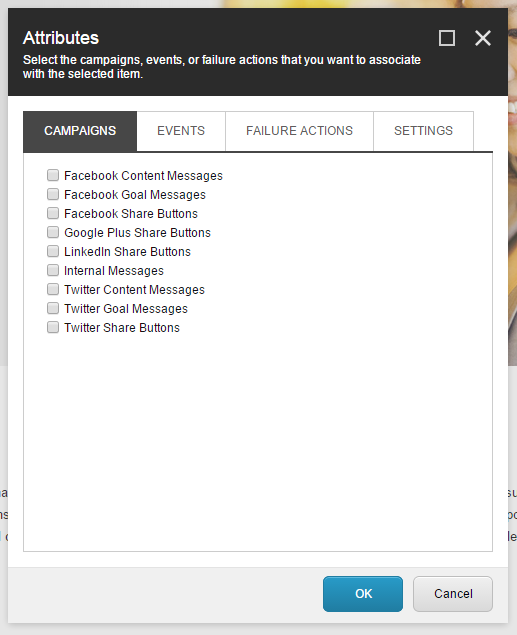
3. In the **Attributes** dialog, click the **Campaigns** tab and then select the campaign that you want to associate with the content item. Click **OK**.
4. Click **Save**.
5. On the **Home** tab, in the **Publish** group, click **Publish** to save your changes.
Associate a campaign event with multiple items
To associate a campaign event with multiple items:
1. Select an item or item bucket.
2. In the search field enter \* to return all items in the item bucket.
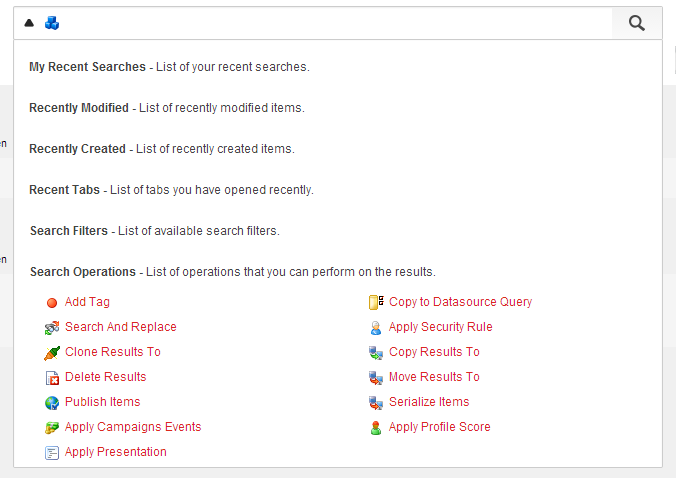
3. Click the drop-down arrow to the left of the search field and select **Search Operations**.
4. In **Search Operations**, select Apply Campaigns Events.
5. In the **Attributes** dialog, select either the event or failure action that you want to associate with the items.
6. Click **OK**. The items are associated with the event or failure action.