
DecisionPointItemアクティビティタイプ
このページの翻訳はAIによって自動的に行われました。可能な限り正確な翻訳を心掛けていますが、原文と異なる表現や解釈が含まれる場合があります。正確で公式な情報については、必ず英語の原文をご参照ください。
DecisionPointItemアクティビティタイプは、マーケティングオートメーションがコンタクトをキャンペーンに登録する際のロジックを定義するのに役立ちます。
DecisionPointItemアクティビティタイプを使って、接触を待たずに異なるマーケティングアクションを進めることができます。例えば、連絡先がトップ100顧客として登録されている場合、Yesパスを進み特定のオファーを表示することができます。顧客がトップ100顧客でない場合は、Noパスを進めることができます。
項目構成
DecisionPointItemアクティビティタイプは以下の構造を含みます:
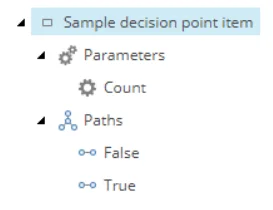
性質
DecisionPointItemアクティビティタイプは以下のプロパティを持ちます:
入る経路
1
アウトイングパス
2
タイトルとサブタイトル
アクティビティタイプが定義されるとツールチップに表示されます。マークアップには含まれていません。
論理的立場
他の DecisionPointItem 活動タイプの出発経路の下にあります。
!注アイテムのアイコンはパラメータを定義するとダイヤモンド型に変わります。
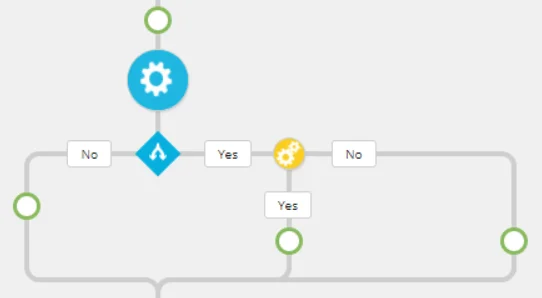
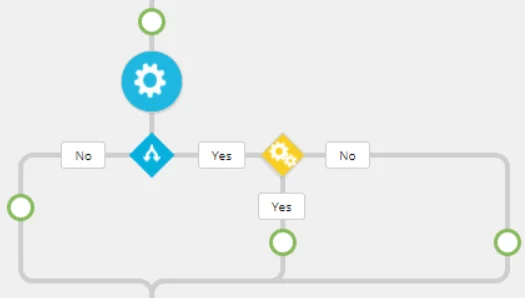
サポートされているCSSクラス
DecisionPointItemアクティビティタイプは、以下のCSSクラスをサポートしています:
CSSクラス
未定義
定義
decision-point
TypeScript実装のサンプル
これはDecisionPointItemアクティビティタイプのサンプル実装です:
sample/src/sample-decision-point-item-activity-type.ts
import { DecisionPointItem } from '@sitecore/ma-core';
export class SampleDecisionPointItemActivityType extends DecisionPointItem {
getVisual(): string { const subTitle = this.isDefined ? 'Count: ' + this.editorParams.count : ''; const cssClass = this.isDefined ? '' : 'undefined';
// The CSS class can only be decision-point. return `

get isDefined(): boolean { /* The editorParams property value is the object that is serialized from the activity editor. If the activity is undefined, the editorParams property will evaluate to {}. */ return Boolean(this.editorParams.count); } }