---
title: "新しいメールキャンペーンアイテムのデフォルトチャネルID"
slug: "the-default-channel-id-of-new-email-campaign-items"
abstract: "EXMは新しいキャンペーン項目にチャネルIDを追加し、ユーザーがメール内のリンクをクリックした際のキャンペーンを追跡できるようにします。"
---
# 新しいメールキャンペーンアイテムのデフォルトチャネルID
メールキャンペーンを送信すると、Email Experience Managerが新しいメールキャンペーン項目を作成し、そのキャンペーン項目にチャネルIDを追加します。
デフォルトではチャネルはメールマーケティングです。Sitecore.EmailExperience.Core.configファイルのCampaignClassification.Channel設定でデフォルトのチャネルIDを変更できます。
この設定の値については、使いたいチャネルアイテムのアイテムIDをデフォルトとして使います。
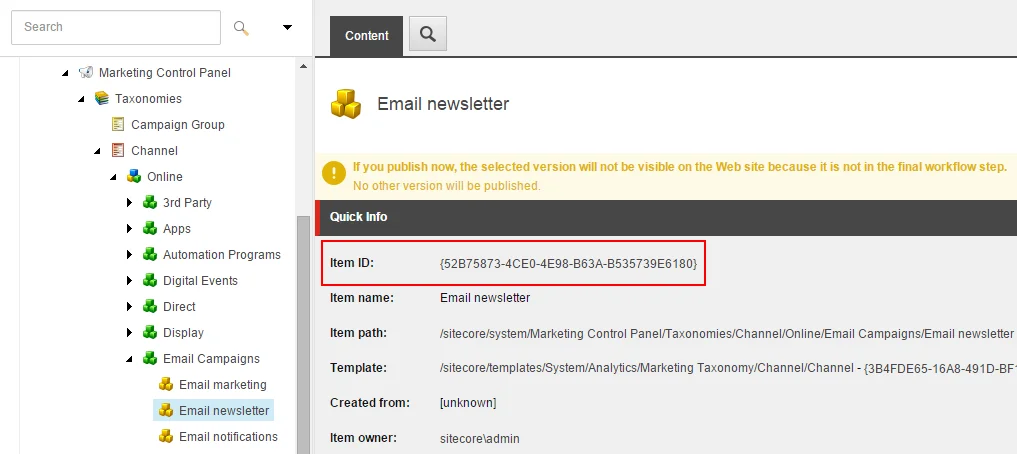
受信者がメール内のリンクをクリックすると、Sitecoreはキャンペーン項目内のチャンネルIDを使ってキャンペーンを追跡します。
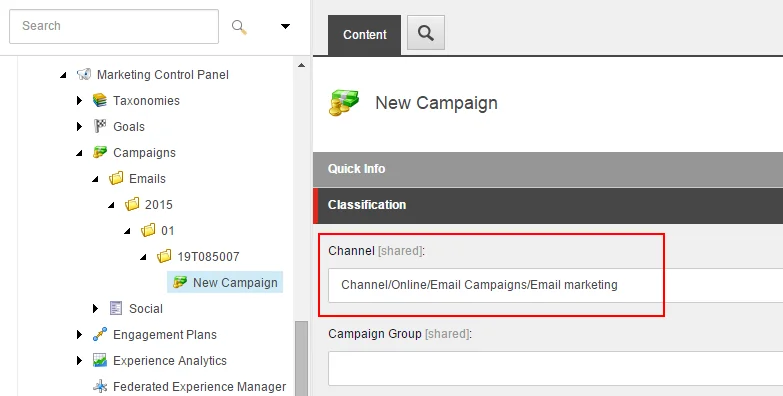
キャンペーン項目のチャンネルIDは、Sitecore Taxonomy APIを使って読み取ることができます:
IDefinitionManager campaignDefinitionManager = ServiceLocator.ServiceProvider.GetService>();
var campaignActivity = campaignDefinitionManager.Get(campaignId, CultureInfo.InvariantCulture);
var channelId = campaignActivity.ChannelUri.TaxonId;