Add a success submit action to a form
The success submit action is the third and final submit action that you can create for a web form. After a website visitor successfully submits a form, you can add a success submit action that either directs the user to a specific page or displays a success message on the form.
To add a success submit action to a web form:
-
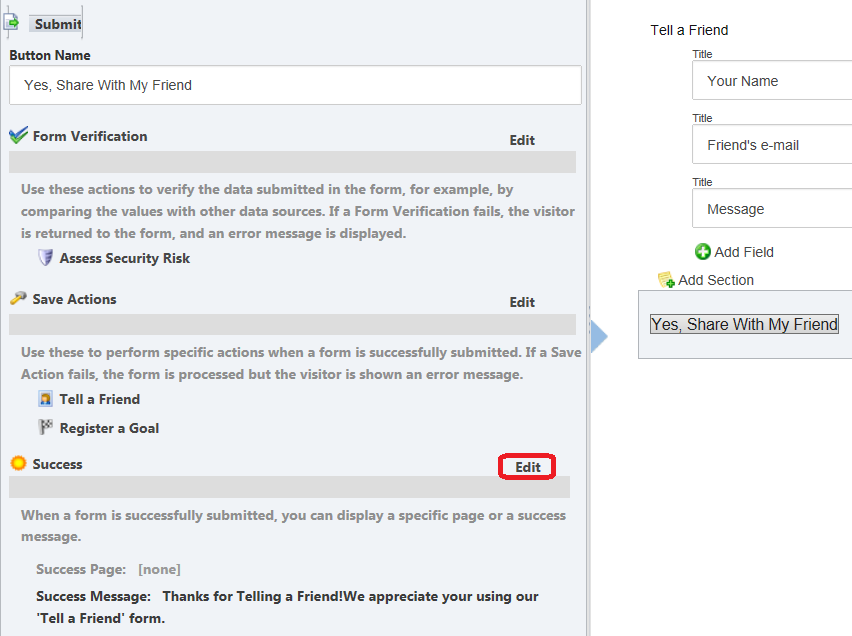
In the Form Designer, on the relevant web form, click the Submit button.
-
On the left pane, in the Success section, click Edit.
-
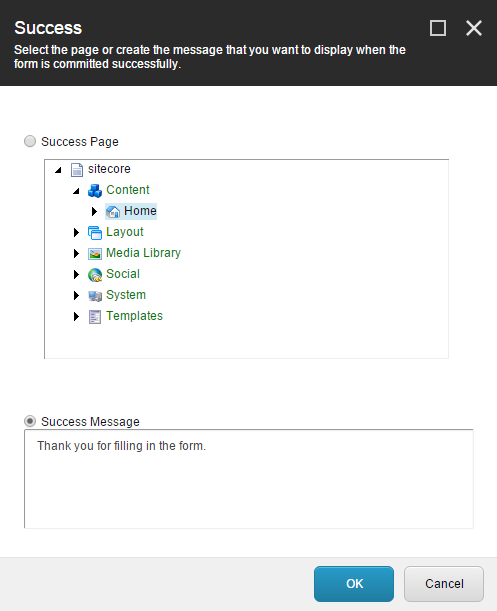
In the Success dialog box:
-
To redirect the visitor to a page after they have successfully submitted the form, select the Success Page check box and then browse to the relevant webpage.
-
Alternatively, to display a message in place of the form, after the visitor successfully submits the form, select the Success Message check box and enter a message in the field.
-
-
Click OK to save the changes.