Use a URL or item ID to find an item
Version: 10.0
Markdown versionWhen you work in Horizon, the URL in your browser's address field contains information about the current item, language, and site. You can copy the URL and use it later to quickly access the item.
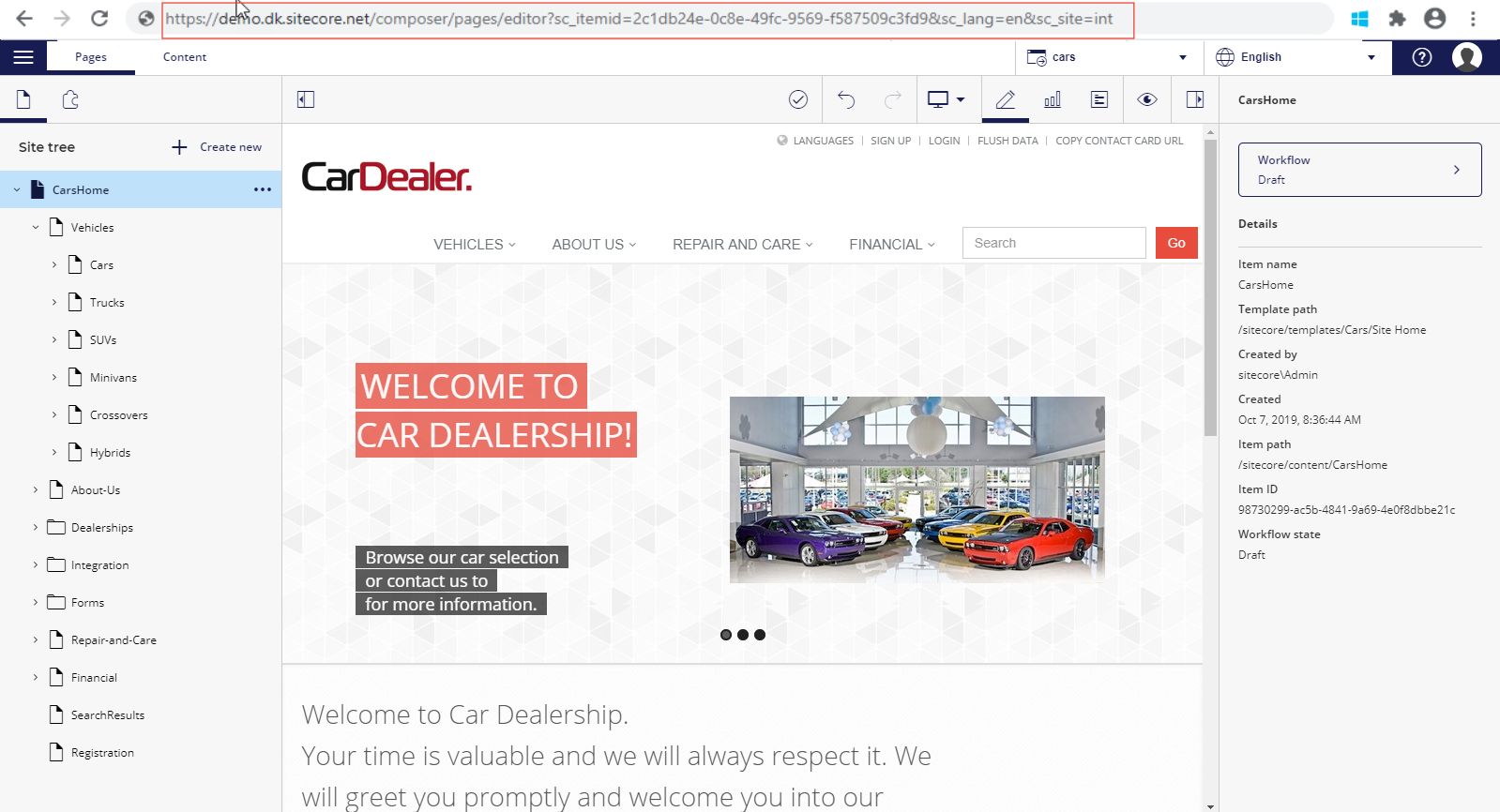
Also, if you know the item ID of a page or content item, you can edit the URL in your browser's address field to find the item.
To use the item ID to find an item:
-
From the Sitecore Launchpad, open Horizon.
The Home page for your default site and language opens in Pages.
-
In the browser's address field, select the item ID of the currently displayed page.
NoteThe item ID is the number after
sc_itemid=and before&sc_lang=.
-
Enter the item ID of the page or content item that you want to work with.
If you have suggestions for improving this article, let us know!