
SDKの埋め込み
このページの翻訳はAIによって自動的に行われました。可能な限り正確な翻訳を心掛けていますが、原文と異なる表現や解釈が含まれる場合があります。正確で公式な情報については、必ず英語の原文をご参照ください。
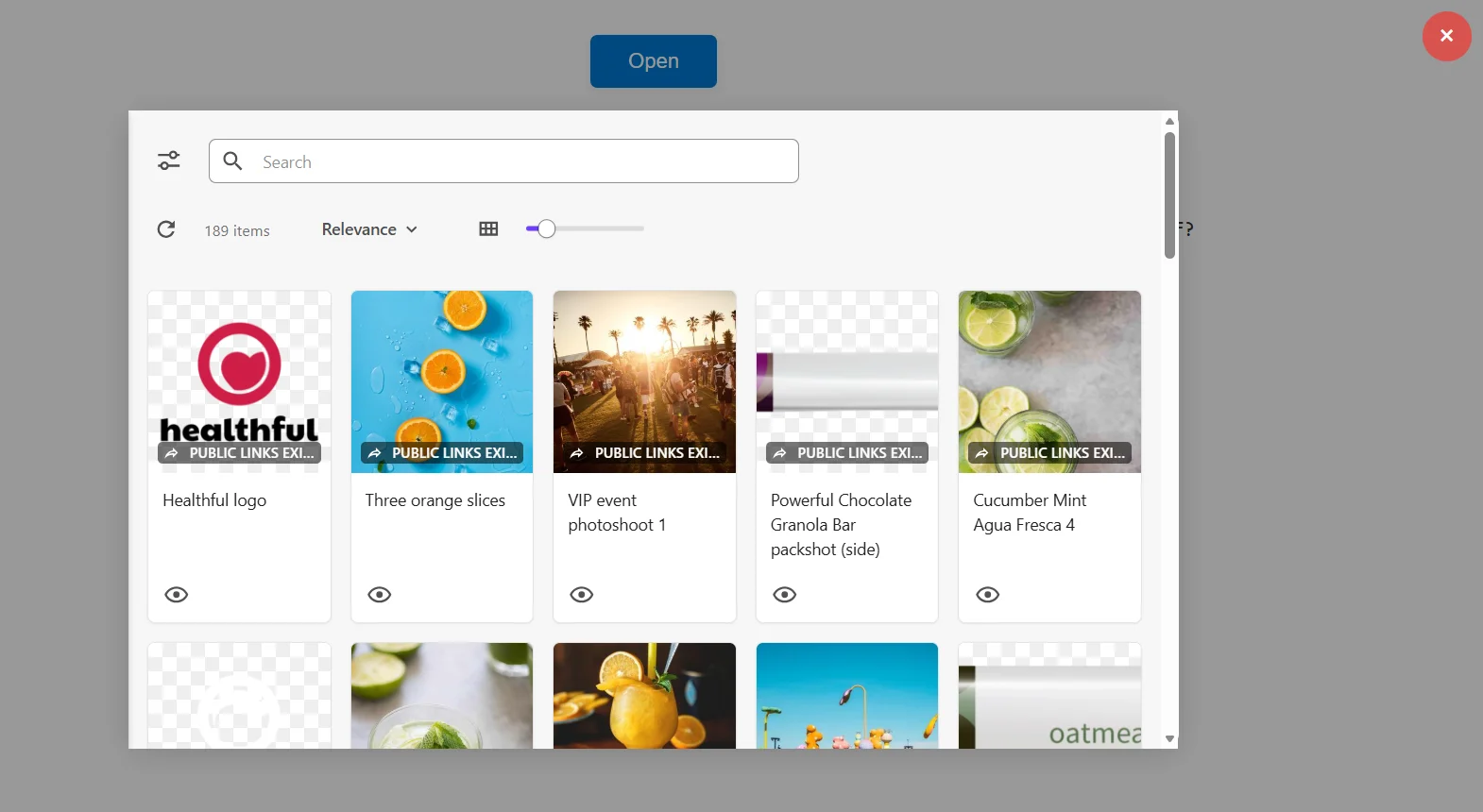
Embedding SDKは、開発者が自分のアプリに直接Content Hubのアセットピッカー(Searchコンポーネント)を埋め込むことを可能にします。
アセットピッカーからは、ユーザーがアセットを閲覧し、それらのアセットの公開リンクを作成・選択できます。そして、アセットピッカーで公開リンクを選択すると、開発者がアプリ内で利用できる公開リンクの詳細を含むコールバックが発動されます。
設定を簡素化するために、Content Hubはデフォルトのアセットピッカーページ(SCAssetConnector)を提供しています。カスタマイズされたアセットピッカーが欲しい場合は、アセットピッカーとして使うページを作成できます。
!注始める前に
設置
対応するパッケージマネージャーを使ってContent Hub Embedding SDKをインストールしてください。
::::タブズ:::tab{title="npm"}
NPM
npm install @sitecore/contenthub-embedding-sdk --registry=https://npm.sitecore.com/resources/
糸
yarn add @sitecore/contenthub-embedding-sdk --registry=https://npm.sitecore.com/resources/
インストール後、SDKはESモジュールやCommonJSを使ってインポートできます。
始める
以下は、Content Hubアセットピッカーを埋め込み、アセット選択イベントを受け取るために必要な最低限の手順を説明します。
- アプリケーション内でコンテナ要素を作成しましょう。
- ContentHubPageLoaderを初期化してください。
- 埋め込まれたContent Hubページを開きます。
- 資産選択はコールバックで処理します。
TypeScriptの例
import { ContentHubPageLoader, type ContentHubOptions } from "@sitecore/contenthub-embedding-sdk";
const container = document.getElementById("content-hub-container") as HTMLElement | null;
if (!container) { throw new Error("Container element not found"); }
const options: ContentHubOptions = { rootElement: container, baseUrl: "https://your-content-hub.stylelabs.io", pageName: "SCAssetConnector", culture: "en-US", callbacks: { onPublicLinkSelected: ({ entityId, publicLink }) => { console.log("Selected asset ID:", entityId); console.log("Public link URL:", publicLink); }, }, };
(async () => { const loader = new ContentHubPageLoader(options);
try { await loader.open(); console.log("Content Hub loaded successfully"); } catch (error) { console.error("Failed to load Content Hub:", error); } })();
構成
SDKはContentHubPageLoaderに渡されるContentHubOptionsオブジェクトを用いて構成されます。
export interface ContentHubOptions { rootElement: HTMLElement; baseUrl: string; pageName?: string; culture?: string; callbacks?: ContentHubCallbacks; }
財産
概要
rootElement
Content HubがレンダリングされるDOM要素。
baseUrl
Content Hubインスタンスの基本URL。
pageName
Content Hubページを読み込みます。指定しない場合はデフォルトで SCAssetConnector。オプションです。
culture
UI文化(例えば en-US)。任意です。
callbacks
ユーザーインタラクションのためのイベントコールバック。任意です。
インスタンスメソッド
ContentHubPageLoaderインスタンスは以下のメソッドを提供します:
方法
概要
open()
Content Hubページの読み込みとレンダリングを行います。コンストラクタオプションを上書きするオプションの設定オプションも受け入れます。
dispose()
Content Hubのページレンダリングをクリーンアップし、内部状態をリセットします。
コールバック
ユーザーがアセットピッカーで公開リンクを選択すると、コールバックonPublicLinkSelectedが発動します:
export interface ContentHubCallbacks { onPublicLinkSelected?: (params: PublicLinkSelectedParams) => void; }
onPublicLinkSelectedコールバックは以下の資産データを受信します。
export interface PublicLinkSelectedParams { title: string; alt: string; entityId: number; publicLinkId: number; publicLink: string; }
パラメータ
概要
title
選択した公開リンクに関連付けられた資産の title 。
alt
選択した公開リンクに関連付けられた資産の オルトテキスト 。
entityId
選択した公開リンクに関連付けられた資産のエンティティID。
publicLinkId
選択したパブリックリンクのID。
publicLink
選択した公開リンクのURLです。
例
以下の例は、SDKを異なるフロントエンドスタックに統合する方法を示しています。
::::タブ:::tab{title="JavaScript"}
JavaScript (ES6)
import { ContentHubPageLoader } from "@sitecore/contenthub-embedding-sdk";
ContentHubPageLoader.open({ rootElement: document.getElementById("content-hub-container"), baseUrl: "https://your-content-hub.stylelabs.io", pageName: "SCAssetConnector", culture: "en-US", callbacks: { onPublicLinkSelected: (params) => console.log(params), }, });
React
import { useEffect, useRef } from "react"; import { ContentHubPageLoader } from "@sitecore/contenthub-embedding-sdk";
interface Props { baseUrl: string; onPublicLinkSelected: (params: { title: string; alt: string; entityId: number; publicLinkId: number; publicLink: string; }) => void; }
export function AssetPicker({ baseUrl, onPublicLinkSelected }: Props) {
const containerRef = useRef
useEffect(() => { if (!containerRef.current) return;
const loader = new ContentHubPageLoader({ rootElement: containerRef.current, baseUrl, pageName: "SCAssetConnector", culture: "en-US", callbacks: { onPublicLinkSelected: (params) => onPublicLinkSelected(params), }, });
loader.open().catch(console.error); return () => { loader.dispose(); }; }, baseUrl, onPublicLinkSelected);
return
ビュー
角
import { Component, ElementRef, OnInit, ViewChild } from "@angular/core"; import { ContentHubPageLoader, type ContentHubOptions } from "@sitecore/contenthub-embedding-sdk";
interface AssetSelectedParams { title: string; alt: string; entityId: number; publicLinkId: number; publicLink: string; }
@Component({ selector: "app-asset-picker", template: `<div #contentHubContainer>
baseUrl = "https://sf-connector.sitecoresandbox.cloud"; entityId: number | null = null; publicUrl: string | null = null;
async ngOnInit(): Promise
Content Hub SDKはピッカーをレンダリングするためにターゲットDOM要素を必要とします。例えば、以下のコンテナ
次に、このコンテナにスタイリングを適用し、ピッカーがアプリケーション内で適切な幅、高さ、表示制約を持つようにします。
.asset-picker-container { width: 600px; max-width: 98%; height: 70vh; margin: 20px auto; background: #fff; border-radius: 8px; box-shadow: 0 4px 24px rgba(0, 0, 0, 0.15); position: relative; }
トラブルシューティング
Content Hubが読み込まれない場合:
- baseUrlが正しいか確認してください。
- コンテナ要素が存在し、見えることを確認してください。
- ブラウザコンソールでCORSやネットワークエラーをチェックしてください。
コールバックが発動しない場合:
- onPublicLinkSelectedが定義されているか確認してください。
- Content Hubでユーザーの権限を確認してください。
- ブラウザ postMessage 通信がブロックされていないことを確認してください(例えばブラウザ拡張機能やCSPによる)。
TypeScriptのインポート問題が発生した場合:
-
必要に応じて型のみインポートを使用:
import type { ContentHubOptions } from "@sitecore/contenthub-embedding-sdk";