Introducing Azure Cognitive Search Culture Support
Caution
Azure Cognitive Search will be discontinued in the future and Sitecore will no longer provide support for this service in future releases.
The Azure Cognitive Search Culture Support feature enables users to direct their search request at content written in a specific language or languages. This is achieved by the support of language analysis on a per field/language basis. Field data for each language is automatically stored within the search index in two fields:
A generic field <field_name>_s
A language-specific field with a trailing language suffix <field_name>_s_t_<language_code>
The type of information stored in an index
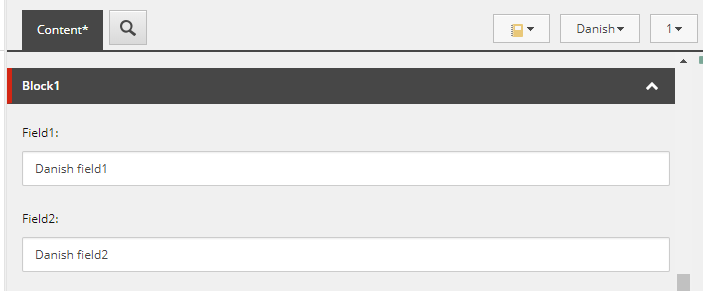
Azure Cognitive Search supports multiple languages in Sitecore. On the Content* tab, you can set up two language fields in Sitecore to store values, for example, for both English and Danish.
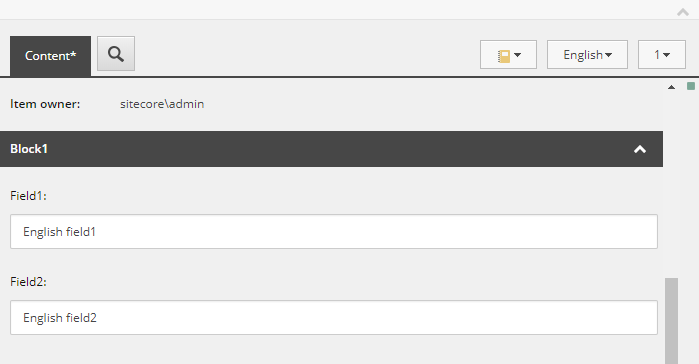
Azure Cognitive Search stores the data for the English version (azureuniqueid=1) in the following way:
| Field name | Field value |
|---|---|
| field1_s | English field1 |
| field1_s_t_da | Null |
| field1_s_t_en | English field1 |
| field2_s | English field2 |
| field2_s_t_da | Null |
| field2_s_t_en | English field2 |
Similarly, Azure Cognitive Search stores the data for the Danish version (azureuniqueid=2) in the following way:
| Field name | Field value |
|---|---|
| field1_s | Danish field1 |
| field1_s_t_da | Danish field1 |
| field1_s_t_en | Null |
| field2_s | Danish field2 |
| field2_s_t_da | Danish field2 |
| field2_s_t_en | Null |
Searching with Azure Cognitive Search Culture Support
You can search for items that contain fields with content in a specific language by using the Sitecore language filter.

If you reduce your search to a specific field, the language filters generate a search query and apply it to items in that field that have content in your specified language:
