Configure modules
Version:
Modules configure how Sitecore Content Serialization synchronizes items between Sitecore instances and your file system.
Create a module
To create a module:
-
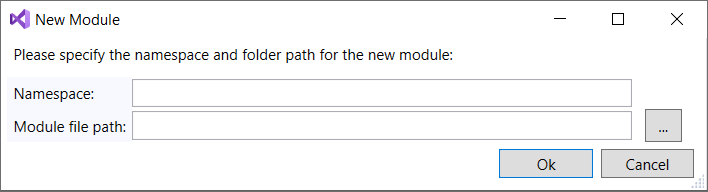
In Sitecore Module Explorer, right-click Modules and click New Module.
-
In the New Module window, enter the following:
Field Content Namespace The module namespace. Module file path Where the module file is stored in your file system. NoteMake sure that the path to your module is covered by the module globs in the
sitecore.jsonfile. -
Click OK.
Edit a module
To edit a module:
-
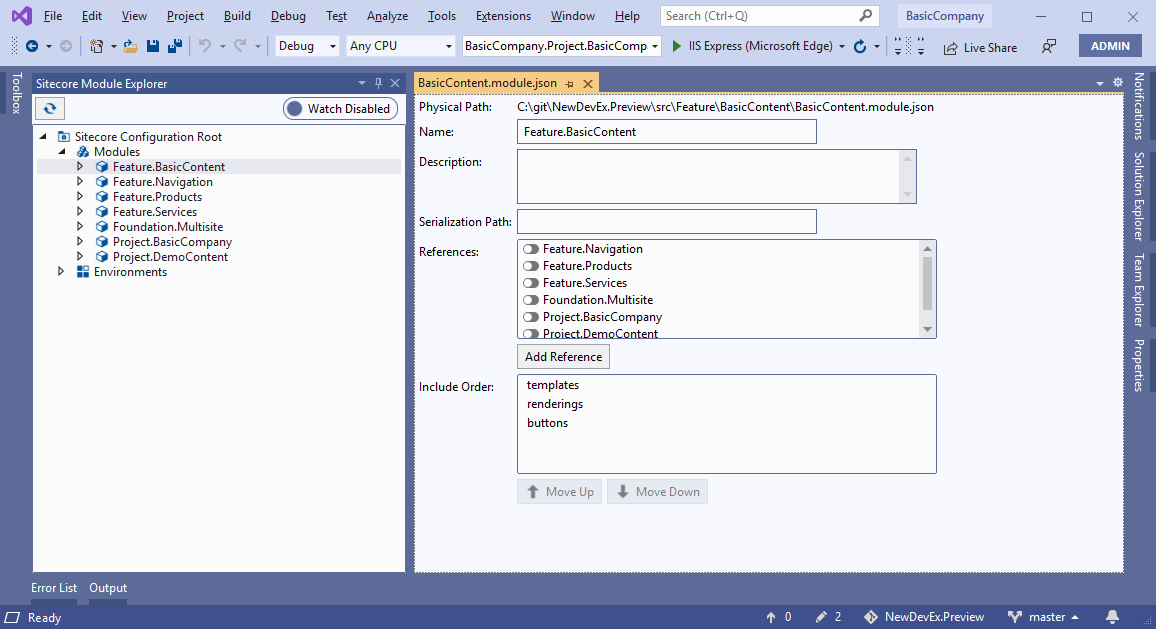
In Sitecore Module Explorer, double-click the module.
-
In the module window, edit the following:
Field Content Name The name of the module. Description A description of the module's content. Serialization Path The module's relative serialization path. References The module's references to other modules. Include Order If one or more include uses wildcards, click Move up and Move down to alter the evaluation order of the includes. -
Save the module.
Remove a module
To remove a module:
- In Sitecore Module Explorer, right-click the module and click Remove Module.
- In the dialog box, click Yes to remove the module.
If you have suggestions for improving this article, let us know!