Upgrade the contact merge data
You must only follow this step if you are upgrading from Sitecore XP 9.0.1.
In Sitecore XP 9.0.2, the contact merge behavior was changed and when you merge contacts, interactions are copied from the source contact to the target contact and the source contact is marked as obsolete.
To apply the new contact merge logic to existing contacts that have previously been merged:
-
On the xDB Processing server, open the
/sitecore/admin/xdb/ContactsMerge.aspxpage.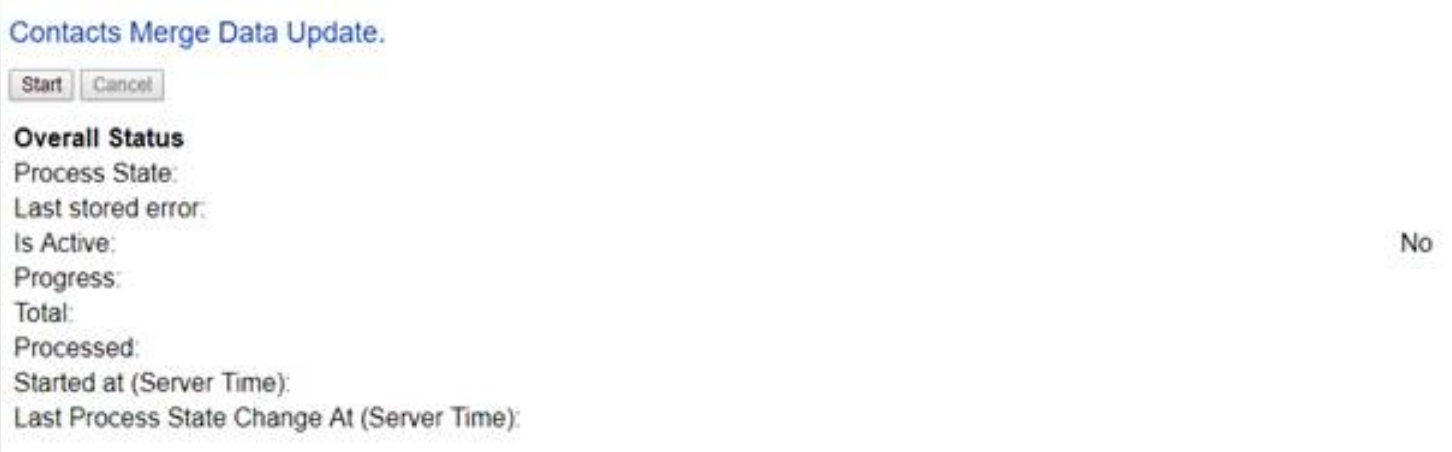
-
Click Start.
This copies all the interactions from the source contact to the target contact and significantly improves the performance of data retrieval.
When the contact merge upgrade process is complete, the Process State changes to Completed.
This process might take a long time and you can run it in a production environment while the system is live. You can also postpone this step, but it is an important part of the upgrade process and you must perform it.
If you followed our security recommendation and restricted access to the client from the processing server role, you must enable it to access the ContactsMerge page. When the upgrade process is finished, you can restrict access again.
After the merge process completes, summary information is written to the contactMergeDataUpgrade.log.{date}.txt file in the logs folder. The log file includes status and error information about the merge process. The log file is always created even when no information is written to it.
The administration page at \Website\sitecore\admin\xdb\ContactsMerge.aspx reports the errors noted in the log file.