Test the troubleshooter
Version:
The troubleshooter was assigned to the text file endpoint, so to test the troubleshooter you must:
-
In Content Editor, select the tenant.
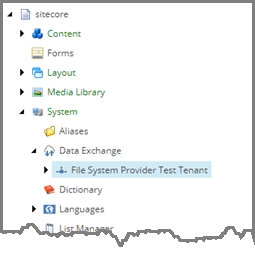
-
Navigate to Endpoints/Providers/File System/City Information File.

-
On the menu ribbon, click Run Troubleshooter.

If the endpoint is configured properly, the file exists, and the Sitecore server can access the file, the success message is displayed.

If the endpoint does not have a file path specified, an error message is displayed.

If the endpoint has a file path specified, but the file does not exist, or file permissions prevent the Sitecore server from accessing the file, an error message is displayed.
