The general settings for an email campaign type
In the Content Editor, you can specify the Campaigns Position and Standard Message Plan for a particular email campaign type. These settings apply to all the email campaigns of that email campaign type.
The EXM module provides two message types:
-
Regular email campaign (One Time Message)
-
Automated email campaign (Triggered Message)
The email campaign types are located in /sitecore/content/Home/Email Campaign/Message Types.
To configure the general settings of the email campaign types, edit the Default item in the corresponding folder.
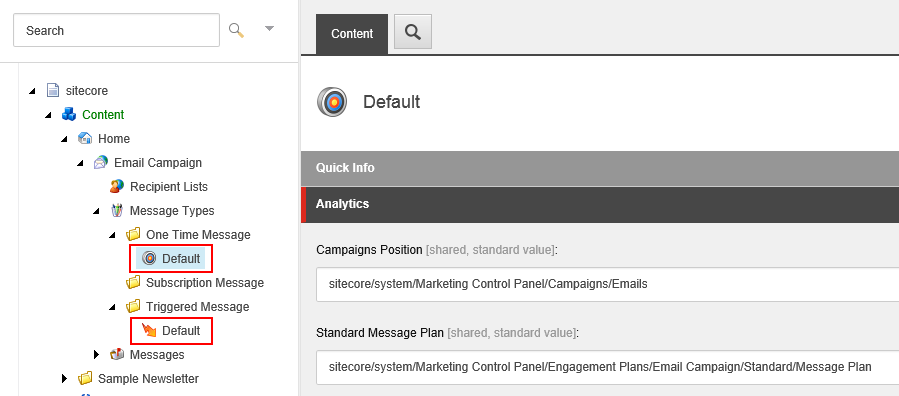
The Default items contain the following settings:
|
Setting name |
Sample value |
Description |
|---|---|---|
|
Campaigns Position |
Emails |
The default campaign category that stores campaigns related to the message type. Marketers can change this value in the EXM UI. |
|
Standard Message Plan |
Standard/Message Plan |
The default engagement plan for the message type. Marketers cannot choose another engagement plan in the EXM UI; they can only edit the default one. |