Create a new manager root
A manager root contains all the settings that control how users work with the Email Experience Manager component. The component creates a manager root when you configure the EXM default settings for the first time after installation. If you need more than one manager root, for example, in a multisite environment, you can create a manager root manually.
To create a new manager root:
-
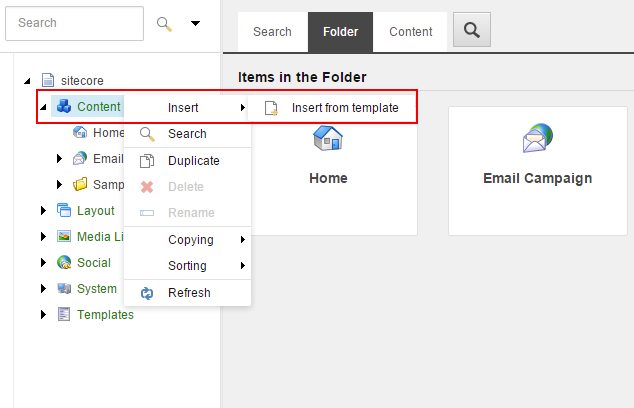
In the content tree, right-click the Content item, click Insert, and then click Insert from Template.
-
In the Insert from Template dialog box, select the Manager Root template at
/templates/Branches/System/Email/Manager Root. If necessary, modify the default item name.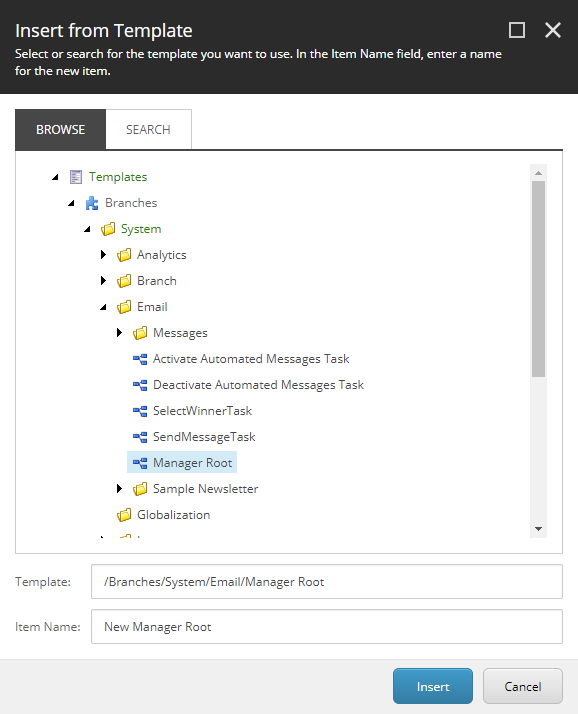
-
Click Insert.
-
Open the new manager root item and on the Content tab, configure the manager root settings.
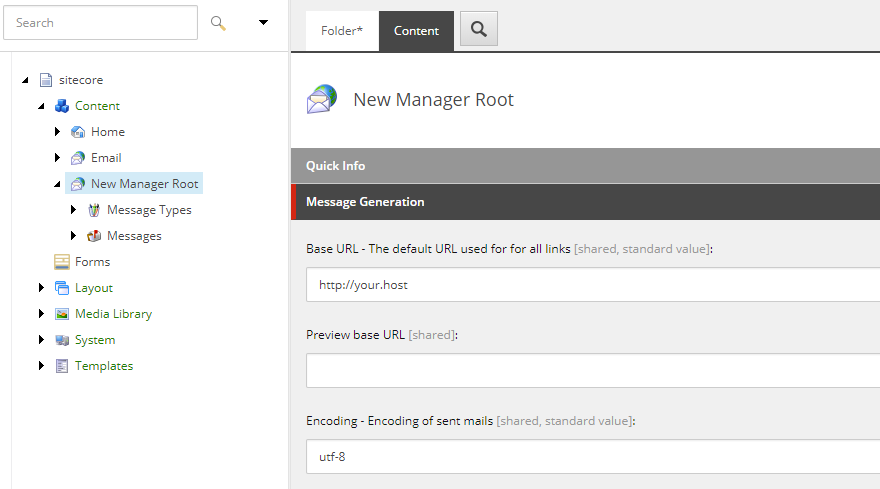
Now you can use the newly created manager root in your solution