Prepare an xConnect to Salesforce synchronization
Version:
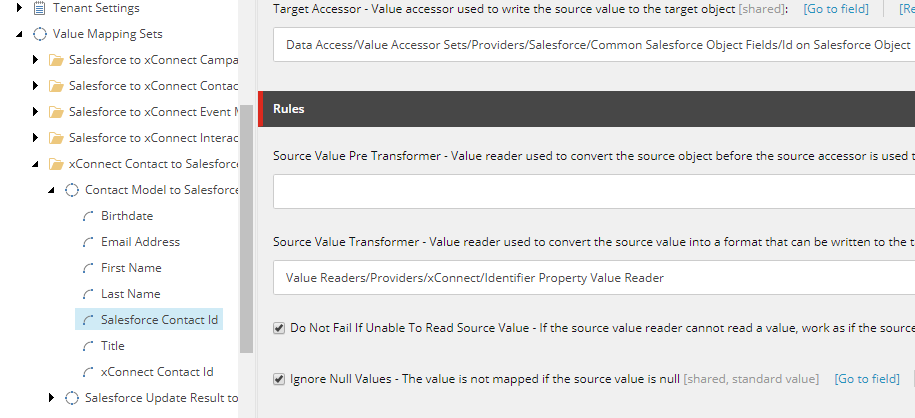
If you synchronize from xConnect to Salesforce CRM, the synchronization might fail the first time you run it, because contacts in xConnect have not yet been assigned a Salesforce Contact ID. To avoid this error, you must enable the Do Not Fail If Unable To Read Source Value setting before synchronizing.
To enable the Do Not Fail setting:
-
On the Sitecore Launchpad, open the Content Editor.
-
Navigate to the /sitecore/system/Data Exchange/
/Value Mapping Sets/xConnect Contact to Salesforce Contact Mappings/Contact Model to Salesforce Contact/Salesforce Contact Id node. -
In the Rules section, select Do Not Fail If Unable To Read Source Value:
If you have suggestions for improving this article, let us know!