Remove a tenant or a site
Inevitably, you will need to remove tenants or sites. You can use a script to remove tenants, tenant folders, sites, site folders, and all the media items and template folders that are created during the scaffolding process. Depending on what you want to remove, there are scripts available to remove tenant folders, tenants, site folders, and sites.
To remove a tenant, site, or folder:
-
In the Content Editor, right-click the tenant, site, or folder that you want to remove.
-
Click Scripts and then, depending on what you want to remove, select Remove Tenant, Remove Site, Remove Tenant Folder, or Remove Site Folder.
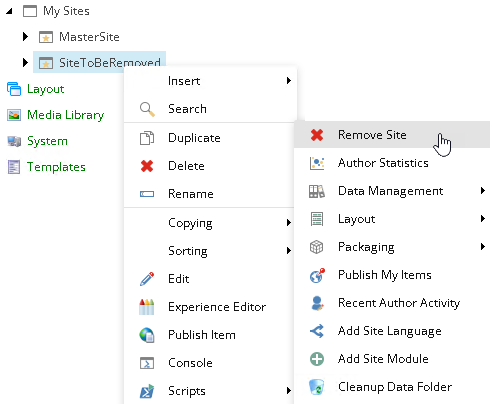
-
In the Message dialog box, to confirm that you want to remove, for example, the tenant, click OK.
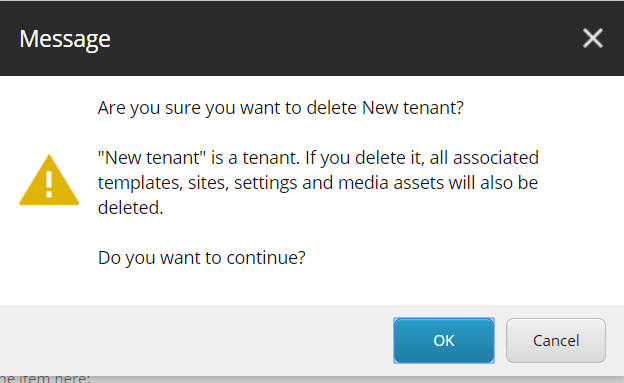
SXA now runs a script to remove the tenant, site, or folder and all the related templates and media files.