Use a custom SXA login page
Version:
If you create a custom login page for a specific SXA site, you can assign this page to be the login page. To prevent the default Sitecore controller redirecting you to the default Sitecore login page, you must use a specific security controller.
To assign a custom SXA login page:
-
Navigate to /sitecore/content/
/ and in the Login Page field, select your login page./ /Settings/Site Grouping/Site Definition 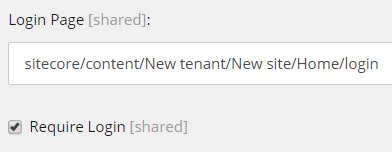
-
In the Login section, select the Require Login check box.
-
To overrule the default Sitecore controller that checks if you need to be redirected to the default Sitecore login page, navigate to your login page and in the Layout section add the following:
- In the Controller field:
Sitecore.XA.Feature.Security.Controllers.LoginPageController,Sitecore.XA.Feature.Security - In the Controller action field:
IndexForLogin
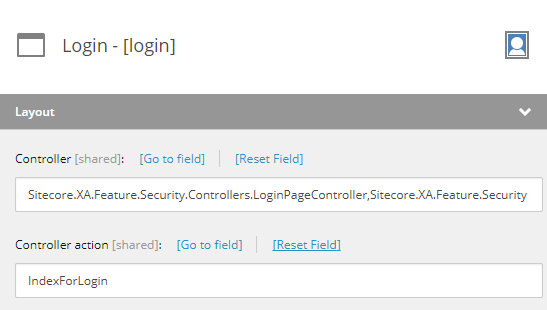
- In the Controller field:
If you have suggestions for improving this article, let us know!