Personalizing a storefront page based on inventory
Personalization rules allow you to deliver content that is relevant to a customer visiting your web store. Your storefront responds to personalization rules in real time by showing specific content, by hiding content, or by adjusting the behavior of a component. You can create personalization rules based on many different criteria including goals, campaigns, products purchased, and so on. The following personalization rules are specific to the storefront:
| Personalization Rule | Example |
|---|---|
| Based on the content of the cart | |
| Where the quantity of all products in the user's cart is equal to 10 | |
| Except where the user's cart total is less than 2 | |
| And where the quantity of product 56042326 in the user's cart is equal to 1 | |
| Based on inventory | |
| Current product has stock count that is less than or equal to 50 | |
| Current product has a stock status that is equal to Back orderable | |
| Product with ID | Product with ID 6042891 has stock count that is equal to 250 |
Inventory status can be Back orderable, In Stock, Out of stock, or Pre-Orderable. Valid comparison values include Is equal to, Is not equal to, and Is in list. For further technical details, see Inventory domain model.
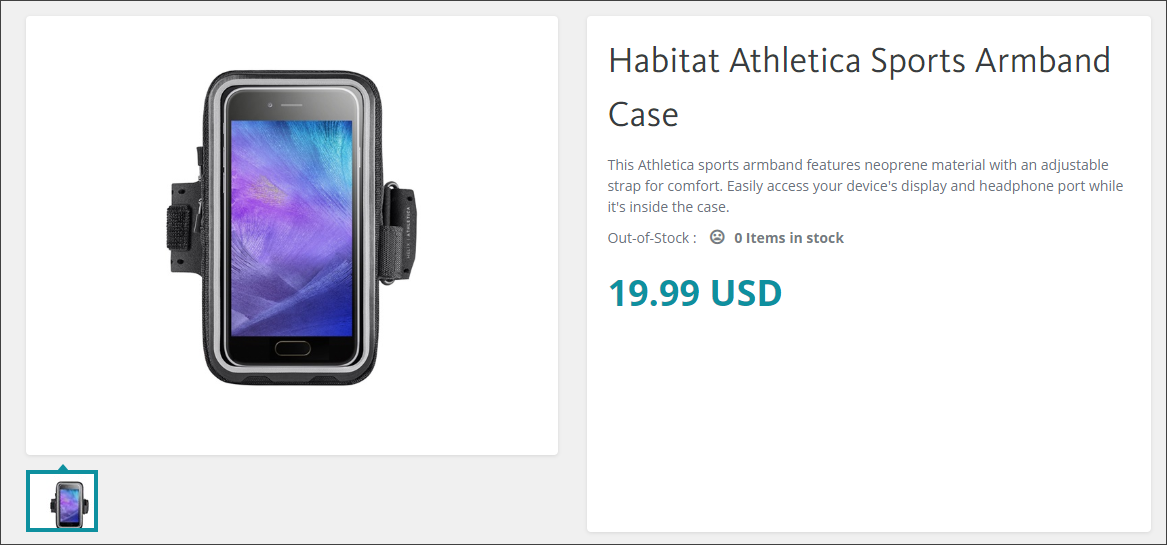
For example, you can personalize the storefront page based on an inventory rule that examines the inventory count and hides the Add to cart button when there are no items in the inventory, as shown in the following figure.