Elements of a storefront
SXA Storefront is the web shop module for Sitecore Commerce that you can use to deploy a storefront online. It is in Sitecore Commerce that catalogs are created, inventory recorded, and prices and promotions handled. This information is then retrieved and displayed on the storefront.
As of Sitecore 9.3, how product lists and promoted products are displayed has changed.
The following image shows some of the renderings you can use when building a storefront site. You access these rendering from the Toolbox in the Experience Editor and configure them to suit your requirements.
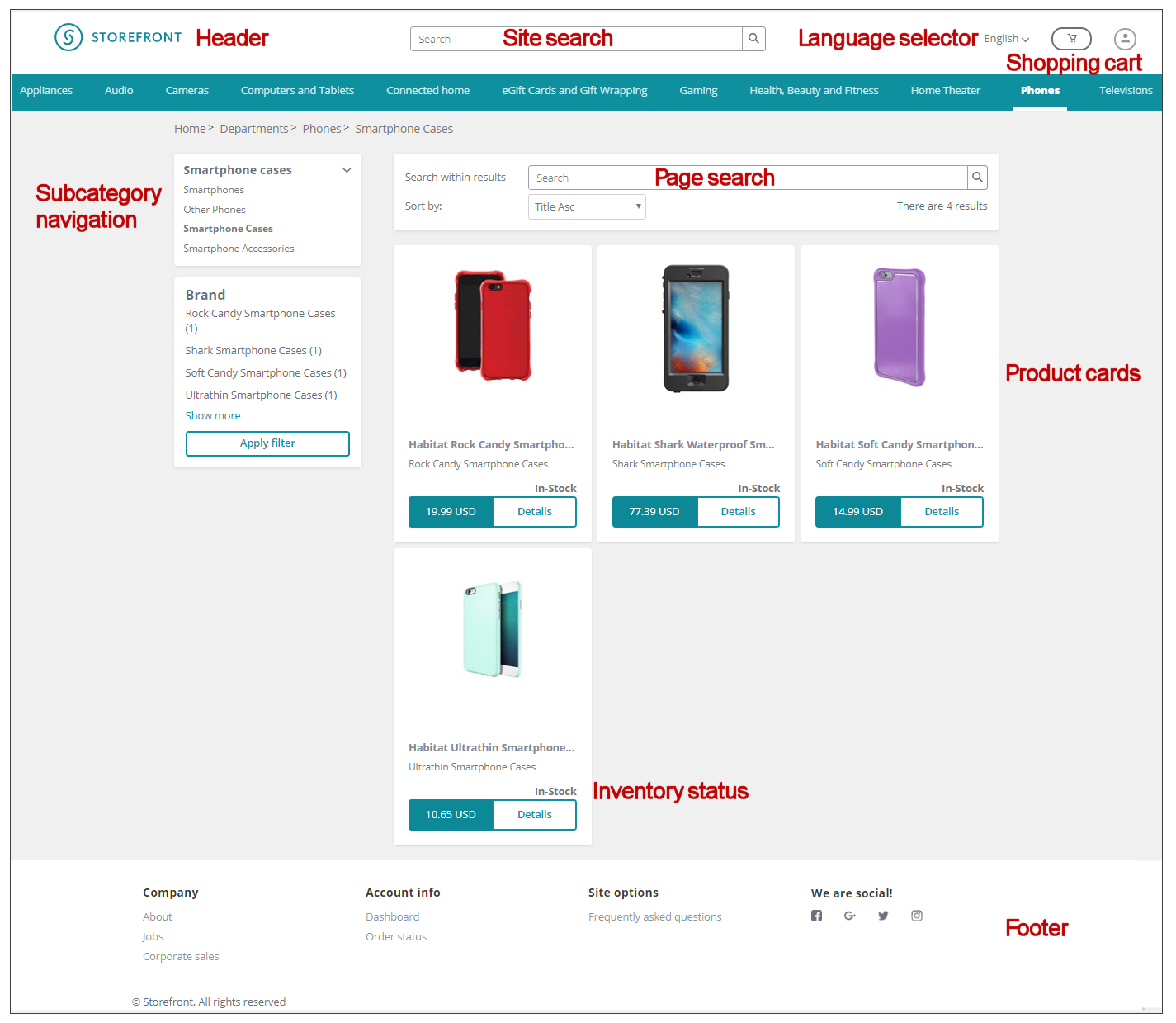
A storefront encompasses the following functionality:
Shopping cart
Customers can add the items they want to buy to a shopping cart on the storefront. If they leave the storefront before making a purchase, the items remain in the cart. An existing shopping cart is automatically resumed when a contact returns to the storefront.
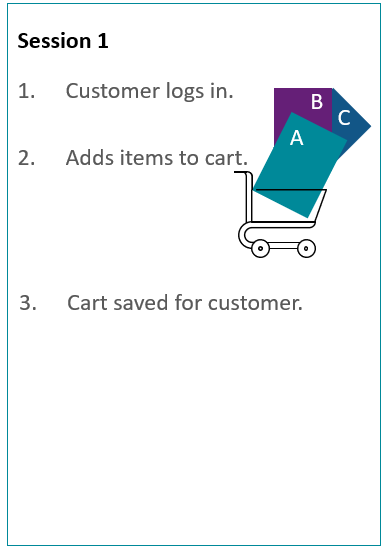
Session 1: Customer logs in and adds items to cart, then logs out. Cart is saved for a later session.
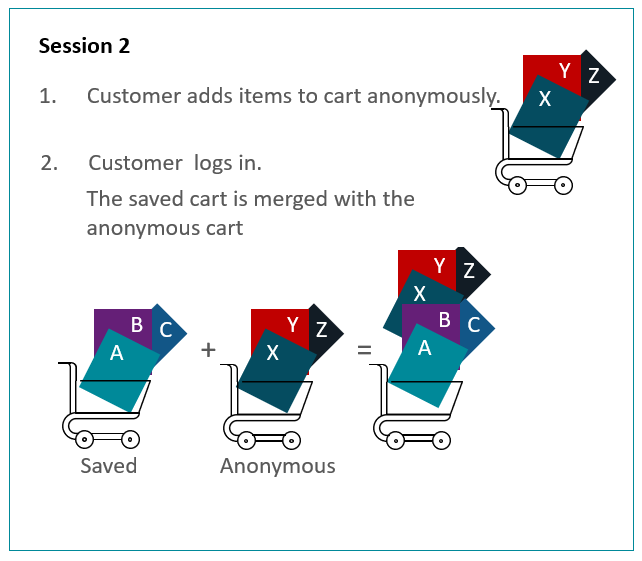
Session 2: Customer browses the site and adds items to the cart anonymously. When the customer logs in, the items saved from Session 1 appear in the contact's shopping cart together with the items added anonymously in session 2.
To entice customers who have not completed an order back to your storefront, you can associate a marketing automation campaign to a storefront site.
Catalog
Customers can browse the storefront by category and subcategory, and they can filter the results around various criteria such as brand, size, color, and so on.
Categories and products can have multiple different presentations within the same storefront, as well as across different storefronts that share the same product items.
Product prices
SXA Storefront shows list prices for all products, and adjusted prices and savings in percentage for products on sale.
The storefront supports both indexed prices and dynamic price lookup in the commerce engine. List prices and adjusted prices exposed on product items via the data provider are automatically indexed. For search results, category pages, and product detail pages, the default is dynamic lookup.
Product inventory
Search result and category pages show inventory statuses such as in-stock, out-of-stock, preorderable, and back-orderable.
Product detail pages show:
- Inventory status such as in-stock, out-of-stock, preorderable, and back-orderable.
- Number of items in stock.
- Date for when preorderable products will become available/in-stock.
- Date for when back-orderable products will become available/in-stock.
The storefront supports both cached inventory status information and dynamic inventory status lookup in the commerce engine. The default is dynamic lookup for both search results, category pages, and product detail pages.
Payment
The following billing options are supported:
- Credit card
- Promotion codes
- Gift cards (can be redeemed during checkout)
You configure payment options for each individual storefront in the Content Editor by navigating to the Commerce Control Panel (sitecore/Commerce/Commerce Control Panel/Storefront Settings/Storefronts/
To allow online payment during checkout, the Storefront site template includes integration with BrainTree. Contact BrainTree to negotiate an agreement and obtain the necessary merchant ID. Developer accounts are available for storefront development and testing, You can create a custom commerce component to integrate the payment provider of your choice.
For an overview of how to integrate the Braintree payment provider, see the Discover Sitecore channel.
Shipping
The following shipping options are supported:
- Ship to address
- Send by email for digital products, including gift cards
Shipping options can be selected per shopping cart line.
You configure shipping methods in the Commerce Control Panel (sitecore/Commerce/Commerce Control Panel/Storefront Settings/Storefronts/