View a path funnel
The Path Analyzer is an application that allows you to view the various paths that contacts take as they navigate through your websites. You can see the paths that contacts take when they convert goals and interact with campaigns, giving you an insight into which paths provide the best engagement value per conversion, and which paths are less efficient and could use optimization.
The path funnel shows you how many contacts leave a path and at which specific nodes they exit. From the path funnel, you can access the Funnel report. This shows you the value, visits, and value per visits of all contact experiences through this path.
The path funnel and the Funnel report provide you with valuable insight into where contacts leave your website, which can help you analyze where your website loses potential conversions and where you can optimize your content strategy.
To view a path funnel:
-
From the Sitecore Launchpad, open the Path Analyzer.
-
Choose a site map from the drop-down menu.
-
On the map, click the end node of the path for which you want to view a funnel.
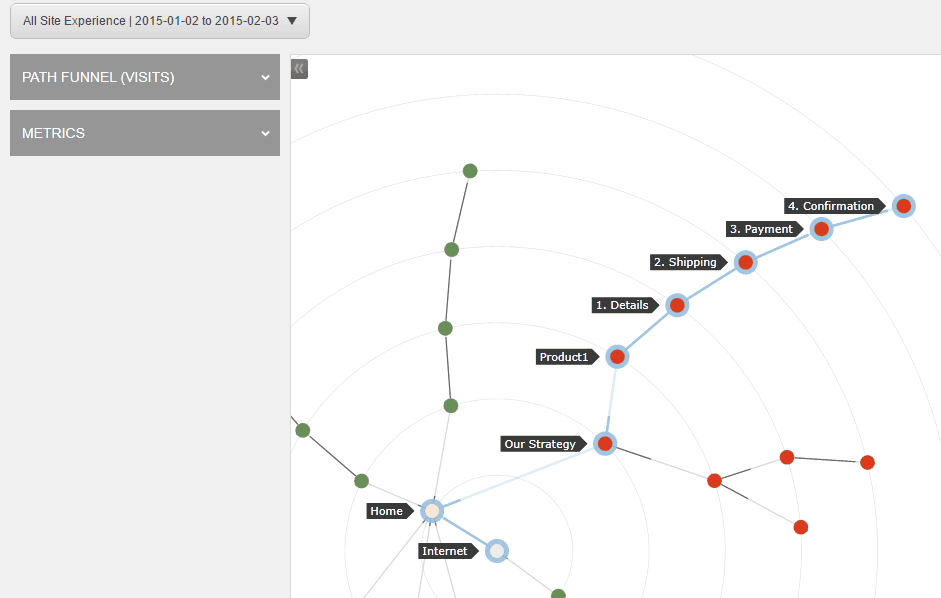
-
Under Path Funnel (Visits), expand the report to view the funnel for this path.
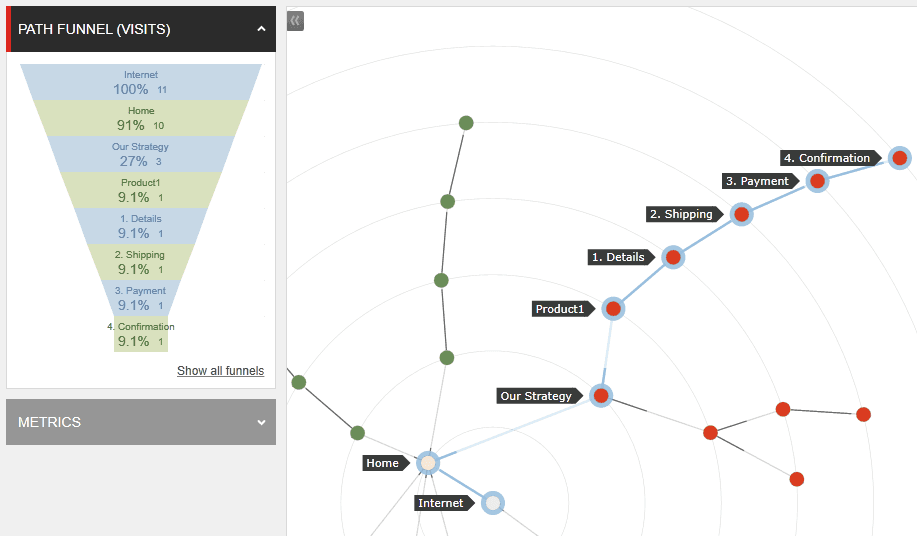
-
Click Show all funnels to view the Funnels report. The Funnels report shows you the value, visits, and value per visits of all experiences through this path. You can also view where contacts dropped out of this experience funnel.
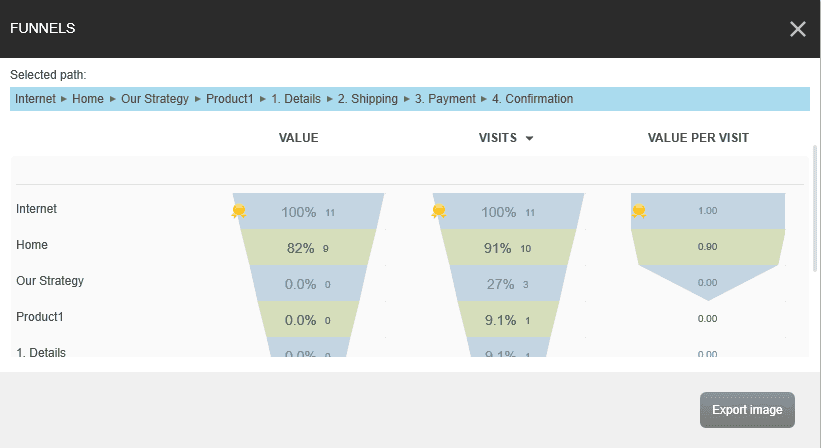
-
To save a local version of this path funnel, click Export image.