Duplicate an email campaign to create a new one
Version:
In the Email Experience Manager (EXM), you can reuse an existing email campaign to create a new one. In this way, you can reuse the layout, content, and the list of contacts of an existing email campaign.
To duplicate an existing message:
-
In EXM, locate and open the email campaign that you want to duplicate.
-
In the top ribbon of the email campaign, click Actions
 and then click Duplicate email campaign.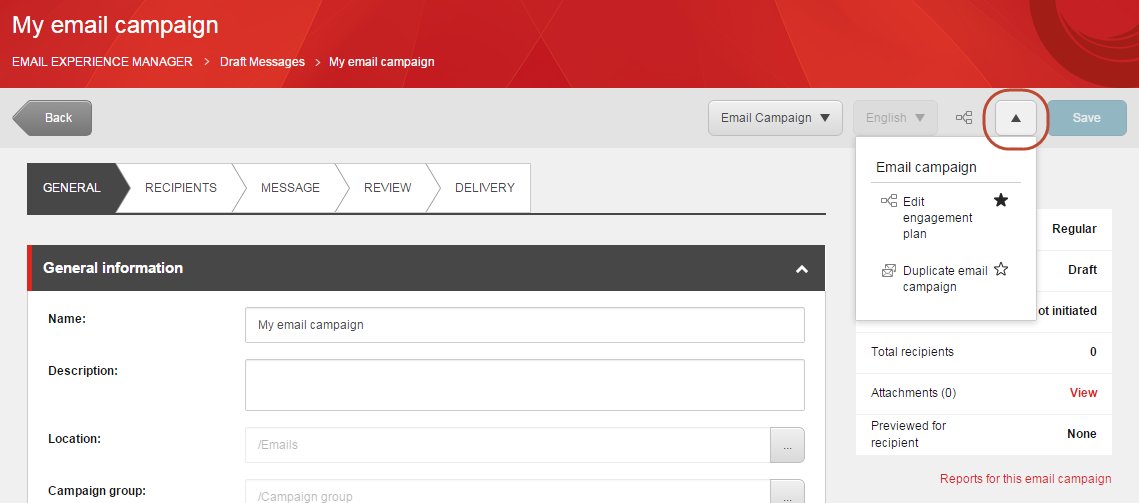
-
When prompted, enter the name of the new email campaign and click OK.
The new email campaign opens on the General tab and is ready for editing.