AI in Content Hub
AI capabilities in Content Hub need to be enabled and, if necessary, configured by a superuser or a user with the necessary permissions granted to them through user group policies. Most AI capabilities require Sitecore Stream.
To simplify the content creation process and efficiently find images for your campaigns, Content Hub provides AI assistance.
The AI features in Content Hub use Azure OpenAI Service. These features are designed to follow Microsoft's responsible AI principles. They are GDPR compliant and in line with Sitecore privacy policies. Sitecore does not store the prompts you submit or the responses you receive.
AI-assisted brand awareness
The AI-assisted brand awareness feature ensures that all content generated in Sitecore Content Hub consistently reflects your brand’s unique identity, tone, and guidelines so you can create more meaningful and impactful content, campaigns, and briefs. Two key elements of this feature are the brand kit and the Brand Assistant.

AI-assisted brief generation
The smart brief feature lets you create briefs with clear and consistent content and ensures your briefs contain all relevant information, in line with your brand. The AI Assistant helps you complete the brief by providing suggestions for content and taxonomies, as well as relevant assets and campaigns, to enhance your brief.

AI-assisted content generation
The AI-assisted content generation feature lets you generate, refine, or improve text in specific fields. AI-generated content is tagged with a Generated by AI icon  to notify you that AI assisted in the creation of the content.

AI-assisted content translation
The AI-assisted content translation feature lets you localize content for specific markets.

AI-assisted field-level text generation
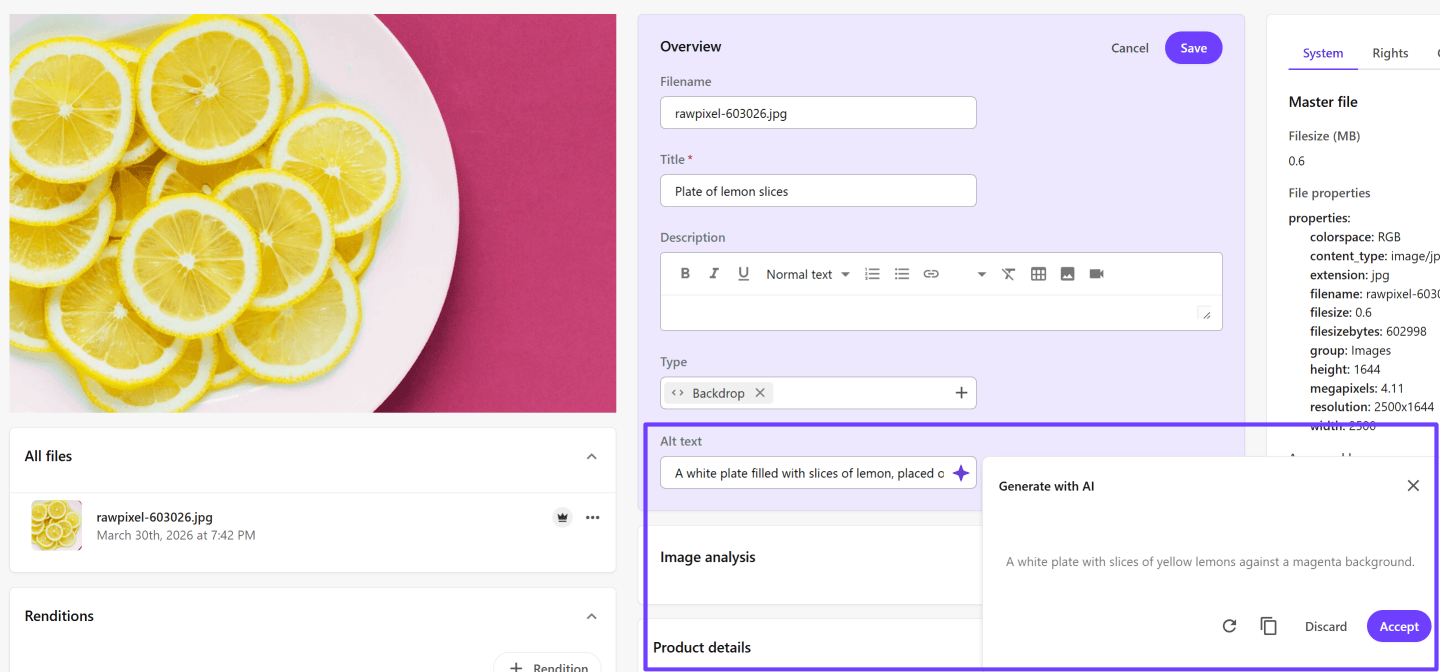
AI-assisted field level text generation makes it easy to draft text for fields, such as the alt text field used with images. Entering a prompt will generate an initial draft of the field text, which you can refine by improving the prompt until you have a draft that you're happy with. After you accept the suggested text, you can still enhance it to better suit your needs if required.
AI-assisted metadata enrichment
The AI-assisted metadata enrichment feature improves image searchability in Content Hub by suggesting image tags that are relevant and consistent. To ensure suggested tags are specific to your requirements, you can create a connector to use your own AI service or a third-party service. And, to streamline your workflow, you can configure Content Hub to automatically add metadata when you upload images.

AI-assisted visual search
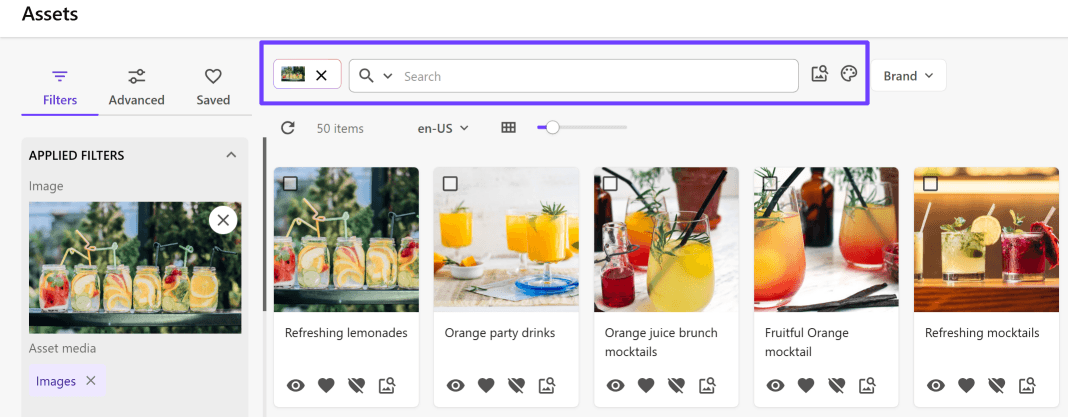
The AI-assisted visual search feature lets you find the image assets you need quickly and easily, based on image color, a text description, and other visual cues. You can upload any image you like to Content Hub and then use the visual search to find similar images in the repository. The AI-assisted visual search feature supports .jpg, .jpeg, and .png images.