Understanding your content status
In SitecoreAI Page builder, content is labeled with clear status indicators that are visible across key areas of the authoring experience. This makes it easier for you to identify when content is published and live, see upcoming scheduled changes, and understand how visibility rules affect the live experience.
Visibility rules are applied consistently across Page builder, so you can understand the current state of your content without switching context. You can see the relevant labels and icons in:
-
The version drop-down in the canvas’ toolbar.
-
The Page items left-hand context panel.
-
The page references view used for publishing.
-
The right-hand content configuration panel.
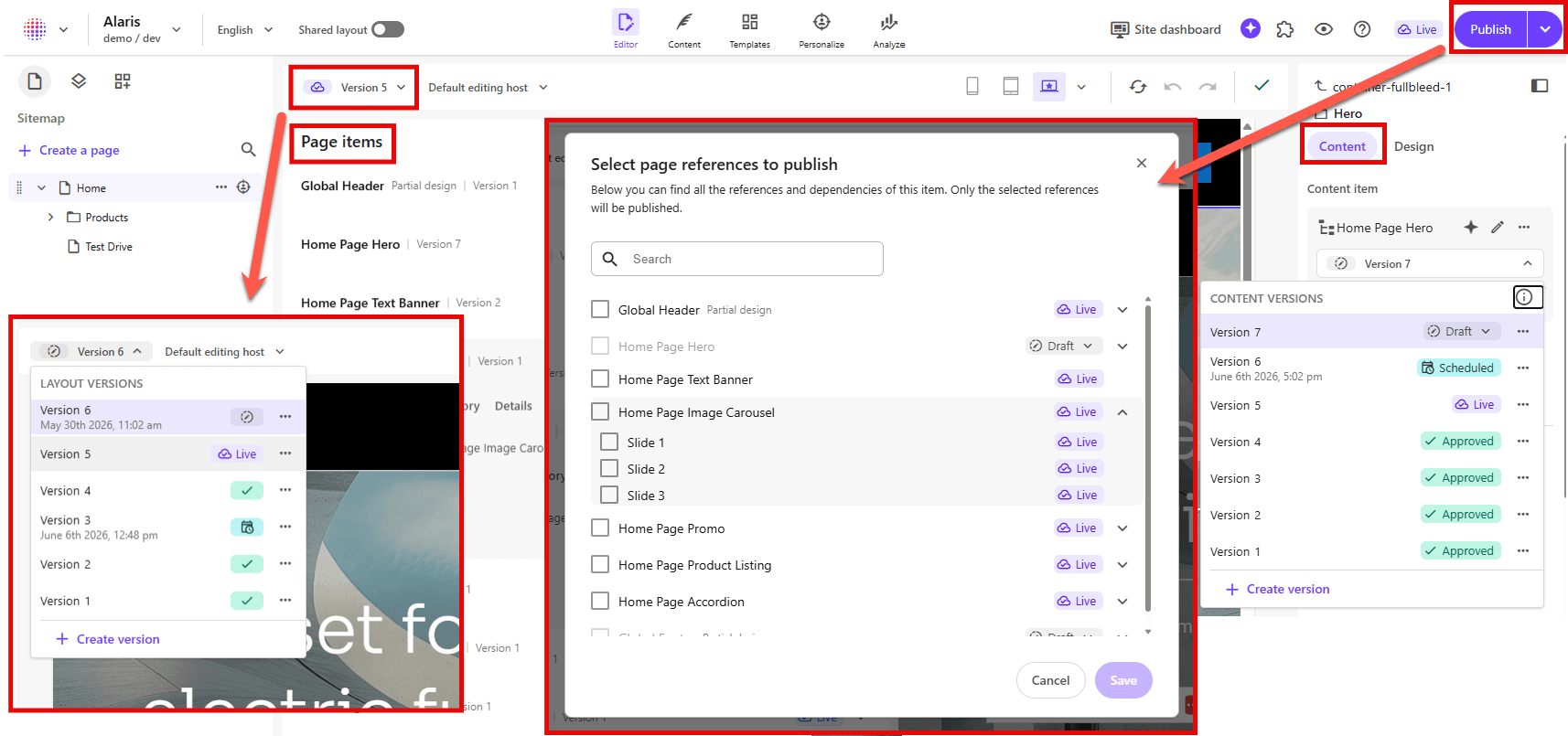
Content status labels help you quickly identify the current state of an item:
-
No workflow - The content is not part of a workflow process, it can be published.
-
Draft - The content has not been approved for publishing yet.
-
Approved - The content has completed workflow and can be published.
-
Scheduled - The content is set to be available for publishing at a defined date and time.
-
Live - The content is published and currently visible on the live site.