
Create an inventory of widgets
We recommend you start with making an inventory of the widgets that you need to create. In Sitecore Search, the Widgets section lists all widgets that have been configured for your implementation. The listing can have widgets that are not used in your application.
We strongly recommend you familiarize yourself with the entity or entities configured in Sitecore Search. It is very helpful also to create an inventory of the widgets and widget components that you need to create.
To view details of all entities in the implementation:
-
Log in to Sitecore Search using your Sitecore Search credentials.
-
On the menu bar, click Administration then click Domain settings.
-
On the General Settings tab, to entities, click Entities.
you can find the names, and attributes of all the entities in your implementation.
-
On the Attributes tab, from the Entity dropdown, for a list of attributes, select an entity.
-
On the menu bar, to view lists of widgets, click Widgets and Pages.
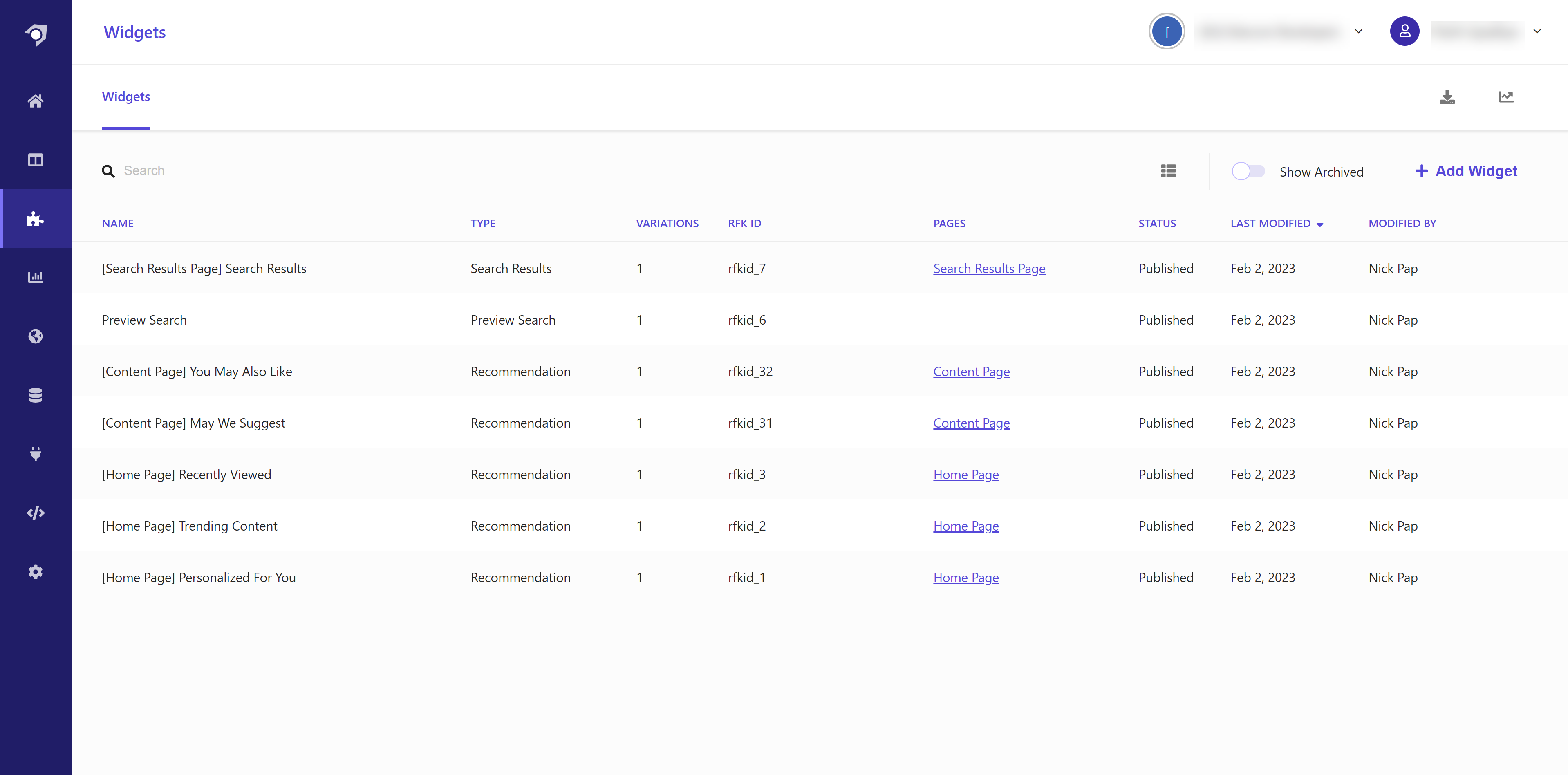
To inventory widgets and pages:
- Log in to Sitecore Search using your Sitecore Search credentials.
- On the menu bar, to view lists of widgets, click Widgets.
- On the menu bar, to list the pages you need to create, click Pages.
- In the Widgets tab, from the table, for every widget, retrieve the name,
rfk_id, type, status, and the page or pages it is hosted.
For successful rendering of widget components, make sure that:
-
Widget components have the same rfk_id and type as configured in Sitecore Search.
-
Widgets are published and have Active status.