Dedicate a Content Delivery instance to session expiration
Version: 10.4
Markdown versionYou can dedicate one or more Content Delivery instances to handle session expiration. The following diagram shows two clusters of Content Delivery instances, each with a dedicated instance for handling session expiration:
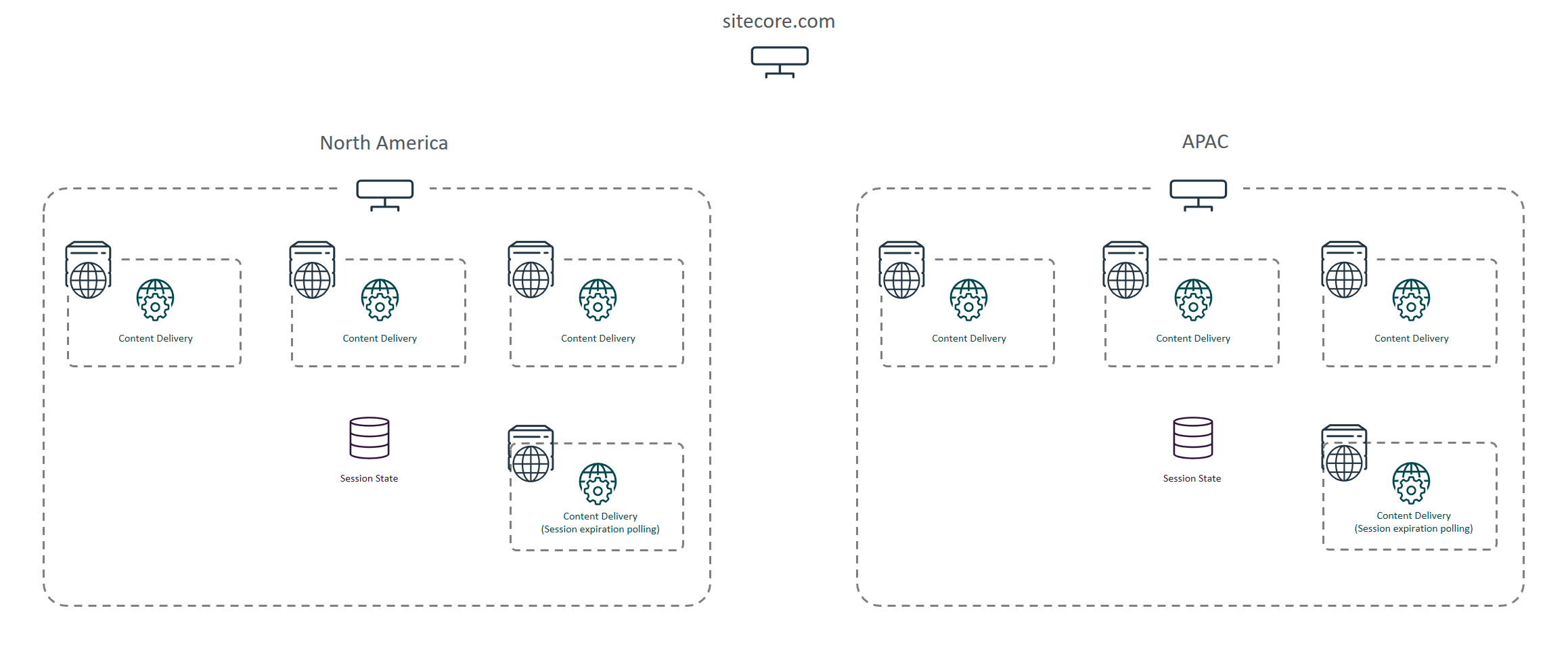
To dedicate a Content Delivery instance to session expiration:
- Install a Content Delivery instance from the XP Scaled packages. This instance:
- Should not be a public-facing and can be behind a firewall.
- Must have access to the session state storage role.
- Does not need to be a publishing target, unless you have custom conversion pipelines that rely on published content.
- Does not need to sit behind a load balancer. This applies even if you have multiple Content Delivery instances dedicated to handling session expiration.
- In the
web.configfile, set thepollingEnabledsetting on the session state provider totrue. - On all public-facing Content Delivery instances, set the
pollingEnabledsetting tofalse. - Monitor the size of the session storage role and tune session expiration settings accordingly.
If you have suggestions for improving this article, let us know!