Enable a Salesforce contact custom field
Version:
If you are planning to write contact data from Sitecore to Salesforce, you must add a custom field to Salesforce. When you have added the field, you must enable the field on the tenant.
To enable a Salesforce contact custom field:
-
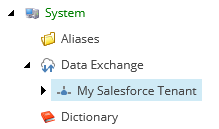
In the Content Editor, select your tenant.
-
Navigate to Data Access/Value Accessor Sets/Providers/Salesforce/Salesforce Contact Fields/Sitecore Id on Salesforce Contact.
-
In the Administration section, select the Enabled check box.

-
Save the item.
If you have suggestions for improving this article, let us know!