Set up a custom activity in the Journey Builder
Version:
To add a custom activity in the Journey Builder:
-
In your SFMC instance, go to Journey Builder.
-
Choose the type of journey and click Build.
-
In the left sidebar, in the Messages section, locate the Sitecore activity you want to add. Drag and drop it into the journey flowchart.
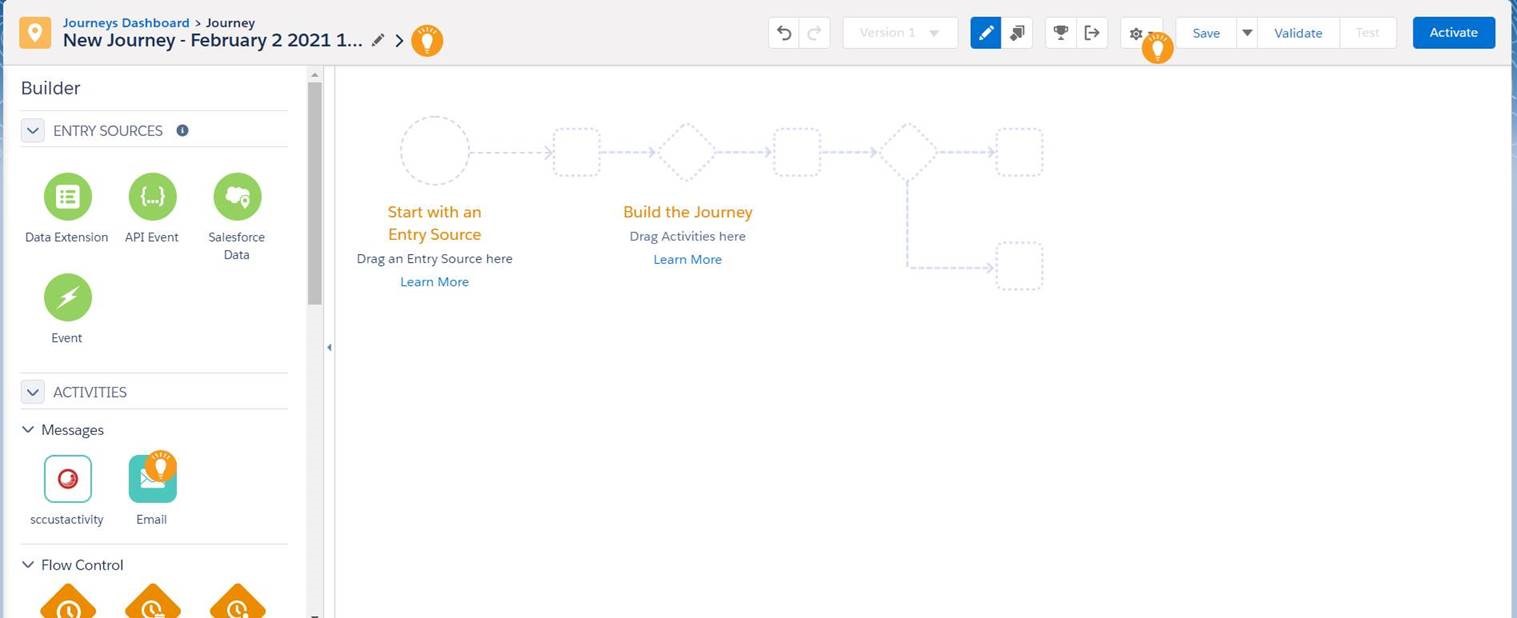
-
In the Contact State field, enter the state name. If the state is an exit state, select Contact is exiting the journey.
NoteExit state means that the contact exits the journey when this activity is completed.
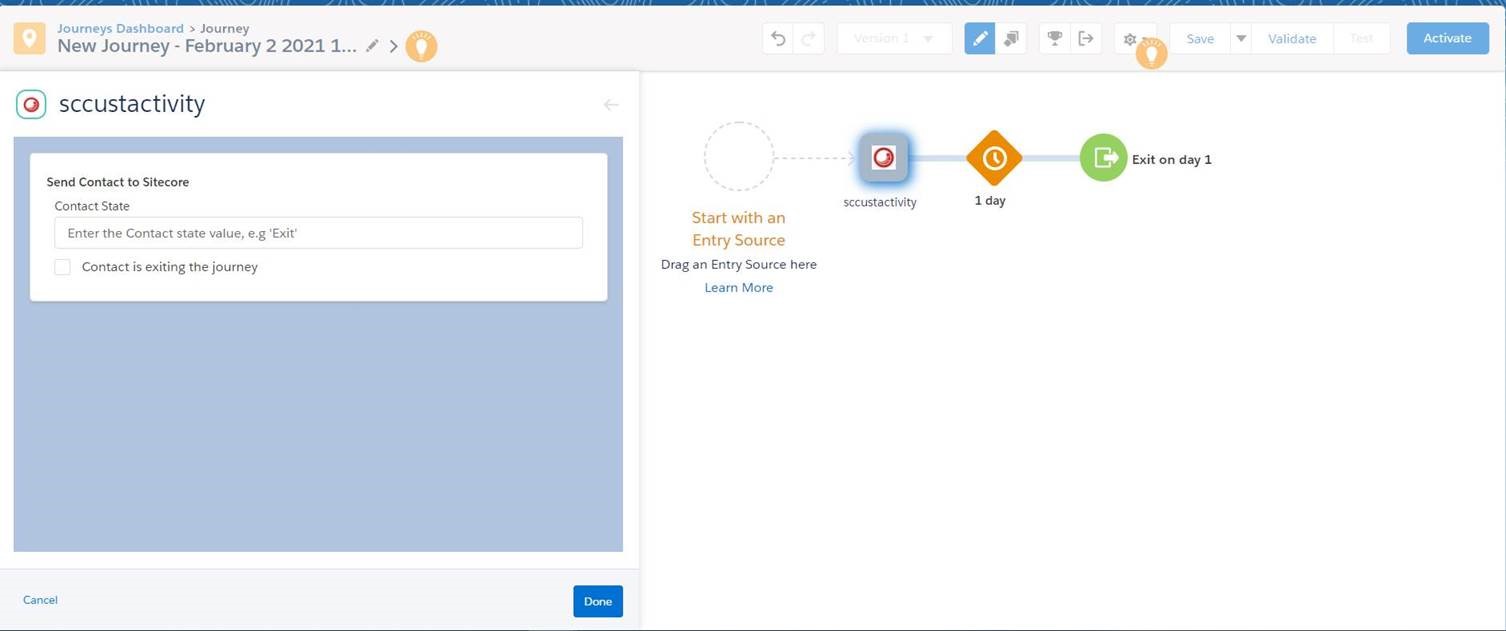
-
Click Save to save your changes, and click Activate to activate the journey.