Caching SXA Storefront renderings
Sitecore supports caching and you can control when cached data is updated by changing the caching settings for renderings or components.
This topic describes:
Caching settings on renderings
Caching settings on renderings
You can configure caching settings on the rendering item in the Content Editor. For example, you can find the Commerce renderings for SXA Storefront in the /sitecore/layout/Renderings/Feature/Experience Accelerator/Commerce folder:
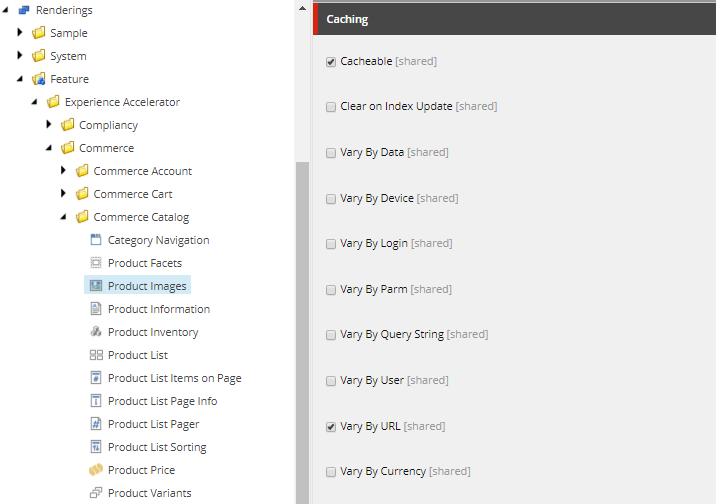
If you use a rendering on multiple pages or partial designs, these settings apply to all instances of the rendering unless the settings are overwritten for a specific component.
Caching settings on components
Caching settings on components
You can configure caching settings for a component in the Control Properties dialog box for the component. You can do this in the Experience Editor:
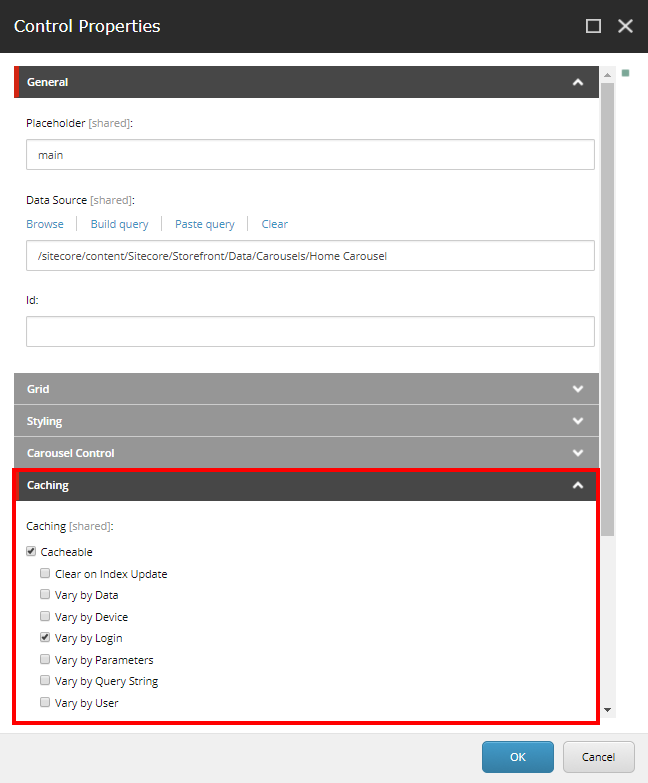
These settings only apply to the component on one page or partial design – you configure the caching settings separately for each component that uses the rendering.
The Vary by URL and Vary by Currency options do not appear in the Control Properties dialog box. To select these options, you must configure the settings on the rendering item.
Default caching settings for Commerce renderings for SXA
Default caching settings for Commerce renderings for SXA
The default caching settings for Commerce renderings for SXA are set on the rendering items in the Content Editor.
The Commerce renderings in the following table are all configured as Cacheable by default. The following table indicates the other default caching settings for each rendering:
|
Rendering |
Clear on Index Update |
Vary By URL |
Vary By Currency |
Vary By Login |
Vary By Query String |
|---|---|---|---|---|---|
|
Category Navigation |
x | ||||
|
Subcategory Navigation |
x | ||||
|
Product Facets |
x | ||||
|
Product Images |
x | ||||
|
Product Information |
x |
x |
x | ||
|
Product List |
x |
x |
x | ||
|
Product Recommendation |
x |
x | |||
|
Related Items |
x | ||||
|
Language Selector |
x | ||||
|
Search Bar |
x |
We recommend that you do not change the caching settings. The default settings take the context of each rendering into account. For example, each product-related rendering is used to display many different products. If the Vary By URL option is not selected, the cached output for the wrong product can be displayed. For example, in the following scenario:
The customer views product A (https://sxa.storefront.com/shop/Appliances_appliances/ HabitatDwell2-SliceToasterandOvenCombination_6042855) and Sitecore caches the output. Then the customer navigates to product B (https://sxa.storefront.com/shop/ Appliances_appliances/shop/Appliances_appliances/HabitatProServices—ApplianceRepair_6042879). Because the page uses the same renderings, Sitecore displays the cached details for product A.
If the Vary by URL setting is selected, the cache is updated when the page for product B is called.
Default caching settings for SXA renderings in the SXA Storefront
Default caching settings for SXA renderings in the SXA Storefront
The default caching settings for the (not Commerce-specific) SXA renderings that are used in the SXA Storefront are set on the components that use the renderings.
The Carousel rendering is used on the SXA Storefront Home page and the Logo rendering is used in the header partial design for the SXA Storefront.
The SXA renderings that are used in the SXA Storefront are configured as Cacheable, and have the following default caching settings:
|
Rendering |
Clear on Index Update |
Vary By URL |
Vary By Currency |
Vary By Login |
Vary By Query String |
|---|---|---|---|---|---|
|
Carousel |
x | ||||
|
Logo |
x |