Embedding SDK
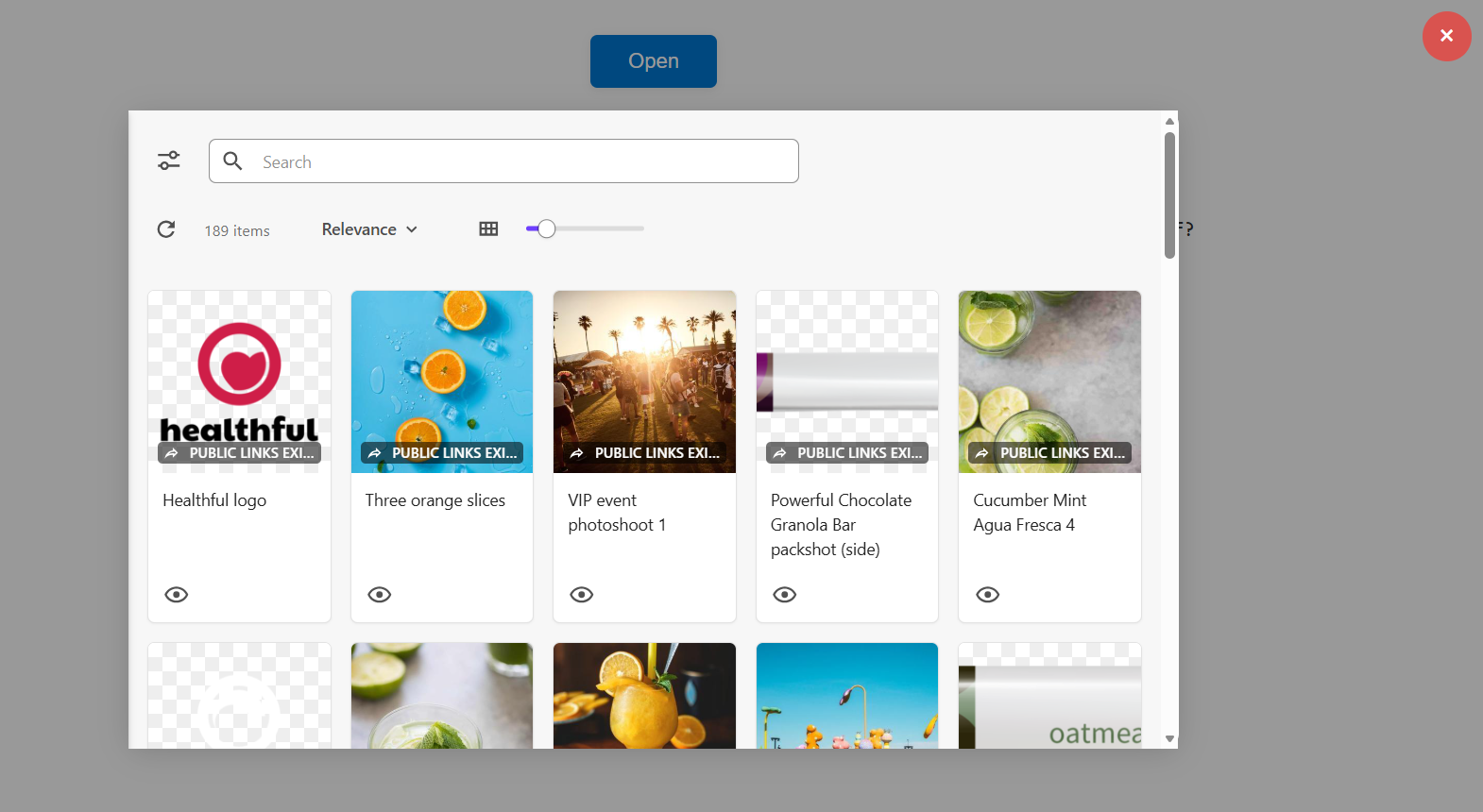
The Embedding SDK allows developers to embed a Content Hub asset picker (Search component) directly into their own apps.
From the asset picker, users can browse assets and create and select public links for those assets. Then, when a public link is selected in the asset picker, a callback is triggered with public link details that developers can use in their app.
To simplify setup, Content Hub provides a default asset picker page (SCAssetConnector). If you want a customized asset picker, you can create a page to use as your asset picker.
Installation
Install the Content Hub Embedding SDK using a supported package manager.
npm
Yarn
After installation, the SDK can be imported using ES modules or CommonJS.
Getting started
The following describes the minimum steps required to embed the Content Hub asset picker and receive asset selection events:
- Create a container element in your application.
- Initialize the
ContentHubPageLoader. - Open the embedded Content Hub page.
- Handle asset selection via callbacks.
TypeScript example
Configuration
The SDK is configured using the ContentHubOptions object passed to ContentHubPageLoader.
| Property | Description |
|---|---|
rootElement | DOM element where Content Hub is rendered. |
baseUrl | Base URL of the Content Hub instance. |
pageName | Content Hub page to load. If not specified, defaults to SCAssetConnector. Optional. |
culture | UI culture (for example en-US). Optional. |
callbacks | Event callbacks for user interactions. Optional. |
Instance methods
The ContentHubPageLoader instance provides the following methods:
| Method | Description |
|---|---|
open() | Loads and renders the Content Hub page. Accepts optional configuration options that override constructor options. |
dispose() | Cleans up the Content Hub page rendering and resets internal state. |
Callbacks
When a user selects a public link in the asset picker, the callback onPublicLinkSelected is triggered:
The onPublicLinkSelected callback receives the following asset data:
| Parameter | Description |
|---|---|
title | The title of the asset associated with the selected public link. |
alt | The alt text of the asset associated with the selected public link. |
entityId | The entity ID of the asset associated with the selected public link. |
publicLinkId | The ID of the selected public link. |
publicLink | The URL of the selected public link. |
Examples
The following examples show how to integrate the SDK into different front-end stacks.
JavaScript (ES6)
React
Vue
Angular
The Content Hub SDK requires a target DOM element to render the picker. For example, you can render the following container <div>:
Then apply styling to this container so the picker has an appropriate width, height, and display constraints within your application:
Troubleshooting
If Content Hub does not load:
- Verify the
baseUrlis correct. - Ensure the container element exists and is visible.
- Check the browser console for CORS or network errors.
If the callback is not triggered:
- Confirm
onPublicLinkSelectedis defined. - Verify user permissions in Content Hub.
- Ensure browser
postMessagecommunication is not blocked (for example by browser extensions or CSP).
If you experience TypeScript import issues:
-
Use type-only imports when needed: