Context IDs
To manage the Context IDs of an organization, you need the Organization Admin or Organization Owner role.
A Context ID is a unified identifier that grants access to specific resources in a Sitecore Cloud Portal organization, making it easier to set up and configure Sitecore solutions. It functions like a collection of keys that your apps and services can use to access your organization's resources such as CDP, Personalize, and Experience Edge.
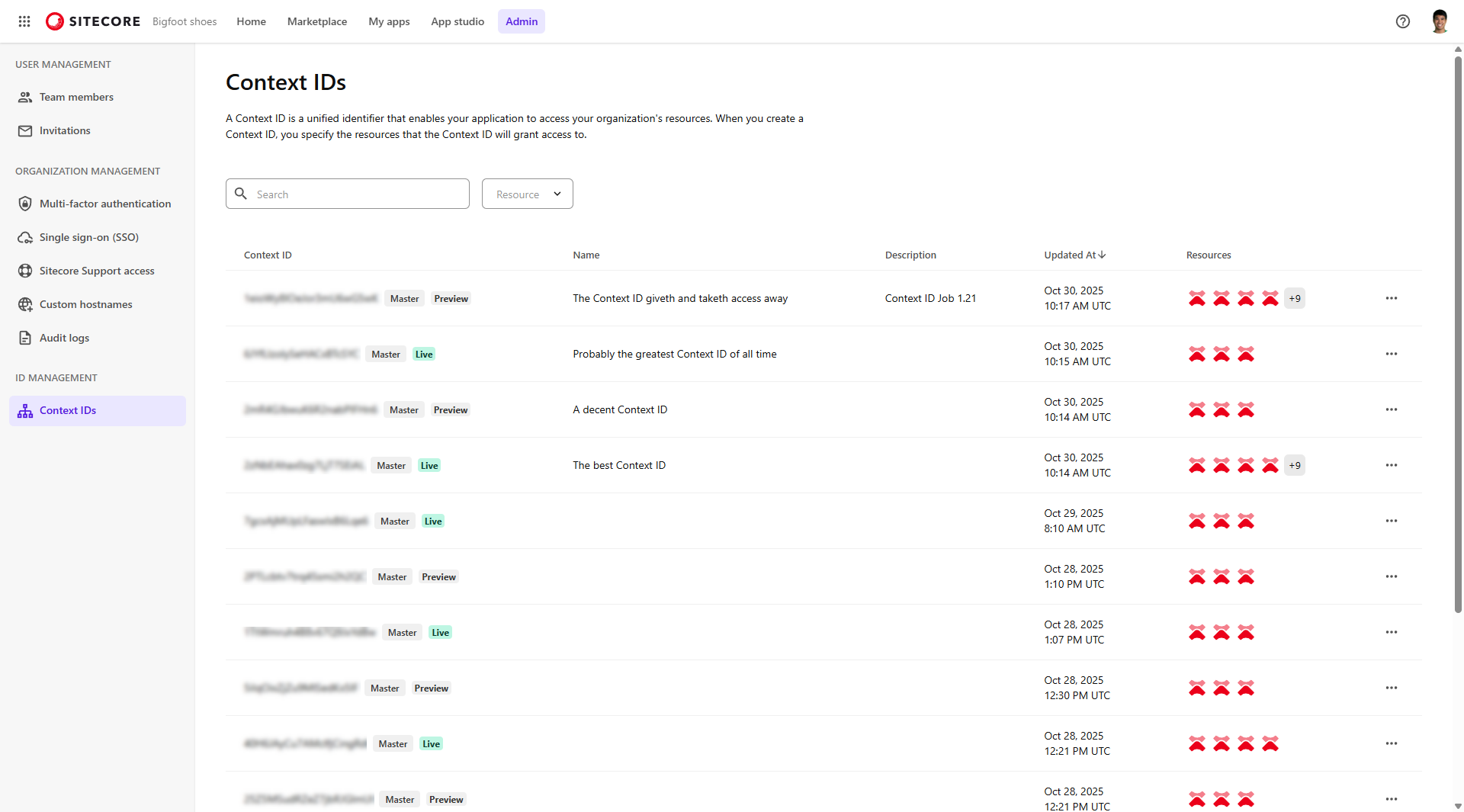
It acts as an authentication token that is included in API requests from your application. When a request is sent, the platform uses the Context ID to:
- Authenticate the request.
- Determine which resources the application is allowed to access.
- Route the request to the appropriate services, such as Experience Edge or other Sitecore components.
Context IDs enable you to do the following:
- Improve security and assign granular access by creating scoped Context IDs that only grant access to the resources required by a specific app or service.
- Create separate scoped Context IDs for client and server code to limit sensitive API access to server-side operations.
Types of Context IDs
Context IDs determine which resources your applications and services can access.
There are three types of Context IDs:
- Master Context IDs generated by SitecoreAI
- Scoped Context IDs
- Custom Context IDs
Master Context IDs generated by SitecoreAI
Master Context IDs are automatically generated when you create a SitecoreAI environment: the Live Context ID and the Preview Context ID. In the Context IDs page, they have the Master tag. These Context IDs come preconfigured with the resources required for SitecoreAI to work properly and are updated automatically. You can regenerate these Context IDs from the Deploy app, but not modify them in any other way.
Context IDs generated by SitecoreAI provide access to all content in the environment, and are treated as secret.
Master Context IDs can grant access to multiple resources, including content delivery and event ingestion. This makes them powerful, but also less suitable for scenarios where access must be restricted. In fact, we recommend to not use the Master Context ID themselves, but always create scoped contexts to be used in your applications.
Scoped Context IDs
Scoped Context IDs are created under an existing Context ID. A hierarchy of scoped Context IDs enables customizable access to the resources of parent Context IDs, making it possible to precisely manage access to your resources.
Each scoped Context ID can inherit resources from its parent only. If you modify or delete a resource in the primary Context ID, all scoped Context IDs that grant the resource are affected.
For client-side requests, create a public scoped Context ID with permissions scoped only to that request.
You manage your organization's scoped Context IDs from the Sitecore Cloud Portal.
Custom Context IDs
A custom Context ID is a user-created identifier that, like a scoped Context ID, enables access to multiple resources such as content delivery and event ingestion, but is tailored to specific integration or deployment scenarios.
Typical use cases include:
- Customers using standalone products such as Personalize, CDP, or Search without SitecoreAI (previously XM Cloud).
- Customers using Sitecore Search alongside SitecoreAI in a decoupled or standalone setup who need to add Search as a resource to a frontend application.
- Customers who want to connect different environments, such as linking a production CDP instance to a staging CMS to test real data in a non-production interface, or the reverse.
- Customers who want to test CDP or Personalize setups with production content or validate UI behaviour with real data.
When to use scoped Context IDs
Context IDs are visible in some client-side requests, such as event requests. To ensure that Context IDs exposed in the browser grant access only to the necessary resources, assign only the resources required by the application to scoped Context IDs.
Consider a solution that uses Personalize and Analytics on the frontend, and additional services on the backend. The recommended configuration would be to:
- Generate a Context ID that includes all resources, and use this in server-side services. This Context ID should be treated as sensitive and kept secure.
- Create a scoped Context ID that includes only Personalize and Analytics, and use this for client-side requests.
In this example, the Context ID exposed in client-side requests grants access only to the resources required by the application.
Resources
When you create a custom or a scoped Context ID, you select the resources that it will provide access to. A resource contains credentials and information that let you access a Sitecore resource. If a Context ID is a keychain, then a resource is a key on that chain.
You can add various types of resources to a Context ID, such as Personalize and Edge. Most of these types are limited to one per Context ID. The exception is the Site identifier resource, which you can assign multiple times if your SitecoreAI environment has multiple sites.
You can add the following resources to a Context ID:
-
Personalize- grants access to a Personalize instance. If you have CDP in your Sitecore Cloud Portal organization, it also grants access to the associated CDP instance. -
Edge- grants access to either the Experience Edge Delivery API (Live) or the Preview API (Preview) of a SitecoreAI environment. -
Files- grants access to files that are needed for the Component builder, Design studio, and other key features. -
Forms- grants access to the Forms app of a SitecoreAI environment. -
Site Analytics (identifier)- grants access to the analytics identifier of a site. -
Sitecore Search - grants access to standalone Sitecore Search.
NoteYou can only add Sitecore Search as a resource using a custom Context ID.