Add a pipeline to read the source file
Version:
You must implement a pipeline that reads data from the text file, iterates the data, and passes the data to the pipeline that handles a single row of data.
To add a pipeline to read the source file:
-
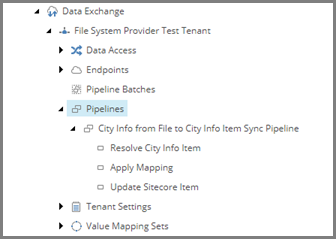
In the Content Editor, navigate to /sitecore/System/Data Exchange/File System Provider Test Tenant/Pipelines.
-
In the right-hand pane, click Pipeline. Name the new item Read City Info from File Pipeline.
-
Drag and drop the new item to the first position in the Pipelines folder.

Note
The order of the pipelines in the folder is not important. However, when a pipeline calls another pipeline, it is helpful to place the pipeline that calls the other pipeline before the pipeline it calls.
If you have suggestions for improving this article, let us know!