Overview reports in Experience Analytics
The Experience Analytics reports are organized in categories. Each category contains multiple detailed reports. There is also an overview screen for each category that gathers the most popular charts and graphs from the reports in the category. There are the following report categories:
- The Experience Analytics dashboard
- Audience reports
- Acquisition reports
- Behavior reports
- Conversions reports
The Experience Analytics dashboard
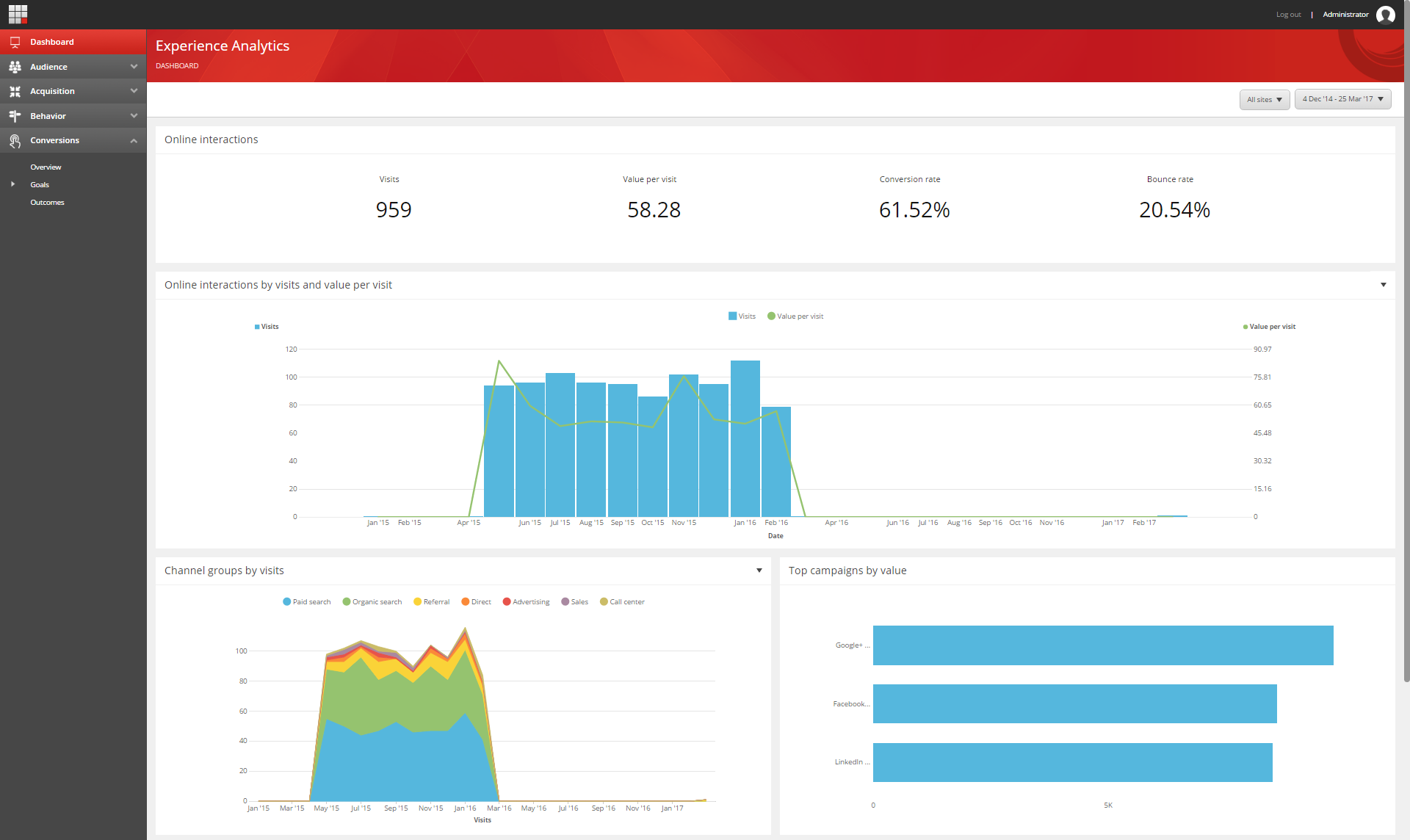
You can use the Experience Analytics dashboard to identify general marketing trends on your website. The dashboard contains five of the most popular charts and graphs that provide general overviews of contact activities on your website. You can also find these charts and graphs under other categories in xAnalytics.
The charts included in the Experience Analytics dashboard are:
| Chart | Content |
|---|---|
| Online interactions by visits and value per visit | The number of visits within a selected period and the average engagement value generated per visit. |
| Channel groups by visits | How much traffic has come to your website and how much traffic each channel has generated. |
| Top campaigns by value | Which campaigns have accrued the highest number of engagement value points. |
| Top pattern matches by value per visit | Which pattern cards that contacts have matched, and that have provided the highest engagement value per visit. |
| Top goals by count per visit | Which goals have been triggered the most. |
Audience reports
The Audience reports help you gain a better understanding of who your website visitors or contacts are.
In this tab you can find the Pattern matches report, which shows you the most common pattern matches and those that provide the highest value per visit. You can also find analytics information about devices used to access your website, as well as languages and locations.
The Audience overview contains the following charts:
| Chart | Content |
|---|---|
| Online interactions by visits and value per visit | The number of visits within a selected period and the average engagement value generated per visit. |
| Top countries by visits | The countries with the highest number of visits to your website. |
| Top cities by visits | The cities with the highest number of visits to your website. |
| Pattern matches by visits | The number of visits where contacts have matched a given pattern card. |
| Top languages by visits | The languages in your website that your contacts have browsed in, and that have the highest number of visits. |

Acquisition reports
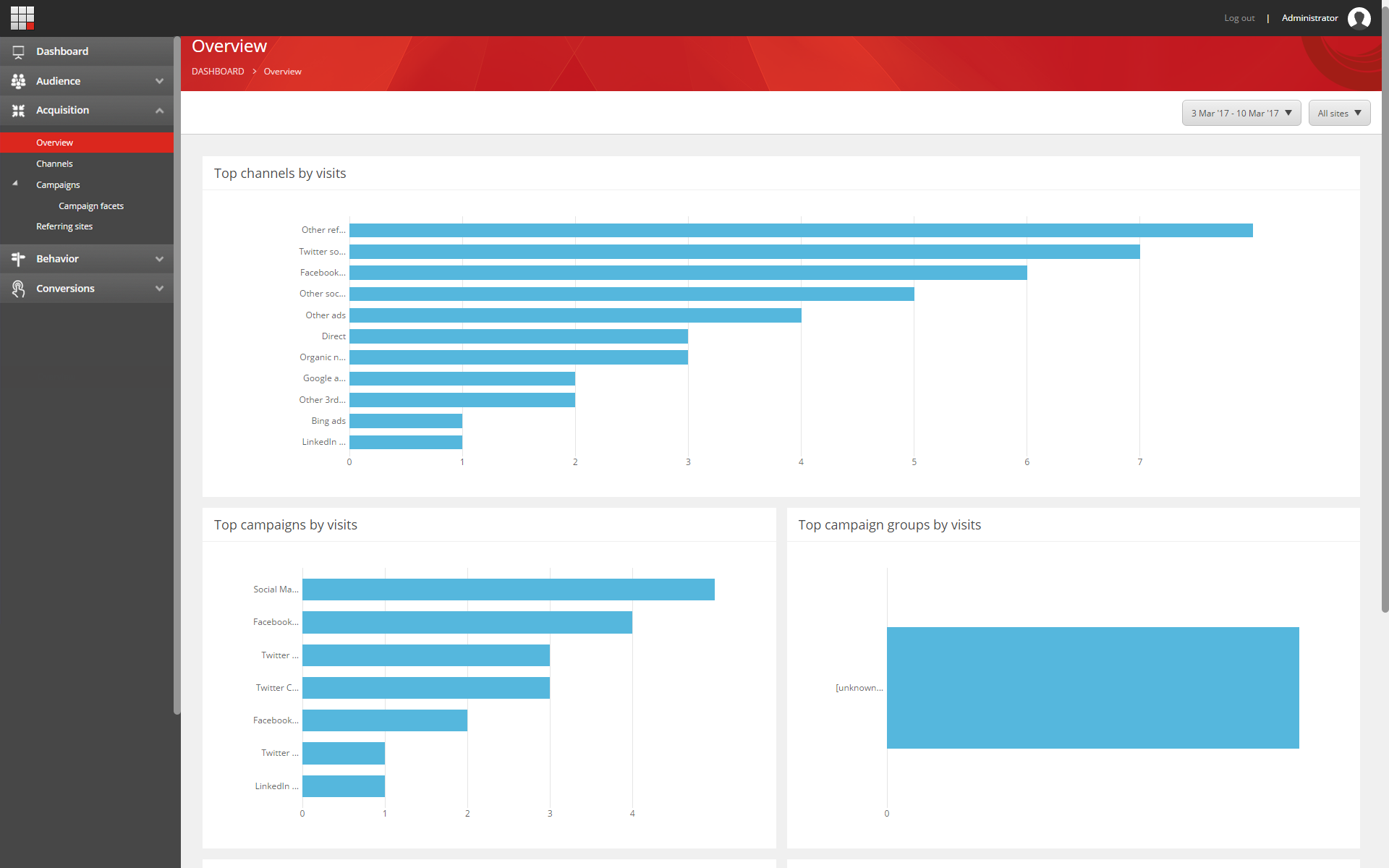
On the Acquisition tab, you can find analytics data about what drives online traffic to your website. For example, which channel sources and referring sites your website is getting visitors from, and how your campaigns are performing.
The Acquisition overview contains:
| Chart | Content |
|---|---|
| Top channels by visits | The channels with the highest number of visits to your website. |
| Top campaigns by visits | The campaigns with the highest number of visits to your website. |
| Top campaign groups by visits | The campaign groups with the highest number of visits to your website. |
| Top referring sites by visits | The referring sites with the highest number of visits to your website. |
Behavior reports
The Behavior tab contains reports that help you analyze the behavior of your contacts.
The Behavior overview contains the following charts:
| Chart | Content |
|---|---|
| Top downloaded assets by count | The assets that your contacts have downloaded the most. |
| Top internal keywords by count | The internal keywords used on the internal search on your website. |
| Top entry pages by count | The entry pages that contacts used most to visit your website. |
| Top outcomes by visits | The outcomes that have resulted from your contacts visiting your websites. |

Conversions reports
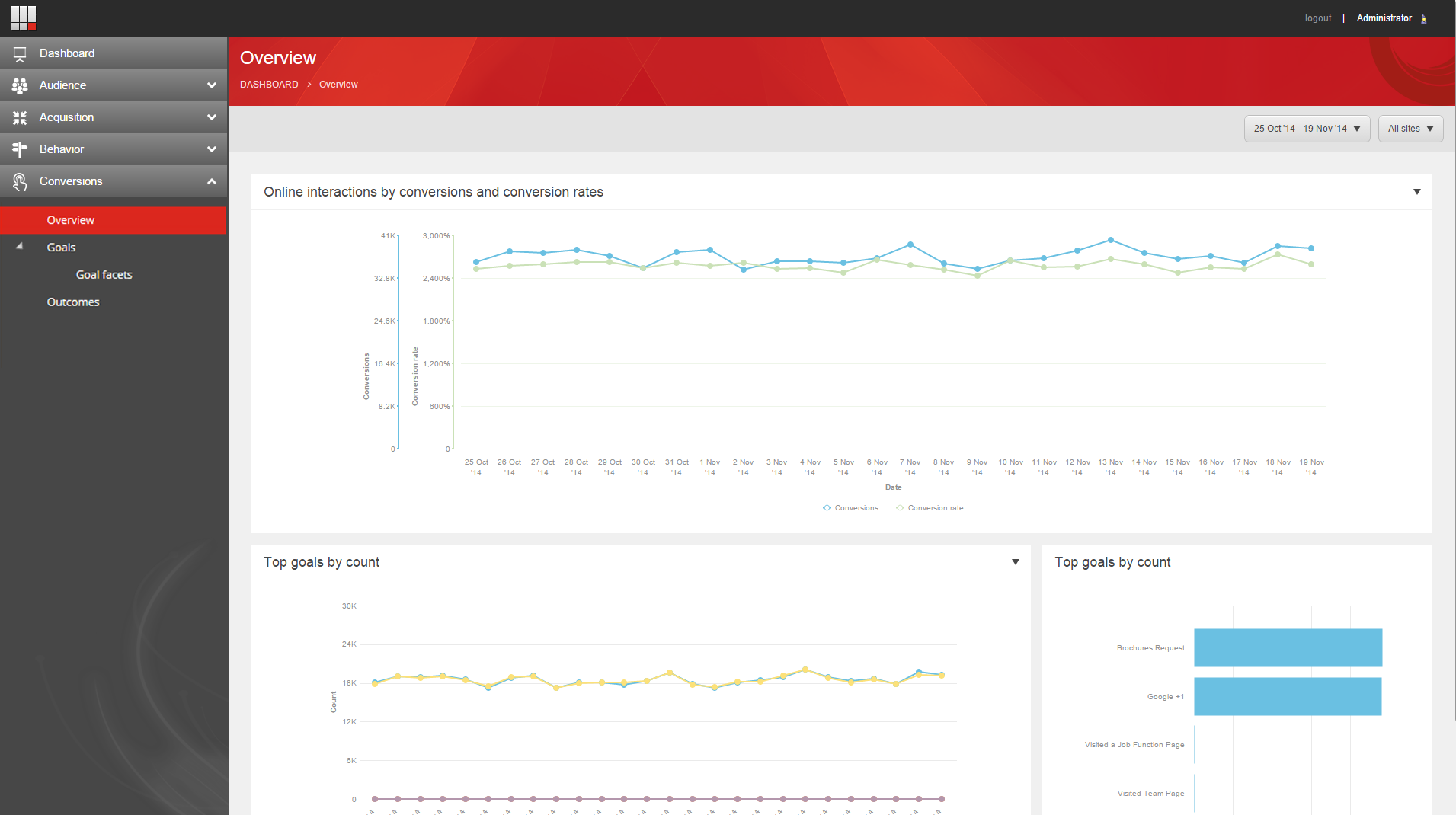
The Conversions tab contains reports that illustrate which behaviors by your website visitors generate the most value, which goals are converting, as well as a summary of the number of conversions, among others.
The Conversions overview contains the following charts.
| Chart | Content |
|---|---|
| Online interactions by conversions and conversion rates | The percentage of interactions that have a conversion as well as the total number of conversions. |
| Top goals by count | The top goals converted on your site. |
| Conversions by visits | The number of times your contacts are converting per visit. |
| Conversions by page views | The number of times your contacts are converting, by page views. |