The email campaign templates
Version:
In a default installation, the Email Experience Manager (EXM) contains a number of predefined templates and import options. As part of the email campaign creation process, you select the template you want to use.
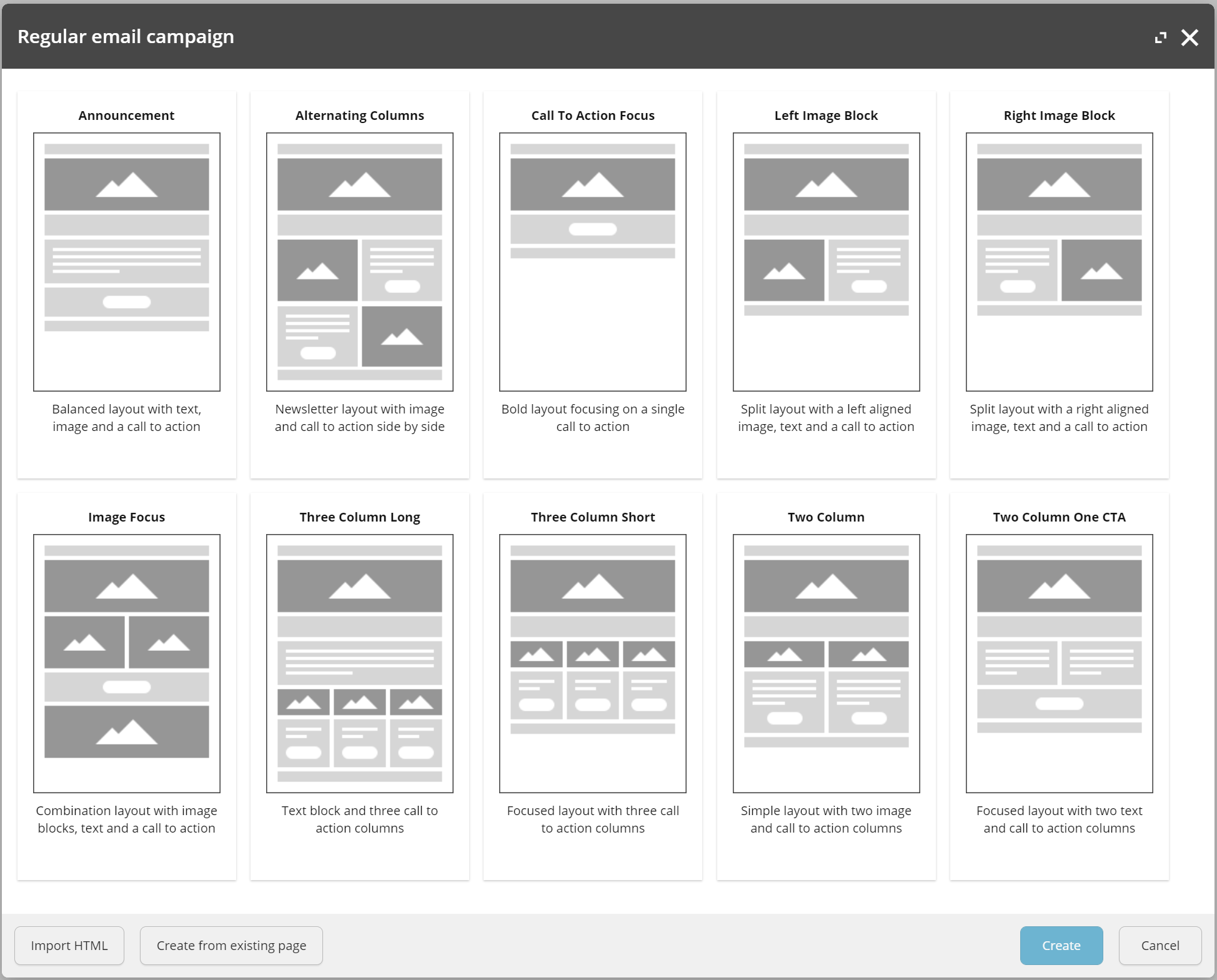
The following table describes the available default templates. You can also create a custom template (such as the Branded Email template) to meet your individual requirements.
| Template | Description |
|---|---|
| Announcement | Communicate a key message with a balance of text boxes, a bold header image, and a single call to action. |
| Alternating columns | Share a range of topics in newsletter style format, balancing image and call to action side-by-side. |
| Call to Action Focus | Focus your recipient's attention to a high priority action with a bold header image and a single call to action. |
| Left Image Block | Create a layout with a left-aligned image, text, and a call to action. |
| Right Image Block | Create a layout with a right-aligned image, text, and a call to action. |
| Image Focus | Create a layout with multiple images, text, and a call to action. |
| Three Column Long | Create a layout with a text block and three columns that each have a call to action. |
| Three Column Short | Create a layout with three columns that each have a call to action. |
| Two Column | Create a simple layout with two columns that both have an image and a call to action. |
| Two Column One CTA | Create a layout with two columns of text and a single call to action. |
If you have suggestions for improving this article, let us know!