Parallel and sequential approvals
To configure Content Hub, you must either be a superuser or have the necessary permissions granted to you through user group policies.
You can configure parallel and sequential approvals to define structured review processes within a state flow. Instead of a single reviewer approving a content item, you can require multiple groups of reviewers to complete their reviews before a state transition can proceed.
-
In a sequential approval, stages must be reviewed in sequence. The next review stage can't start until the current one finishes.
-
In a parallel approval, all stages can be reviewed at the same time.
Review stages
Superusers and users with the OverrideStateFlowGate permission on target entity definition can respond for a reviewer, directly approve or reject a stage, and restart the review cycle.
A review stage represents a review step within the approval process for a parallel or sequential approval. You can assign reviewers and rules to each review stage, and each approval can have up to 10 review stages.
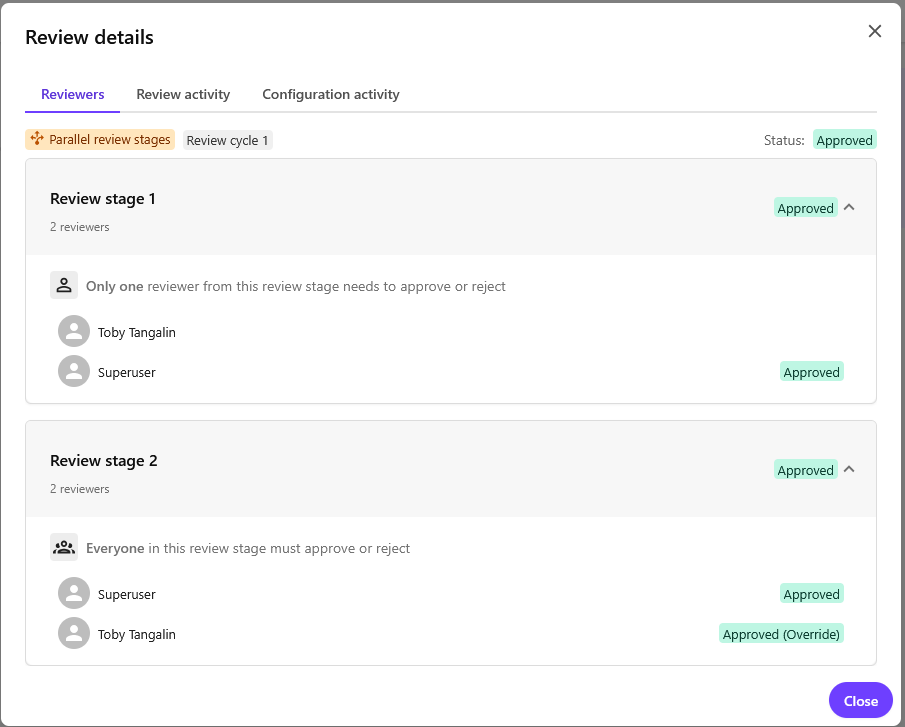
Reviewers
A reviewer approves or rejects a review stage. Reviewers can be specific users, user groups, or a combination of both.
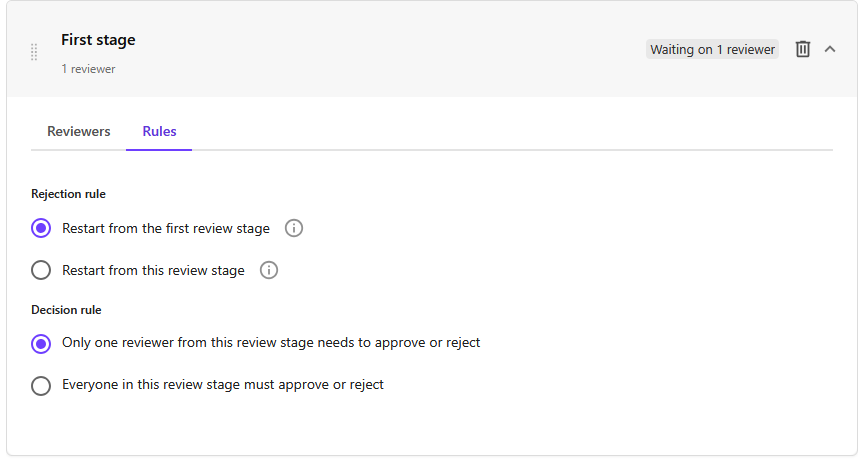
Rules
The Rules tab is only visible after adding at least one reviewer to a stage.
Rules determine whether a single reviewer can approve or reject a stage or if all assigned reviewers are required. In a sequential approval, rules also determine what happens when a review stage is rejected.
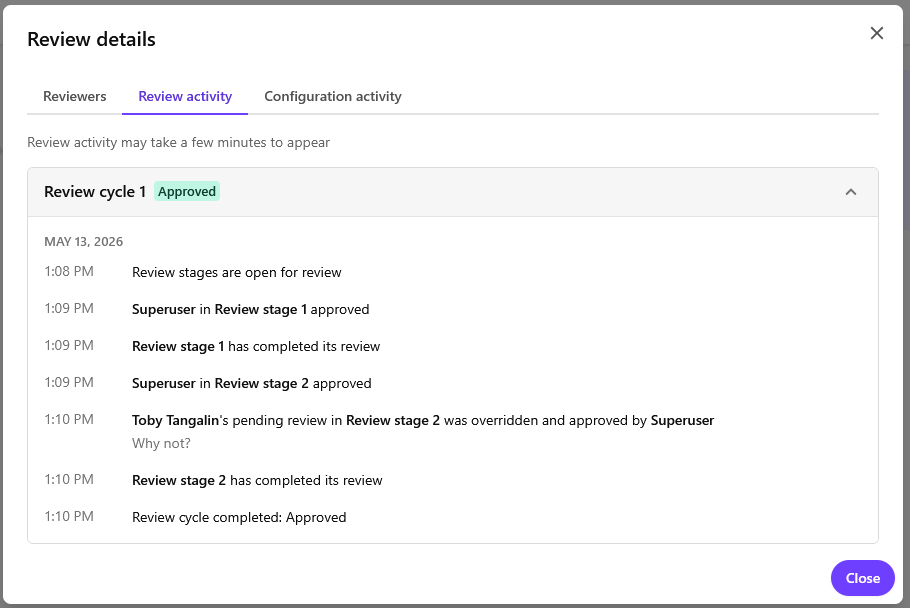
Review activity
The Review activity tab shows events related to review activity such as when a stage is approved.
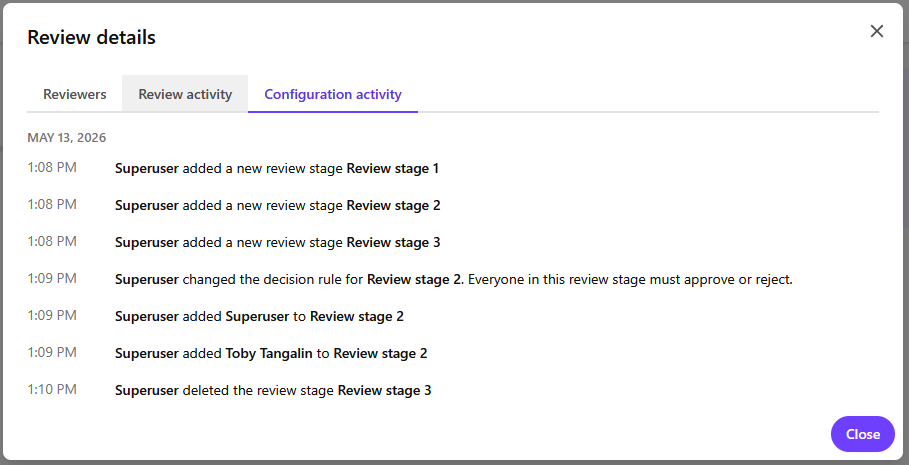
Configuration activity
The Configuration activity tab shows any configuration changes made to the approval.
User permissions for parallel and sequential approvals
Users need specific permissions to view, configure, or override parallel and sequential approvals.
-
To view approvals and participate as a reviewer, users need the Read permission on SC.Automation.Gate. This permission is added to the M.Builtin.SM.Everyone user group out of the box.
-
To create and configure approvals, users need the Create, Update, and Delete permissions on SC.Automation.Gate and the ManageStateFlowGate permission on the target entity definition.
The Create, Update, and Delete permissions are added to the M.Builtin.SM.Administrators user group out of the box.
-
To directly approve or reject a stage, respond on behalf of a reviewer, or restart the review cycle, users need the OverrideStateFlowGate permission on the target entity definition.