Run a spell check on an item
Version:
To check the spelling of an item, you can run the built-in spell checker. This runs through all the text fields of an item.
Note
The spell checker only checks the current item. If you have edited several items, you must open them individually and run the spell checker.
To run the spell check:
-
In the Content Editor, in the content tree, click the item you want to run the spell check on.
-
In the ribbon, click the Review tab and, in the Proofing group, click Spelling.
-
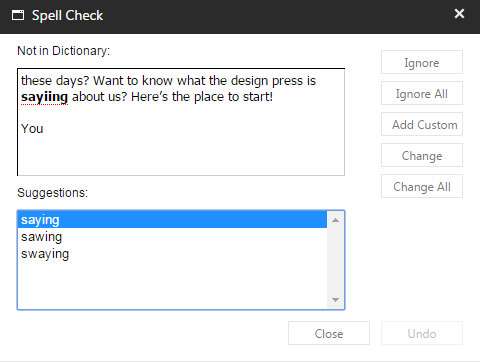
In the Spell Check dialog box, go through all the suggestions for change. Use the action buttons on the right side of the dialog to ignore or implement the suggestions.
If you have suggestions for improving this article, let us know!